17
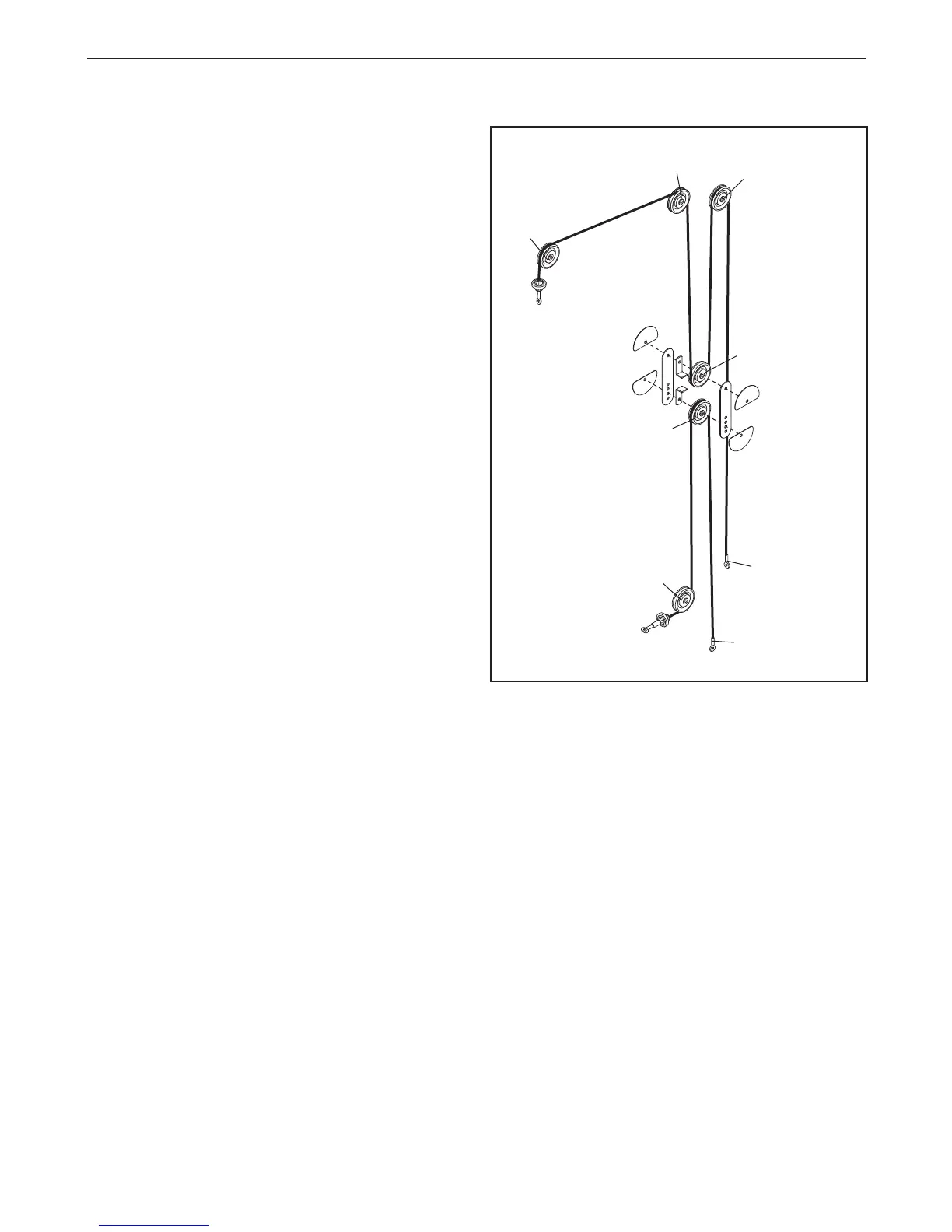
CABLE DIAGRAM
The cable diagram shows the proper routing of the
Cables (61). Use the diagrams to make sure that the
cables and the cable traps have been assembled cor-
rectly. If the cables have not been correctly routed,
t
he weight bench will not function properly and dam-
age may occur. The numbers show the correct route
for each cable. Make sure that the cable traps do
not touch or bind the cables.
1
1
2
3
2
3
4
5



 To Next Page