11
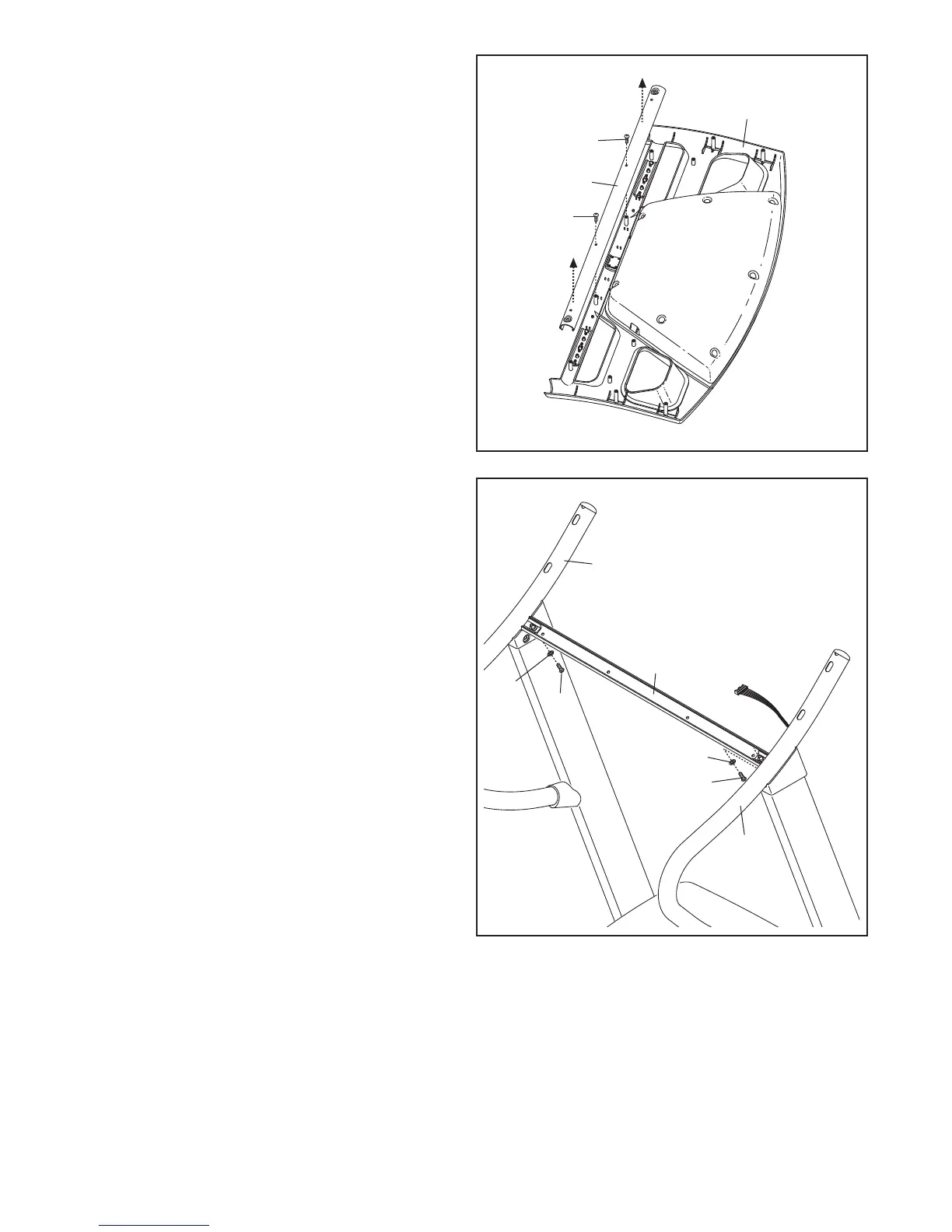
11. Attach the Crossbar (106) to the Right and Left
Handrails (104, 107) with two 1/4" x 3/4" Bolts
(10) and two 1/4" Star Washers (14). Do not
tighten the Bolts yet.
11
106
104
107
14
10
14
10
10. Set the console assembly face down on a soft
s
urface to avoid scratching the console assem-
bly.
Remove the two #8 x 1/2" Screws (2) from the
C
rossbar (106), and then remove the Crossbar.
Save the Crossbar and the two Screws for
steps 11 and 14.
C
onsole
Assembly
2
2
106
10





 To Next Page