27
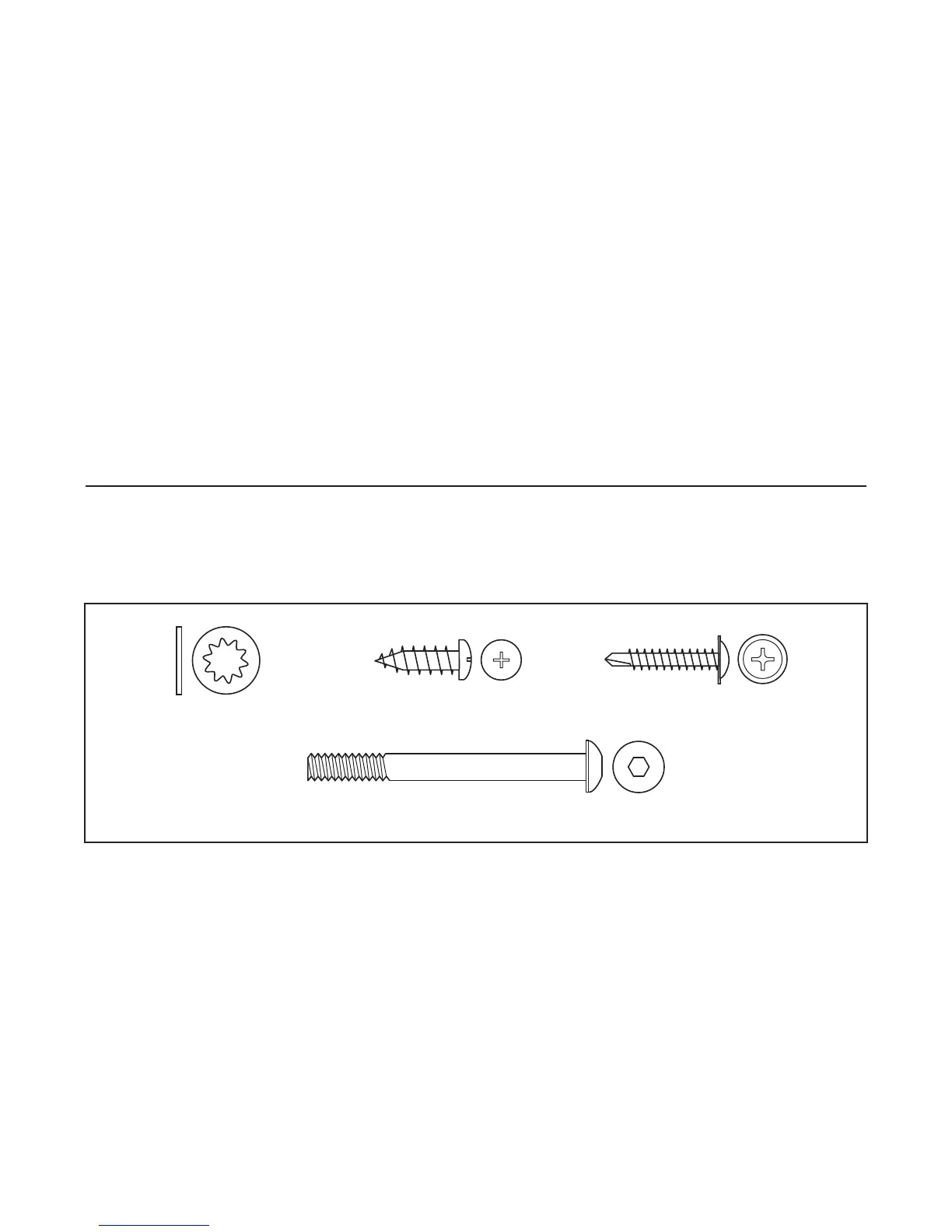
Internal Star
Washer (77)–4
Console Bolt (76)–4
1” Tek Screw (40)–6
Latch Screw (46)–2
Use the drawings below to identify small parts used during assembly. Note: If a part is not in the parts bag,
check to see if it has been preattached to one of the parts to be assembled.
PART IDENTIFICATION CHART
K
ey No. Qty. Description Key No. Qty. Description
101 1 Console Base
102 1 Optic Disk
103 8 Ground Screw/Choke Screw
104 1 Key Clip
105 2 Fan Screw
106 1 Fan
107 1 Console
108 44 Screw
109 1 Left Tray
110 1 Console Support
111 1 Right Tray
112 1 iFIT.com Wire
113 1 Hood
114 2 Motor Bracket Bolt
115
1 Photo Switch Screw
116 1 Left Handrail
117 1 Left Top Handgrip
118 1 Photo Switch Nut
119 1 Left Bottom Handgrip
# 1 10” Blue Wire, 2F
# 1 10” Blue Wire, M/F
# 1 4” Blue Wire, M/F
# 1 8” Green Wire, 2 Ring
# 1 4” Green Wire, M/Ring
# 1 14” Red Wire, M/F
# 1 12” Black Wire, M/F
# 1 User’s Manual
*Includes all parts shown in the box
#These parts are not illustrated
If a part is missing, call toll-free 1-888-533-1333.






 To Next Page