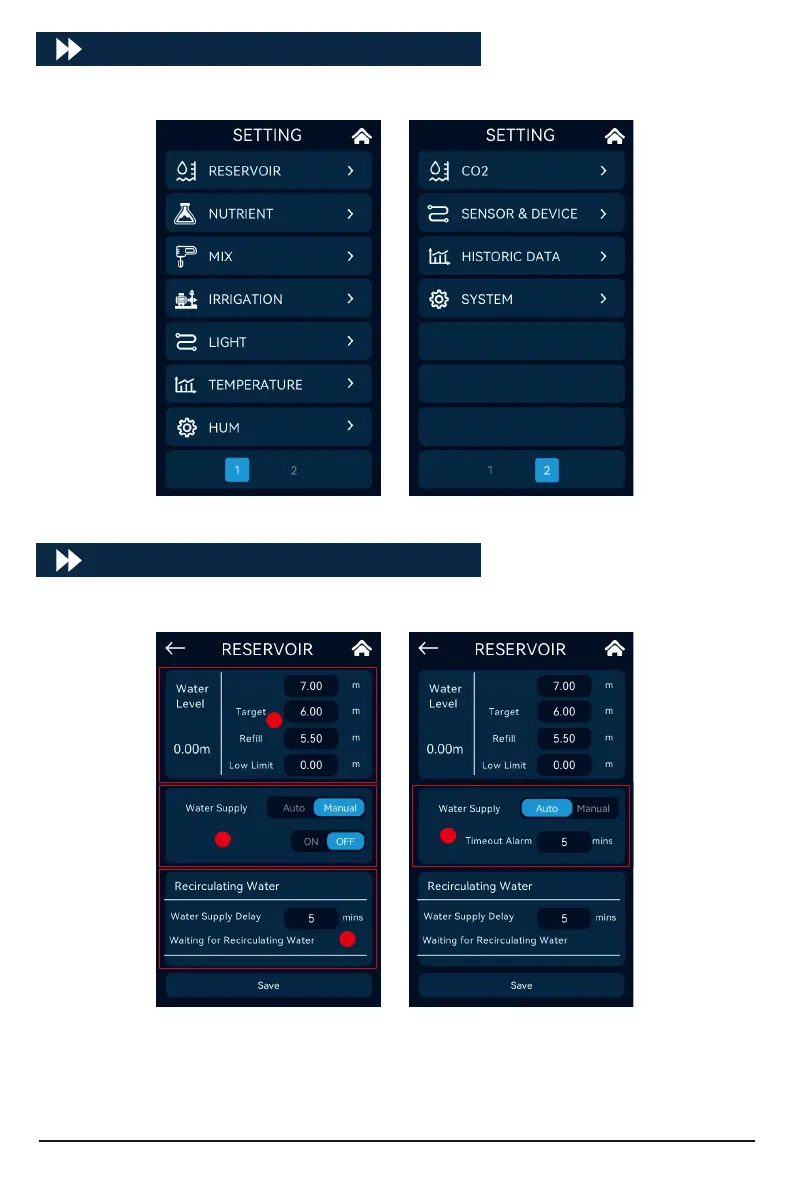
Set the rell water level, high water level, low water level, and target water level of the
nutrient pool, and can display real-time water level data at the same time.
It can be switched to Manual, which is convenient for users to manually add water to the
target water level; In the state of automatic water replenishment, set the alarm time.
Set the circulating water waiting time.
A.
B.
C.
SETTING
Click [MENU] on the home page to enter the setting inteace:
RESERVOIR
Click [RESERVOIR] to enter the water level and recirculating water settings:
A
B
B
C
10
High Limit High Limit



 To Next Page