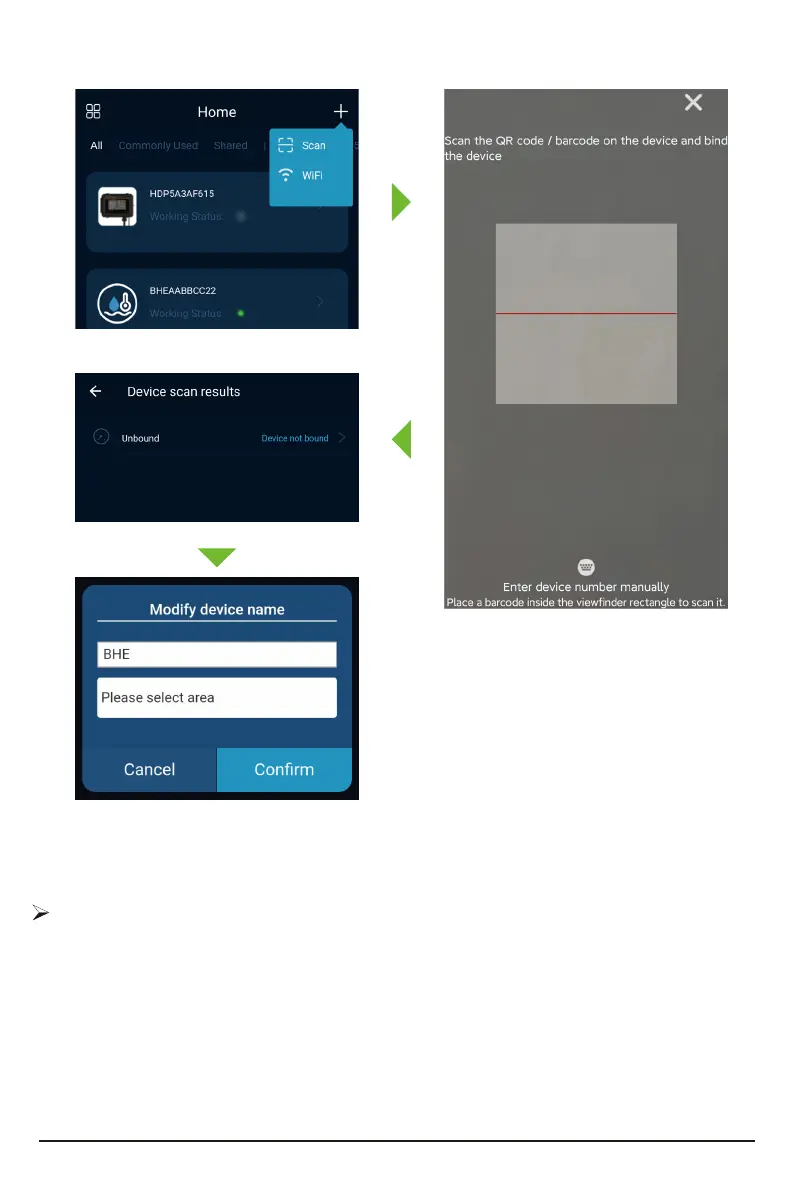
Plug the device into the network cable, open the setting inteace of the device, select [QR
Code], and click the OK button. The device will then display a QR code.
Tap the plus sign on upper right corner
of mobile app, use the scan function to scan
the QR code; After scanning the QR code or
adding it manually, by tap "Device
Unbound";Enter the device name, select
the device area, and tap OK to bind success-
fully.
The SD card stores upgrade rmware, device registration information, etc.Please ensure SD is
inseed in the slot when using.
SD Card Function
31



 To Next Page