10
Vertical And Line Layout Setup
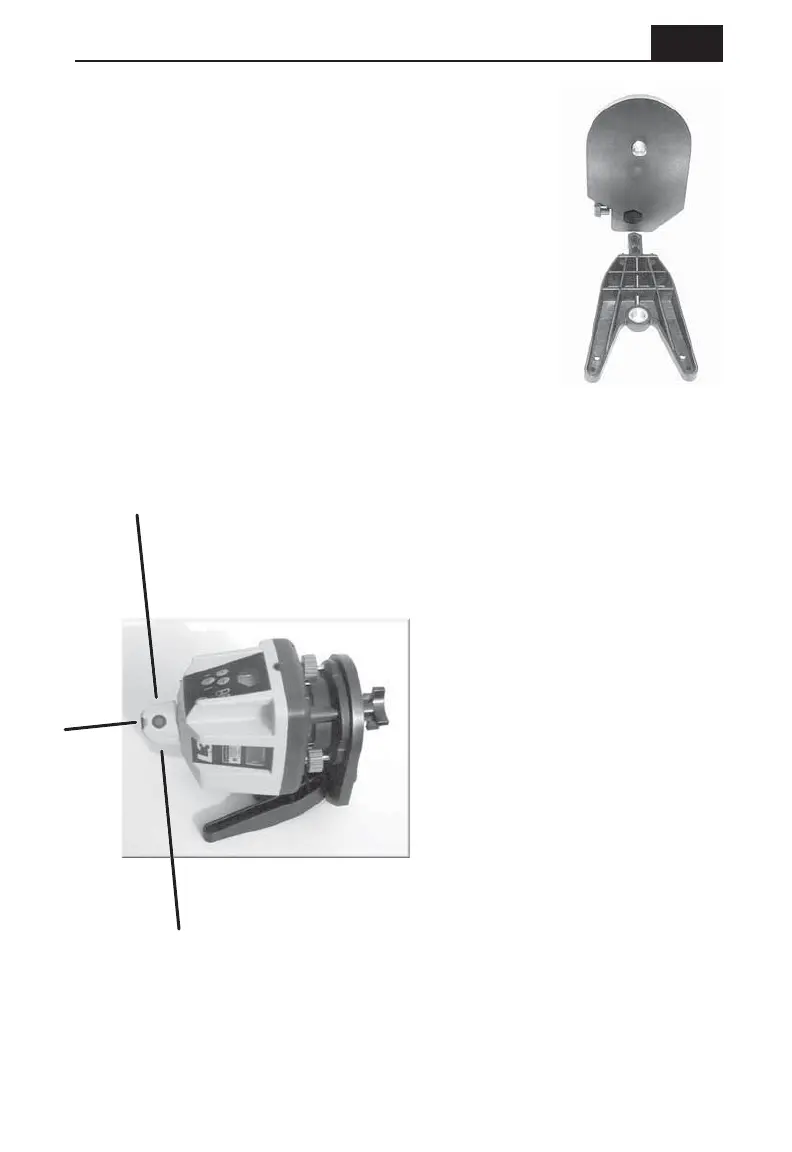
Assemble the optional vertical mount and attach the
laser to it. Remove the receiver from the rod clamp,
turn it on and set it on your far point, laying it on its
side. With the receiver pickup window facing the
laser, use the beam center notch for alignment over
the point.
Return to the laser/mount assembly and use the
Y-axis leveling screw (now at the bottom of the laser)
to rough center the vertical vial (visible through the
window in the control panel now at the top of the
laser) Note that the surface the vertical mount is
resting on should be reasonably level. Turn the laser
on and stop the beam rotation (using the - button).
Turn the rotating head to project the beam downward toward your near
point while you rough align the assembly. Turn-on the rotation while
keeping the beam on the near point and sliding the base of the assembly
until the receiver's audio tone begins.
The X-axis leveling knob (now
near the top of the laser) is used
as a fine mechanical line control
to center the beam plane on the
receiver. The receiver's audio
tone will become constant when
the beam is centered on the
receiver. Make a final
adjustment of the vertical axis
vial after the alignment is done
and re-align to the receiver if
necessary. Note that the laser is
completely manual when in the
vertical mode and you will have
to check the bubble from time to
time to insure accuracy. Draw a
line around the feet of the mount
to allow you to verify that the
mount has not been moved.
The mount can also be attached to a tripod for vertical setups.
Check the vertical vial and your benchmarks regularly to be sure
your work is accurate. The
L3
is designed for vertical
alignment up to two stories high.



 To Next Page