Getting Started
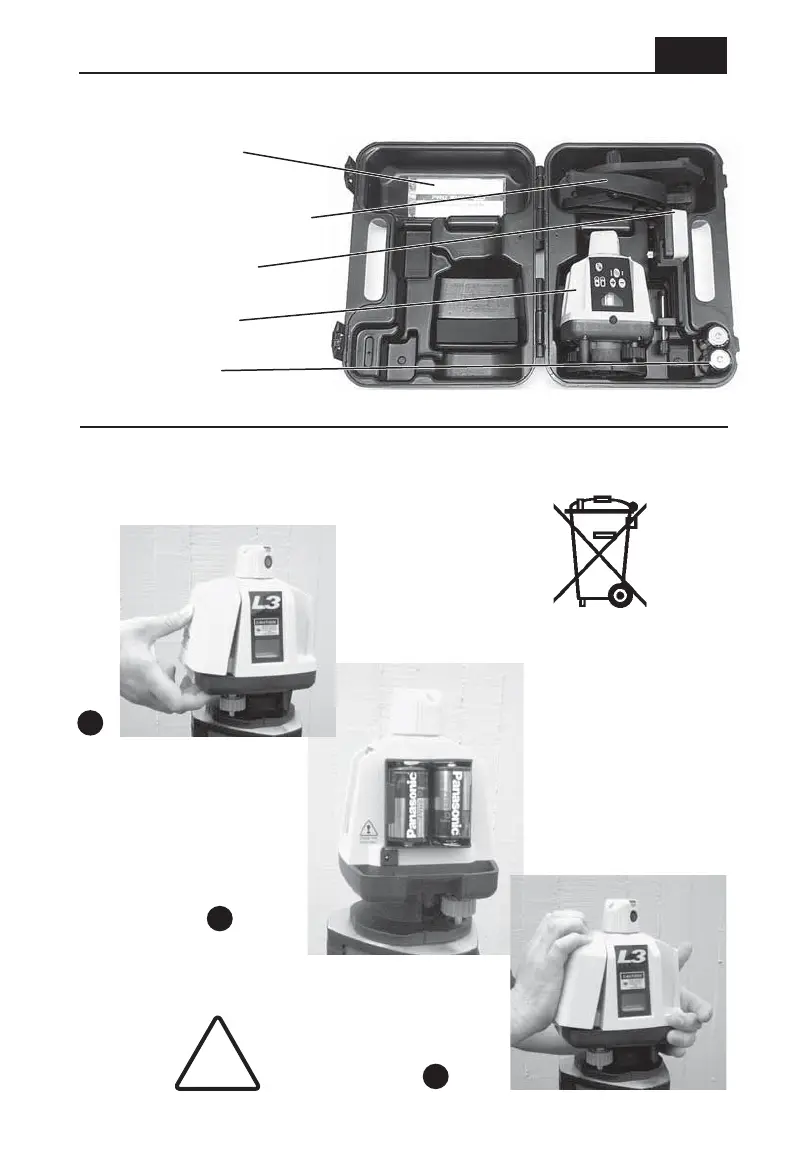
Case contents (can vary - may be ordered with different accessories)
Manual, placard,
operator cards
Vertical mount (optional)
Receiver (optional)
Laser transmitter
D-cell batteries
Battery installation
1
1 Pull firmly on tab
at base of door
1 Pull firmly on tab
at base of door to
remove
3 Hook battery door at top
3 Hook battery door at top
of housing and push firmly
of housing and push firmly
at base of door to latch
3 Hook battery door at top
of housing and push firmly
at base of door to latch
2 Install batteries according
2 Install batteries according
to the instructions molded on
to the instructions molded on
the battery holder
2 Install batteries according
to the instructions molded on
the battery holder
!
CHARGE ONLY
RECHARGEABLE
BATTERIES
Always follow recycling
directives for electronic waste



 To Next Page