
 Need help?
Do you have a question about the Pro'sKit SS-989 and is the answer not in the manual?
Defines and explains the importance of warnings in the manual for safety.
Defines and explains the importance of cautions in the manual for safety.
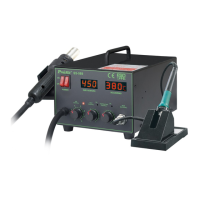
Identifies and labels the various components of the rework station.
Lists all the items included in the product package.
Highlights the key functionalities and benefits of the SS-989.
Details the technical parameters and performance data of the SS-989.
Instructions for assembling the main station components and heat gun holder.
Steps for attaching the nozzle onto the heat gun.
Guide for connecting power, securing the pump, and turning on the unit.
Step-by-step guide for calibrating the temperature of the iron and hot air.
Steps for removing surface-mount components using the hot air function.
Guide for applying solder paste and installing SMD components.
Instructions for cleaning the PCB after soldering.
Steps for assembling the soldering iron stand.
Guidance on how to maintain and use the soldering iron tip.
Procedures for inspecting and cleaning the soldering iron tip.
Instructions for replacing the fuse if it blows.
Safety warning before checking or replacing parts.
Lists common defects, possible causes, and solutions for the unit.
 General
| Brand | Pro'sKit |
|---|---|
| Model | SS-989 |
| Category | Rework stations |
| Language | English |

 To Next Page
