
 Need help?
Do you have a question about the Pro1 Technologies T725 and is the answer not in the manual?
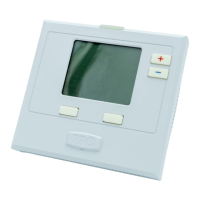
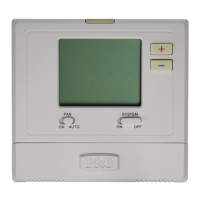
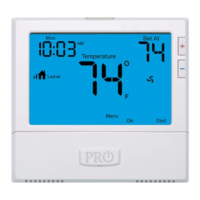
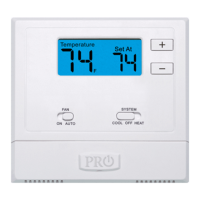
Details the LCD display, buttons, fan switch, system switch, and user buttons on the thermostat.
Warning regarding operating the cooling system below 50°F to prevent compressor damage.
Explains the thermostat's display elements, time, battery indicator, and button functions.
Details battery replacement, low battery warnings, and effects of depleted batteries on operation.
Explains how to temporarily or permanently override the thermostat's programmed schedule.
Describes thermostat staging for heating and how to reset the filter change reminder.
Step-by-step guide to setting the current time and day of the week on the thermostat.
Instructions for programming wake, leave, return, and sleep time periods for each day.
Functions to copy time periods and temperatures to multiple days or systems.
Details the 5-year limited warranty and the process for registering the thermostat.
Information on how to register the thermostat online or via mail.
This document describes the operation and programming of the Pro1 Technologies T725 thermostat, a device designed to manage your home's heating, ventilation, and air conditioning (HVAC) system. The thermostat offers both temporary and permanent hold features, as well as programmable schedules to optimize energy efficiency and comfort.
The Pro1 T725 thermostat serves as the central control unit for your HVAC system. It allows users to select the desired operating mode (Heat, Cool, Off, or Emergency Heat for heat pumps with auxiliary heat) and set a target room temperature. The thermostat continuously monitors the ambient temperature and activates the heating or cooling system as needed to maintain the setpoint. It supports two stages of heating, prioritizing the first stage for energy efficiency and engaging the second stage only when necessary to reach the desired temperature. The fan can be set to run continuously (ON) or to cycle automatically with the heating or cooling system (AUTO). The device also includes a programmable schedule feature, allowing users to define different temperature setpoints for various times of the day across a 5+1+1 day or 7-day schedule. This helps in managing energy consumption by adjusting temperatures when the home is unoccupied or during sleep hours.
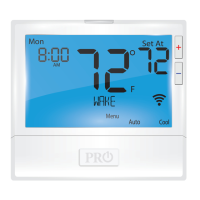
The thermostat features an LCD display that shows the current room temperature, time, day of the week, and the setpoint temperature. Key indicators on the display include "COOL ON" or "HEAT ON" when the respective systems are active, and a flashing icon when the compressor delay feature is engaged. A "HOLD" indicator appears when the thermostat program is temporarily or permanently overridden. The display also shows "Stage 2" when the second stage of heating is active.
User interaction is facilitated by several buttons:
The thermostat offers flexible programming options:
The Pro1 T725 thermostat incorporates features to ensure its proper functioning and to remind users of necessary maintenance:
 General
| Backlit | Yes |
|---|---|
| Hold Feature | Yes |
| Filter Change Alert | Yes |
| Display Type | Digital |
| Programmability | Yes |
| Programmable | Yes |






 To Next Page