
 Need help?
Do you have a question about the Pro1 Technologies T771 and is the answer not in the manual?
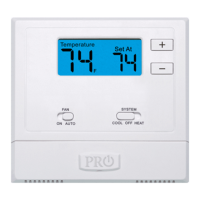
Details the read-out of the thermostat's screen, including room and set temperatures.
Self-illuminating button that activates the display light when pressed.
Controls fan operation; select ON for continuous or AUTO to cycle with heating/cooling.
Selects HVAC operation mode (Heat, Cool, Off) for the thermostat.
Buttons (+/-) used to adjust the desired room temperature setting.
Provides access to the battery compartment for replacement.
Instructions for replacing batteries and recommendations for battery types.
Explains the low battery icon, its flashing behavior, and consequences of not replacing batteries.
Details the 5-year limited warranty and how to register the thermostat online or by mail.
 General
| Backlit | Yes |
|---|---|
| Hold Feature | Yes |
| Filter Change Indicator | Yes |
| Power Source | Battery |
| Display Type | Digital |






 To Next Page