EasyManua.ls Logo

Pro1 Technologies T731W - User Manual

Pro1 Technologies T731W
5 pages
Print Icon
To Next Page IconTo Next Page
Loading...
T731W(O)
Installation Manual
Pro1 Technologies
Toll Free : 888-776-1427
Web: www.pro1iaq.com
Hours of Operation: M-F 9AM - 6PM Eastern
Thermostat Application Guide
Description
Gas or Oil Heat
Electric Furnace
Heat Pump (No Aux. or Emergency Heat)
Heat Pump (With Electric Aux.)
Multi-Stage Systems
Heat Only Systems - Floor or Wall Furnace
Cool Only Systems
Millivolt
Yes
Yes
Yes
Yes
No
No
Yes
Yes
Yes
Power Type
Battery Power
Hardwire (Common Wire)
Hardwire (Common Wire) with
Battery Backup
Table of Contents
Installation Tips
Thermostat Quick Reference
Wiring
Technician Setup
Establishing Communication
Network Specications
Specications
Page
A trained, experienced
technician must install this
product.
Carefully read these
instructions. You could damage
this product or cause a
hazardous condition if you fail
to follow these instructions.
Una version en español de este
manual se puede descargar en
la pagina web de la compañia.
Rev. 1950
Mount Thermostat
Align the 4 tabs on the subbase
with corresponding slots on the
back of the thermostat, then push
gently until the thermostat snaps
in place.
Battery Installation
Battery installation is
optional if thermostat is
hardwired (R and C terminal
connected to 24V power).
Important:
High quality alkaline batteries are recommended.
Rechargeable batteries or low quality batteries
do not guarantee a 1-year life span.
Insert 2 AA
Alkaline batteries
(included). High
quality alkaline
batteries are
recommended.
Installation Tips
2
4-5
6-11
12-16
1
2-3
Installation Tips Thermostat Quick Reference
Getting to know your thermostat
3
4
Subbase Installation
The thermostat should be installed approximately 4 to 5 feet above the
oor. Select an area with average temperature and good air circulation.
• Close to hot or cold air ducts
That are in direct sunlight
With an outside wall behind
the thermostat
• In areas that do not require
conditioning
Where there are dead spots
or drafts
(in corners or behind doors)
Where there might be
concealed chimneys or
pipes
Wall Locations
Vertical Mount
Horizontal Mount
For vertical mount put one screw on the top
and one screw on the bottom.
For horizontal mount put one screw on the
left and one screw on the right.
All of our products are mercury free.
However, if the product you are
replacing contains mercury, dispose of
it properly. Your local waste
management authority can give you
instructions on recycling and proper
disposal.
Pick an installation location that is easy for
the user to access. The temperature of the
location should be representative of the
building.
Installation Tip
Mercury Notice
Do not install
thermostat in locations:
Failure to disconnect the power before
beginning to install this product can
cause electrical shock or equipment
damage.
Installation Tip:
Electrical Hazard
U.S. Registered Trademark. Patents pending
Copyright 2019 All Rights Reserved.
Heat Pump (With Gas Aux.)
Emergency Heat
Conventional Single Stage Furnace
Geothermal
High and Low Fan Speed
No
No
Yes
Yes
19
Located on the back of thermostat.
P.O. Box 3377
Springeld, MO 65808-3377
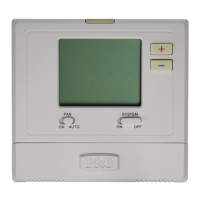
Glow in the Dark Light Button
Setpoint Buttons
LCD
System Button
Fan Button
R
17-18
20
Question and Answer IconNeed help?

Do you have a question about the Pro1 Technologies T731W and is the answer not in the manual?

Summary

Installation Tips

Wall Locations

Optimal placement for average temperature and good air circulation.

Subbase Installation

Instructions for mounting the subbase horizontally or vertically.

Electrical Hazard Warning

Crucial safety warning about disconnecting power before installation.

Mercury Notice

Information regarding mercury-free products and proper disposal.

Mount Thermostat

Battery Installation

Guide on installing AA batteries, noting it's optional if hardwired.

Getting to know your thermostat

Thermostat Quick Reference

Indicator Lights

Explanation of current room temperature, low battery, and system operation indicators.

Setpoint and Stages

Description of setpoint display and active heat/cool stages.

Low Battery Warning

Details on low battery indicator behavior and consequences of not replacing batteries.

Wiring

Electrical Hazard Warning

Crucial safety warning about disconnecting power before installation.

Terminal Designations

Table mapping wire terminals to system functions for Heat Pump and Conventional.

Wiring Tips

Guidance on terminal block screws, wire specifications, and C terminal usage.

Connecting to a PTAC

Instructions for connecting the base module to a PTAC unit.

Base Module - PTAC Installation

Mounting Locations

Recommendations for mounting the base module inside or outside PTAC units.

Technician Setup

Entering Technician Setup

Procedure to access the technician setup menu using thermostat buttons.

Important Tech Setting Notes

Key information regarding transferring tech settings to the base module.

Room Temperature Calibration

Adjusting the thermostat's displayed temperature reading.

Cooling and Heating Swing

Configuring cycle rate (differential) for cooling and heating.

Technician Setup

Fan Operation and Speeds

Selecting fan control (Electric/Gas) and number of fan speeds.

Medium Speed Fan Terminal

Designating the terminal for medium speed fan operation.

Temperature Scale

Choosing between Fahrenheit (°F) or Celsius (°C) for temperature display.

Display Light Settings

Configuring the display backlight to stay on or activate on key press.

Heat Pump System Setting

Selecting Heat Pump (default) or Conventional system type.

Compressor Short Cycle Protection

Enabling or disabling the 5-minute delay for compressor restart.

Heating and Cooling Setpoint Limits

Setting maximum/minimum temperature limits for heating and cooling.

Establishing A Connection

Pairing Procedure

Steps to pair the thermostat with the base module for wireless communication.

Unpairing Procedure

Steps to unpair the thermostat from the base module network.

Technician Setup

Change Over Valve

Selecting the changeover valve setting (O or B) for heat pump applications.

Occupancy Sensor Control

Enabling/disabling the occupancy sensor for temperature setbacks.

Occupancy Settings

Configuring duration, occupied, and unoccupied temperature settings.

Occupancy Sensitivity

Adjusting the sensitivity level of the occupancy sensor.

Network Specifications

Wireless Network Setup

Guidelines for pairing thermostats with the base module and ensuring connection.

Network Capabilities

Information on base module capacity, repeater function, and device updates.

Specifications

Thermostat Specifications

Details on temperature range, load rating, power source, and dimensions.

Base Module Specifications

Details on load rating, power source, operating ambient, and humidity.

Pro1 Technologies T731W Specifications

General IconGeneral
Hold FeatureYes
Filter Change AlertYes
Backup MemoryYes
DisplayLarge LCD
Programmability7-Day
TypeDigital
CompatibilityConventional systems
Warranty5 years

Related product manuals