
 Need help?
Do you have a question about the Pro1 Technologies T855 and is the answer not in the manual?
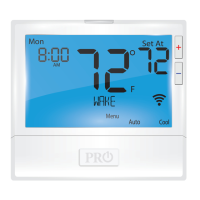
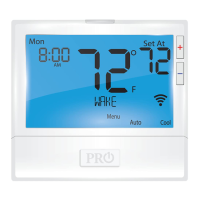
Details the thermostat's LCD display read out and its various components.
Explains the function of the button that illuminates the display.
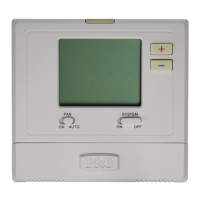
Describes how to select fan operation modes: ON, AUTO, or IAQ.
Explains how to select HVAC system modes: HEAT, COOL, OFF, AUTO, EM HEAT.
Details how to adjust the desired room temperature using plus and minus buttons.
Refers to page 4 for additional information regarding the button/battery door.
Instructions for battery replacement and details on the battery door.
Identifies and explains the various icons and indicators on the thermostat's LCD screen.
Explains the icon indicating low battery power and its implications.
Shows when the thermostat keypad is locked and how to unlock it.
Lists the buttons used for navigating and selecting options during programming.
Explains the functions of the Fan and System buttons for operation control.
Step-by-step guide to setting the day of the week and current time.
Instructions to customize the 5+1+1 program schedule for weekdays.
Instructions to customize the 5+1+1 program schedule for Saturday and Sunday.
Guidance on repeating programming steps for all days of the week.
Explains the programmable fan feature and IAQ mode for air circulation.
Describes how to set temporary and permanent holds on the thermostat.
Details how to lock and unlock the thermostat keypad.
Explains how to view and reset filter change reminders.
Notes other reminders like Humidity Pad, UV lamp, and IAQ Cell.
Instructions for registering the thermostat to activate the 5-year limited warranty.
 Operating Environment
| display temperature range | 41˚F to 95˚F (5˚C to 35˚C) |
|---|---|
| control temperature range | 44˚F to 90˚F (7˚C to 32˚C) |
| operating ambient temperature | 32˚F to +105˚F (0˚C to +41˚C) |
| operating humidity | 90% non-condensing maximum |
 Power
Power| load rating per terminal | 1 amp |
|---|---|
| maximum load rating all terminals | 1.5 amp |
| power source voltage | 18 to 30 VAC |
| power source frequency | 50/60 Hz |
| battery power type | 2 AA Alkaline batteries |
 Weight and Dimensions
| dimensions of thermostat width | 4.7” |
|---|---|
| dimensions of thermostat height | 4.3” |
| dimensions of thermostat depth | 0.9” |






 To Next Page
