Warranty Information
Warranty Registration
Your new thermostat has a 5 year limited warranty. You must register
your thermostat within 60 days of installation. Without this
registration the warranty period will begin on date of manufacture.
For warranty issues please contact the HVAC professional that
installed this product. You can register your new thermostat in 2 ways:
Go to the company website, select warranty registration and
ll out a short registration form.
Complete the form below and mail it to the address shown.
Warranty Registration
Thermostat Quick Reference
Online
Mail
Name:
Address:
City:
State:
Zip:
Thermostat Model:
Date Installed:
Complete form and mail to:
Thermostat Warranty Registration
Pro1iaq
P.O. Box 3377
Springeld, MO 65808-3377
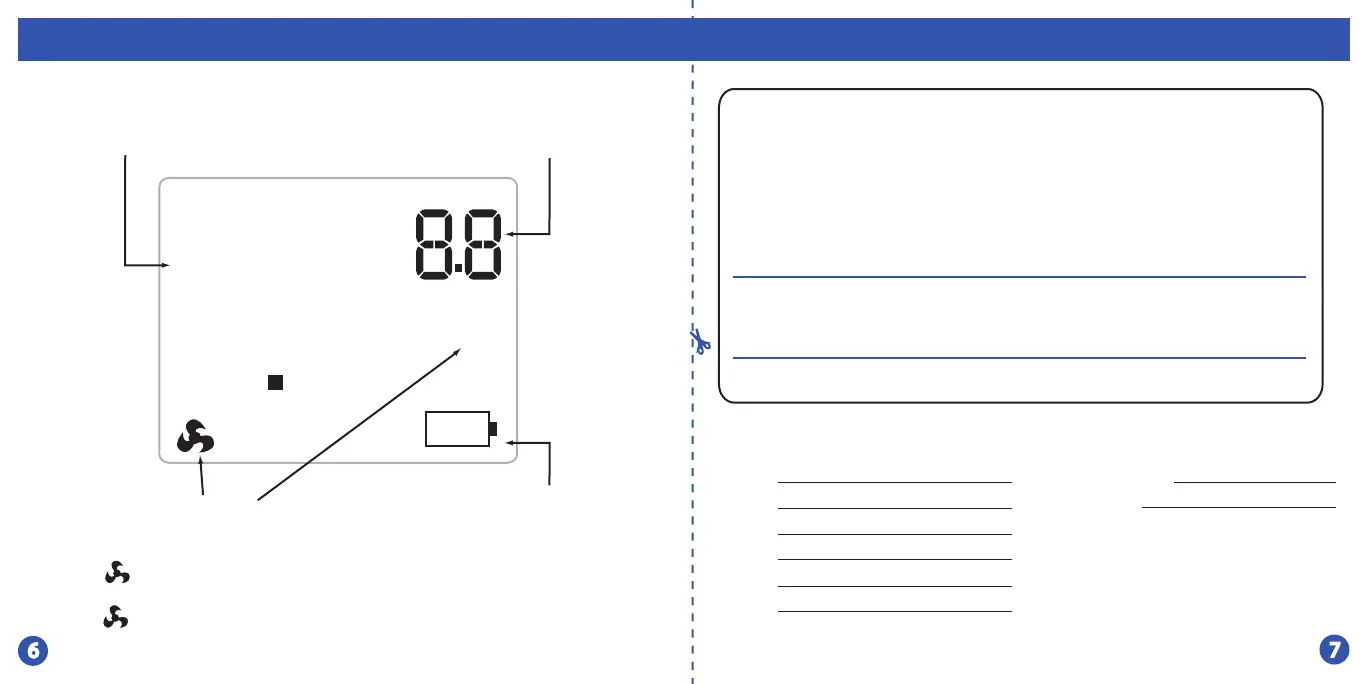
NOTE: The compressor
delay feature is active if
these icons are ashing.
The compressor will not
turn on until the 5 minute
delay has elapsed.
=
88
Room Temperature
o
Set At
C
COOL ON
HEAT ON
F
LOW
Setpoint Temperature:
Displays the selected
setpoint temperature.
System Operation
Indicators:
The COOL ON, HEAT ON
or icon will display
when the COOL, HEAT
or (fan) is on.
Low Battery
Indicator:
Replace batteries
when indicator is
shown.
Room Temperature:
Indicates the current
room temperature.







 To Next Page