8
Using the menues
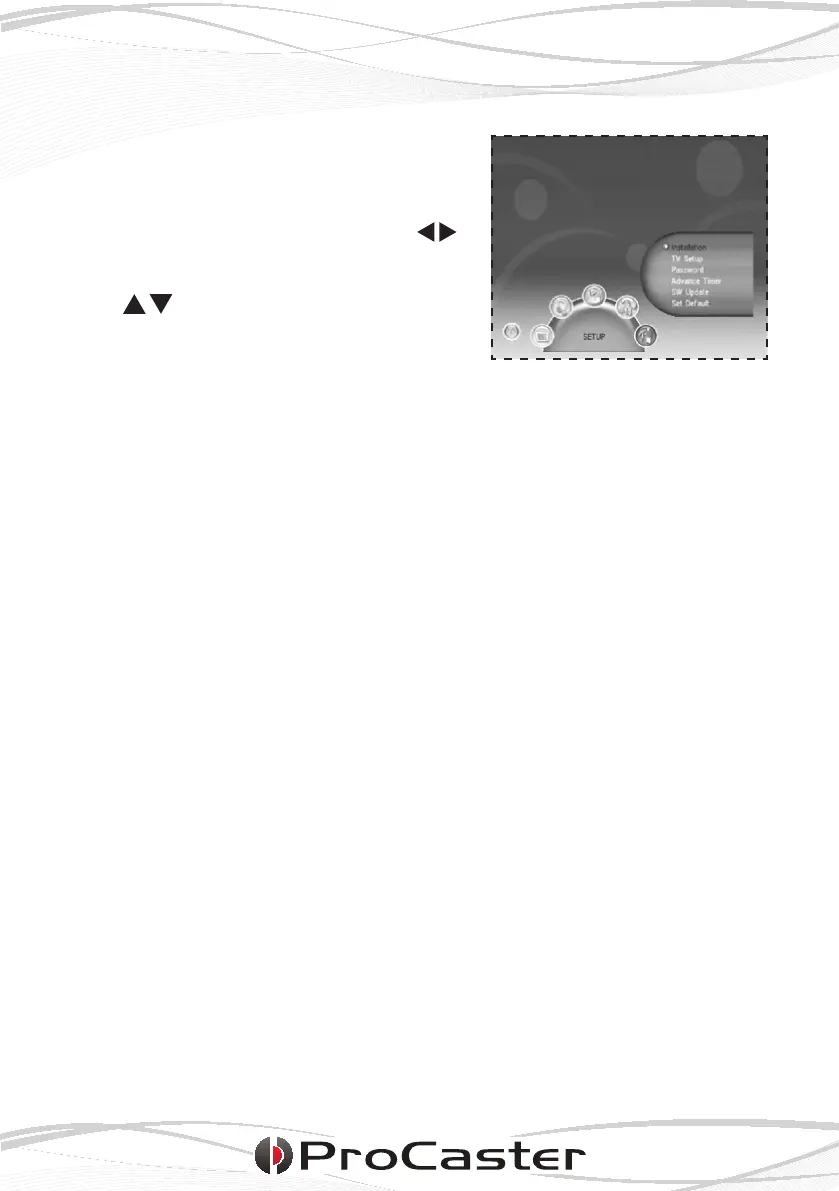
The menu can be opened with the MENU
button. The main menu has ve submen-
ues which can be opened with the
buttons.
Välj inställnigar ur den valda undermenyn
med knapparna och öppna in-
ställningarna med OK-knappen.
SETUP
In the Setup menu you will nd the following six submenues.
Installation
• Antenna Setting: Antenna ON / OFF
• Country Setting: The country setting used by the TV
• OSD Language: OSD (menu) language setting
• Audio Language: DVB language setting. The TV will use this lan-
guage track by default if available
• Subtitle Language: DVB text language setting. The TV will use this
subtitle language by default if available
• LCN: Logic channel list ON / OFF.
TV Setup
• TV Format [4:3LB, 4:3PS, 16:9LB, 16:9FIT]: Aspect ratio used by the TV
• TV Mode [PAL, NTSC, AUTO]: Picture mode used by the TV
• OSD Transparency: Set the amount of transparency for the menues
• Banner Display Time: Set the amount of time banners (info windows)
will be seen
• Vide Enhancement: Set which picture enhancement to use or turn
off
Password
• Setup Menu Lock: Lock the settings with password ON / OFF
• Channel Lock: Lock the channel search with p/w ON / OFF
• Censorship Lock: Block / Don’t block channels
• Change Password: Change / use / do not use password
The default password is: 0000












 To Next Page