AVP RS-232 Quick Guide Page 3
Connection
RS-232 Port
Location
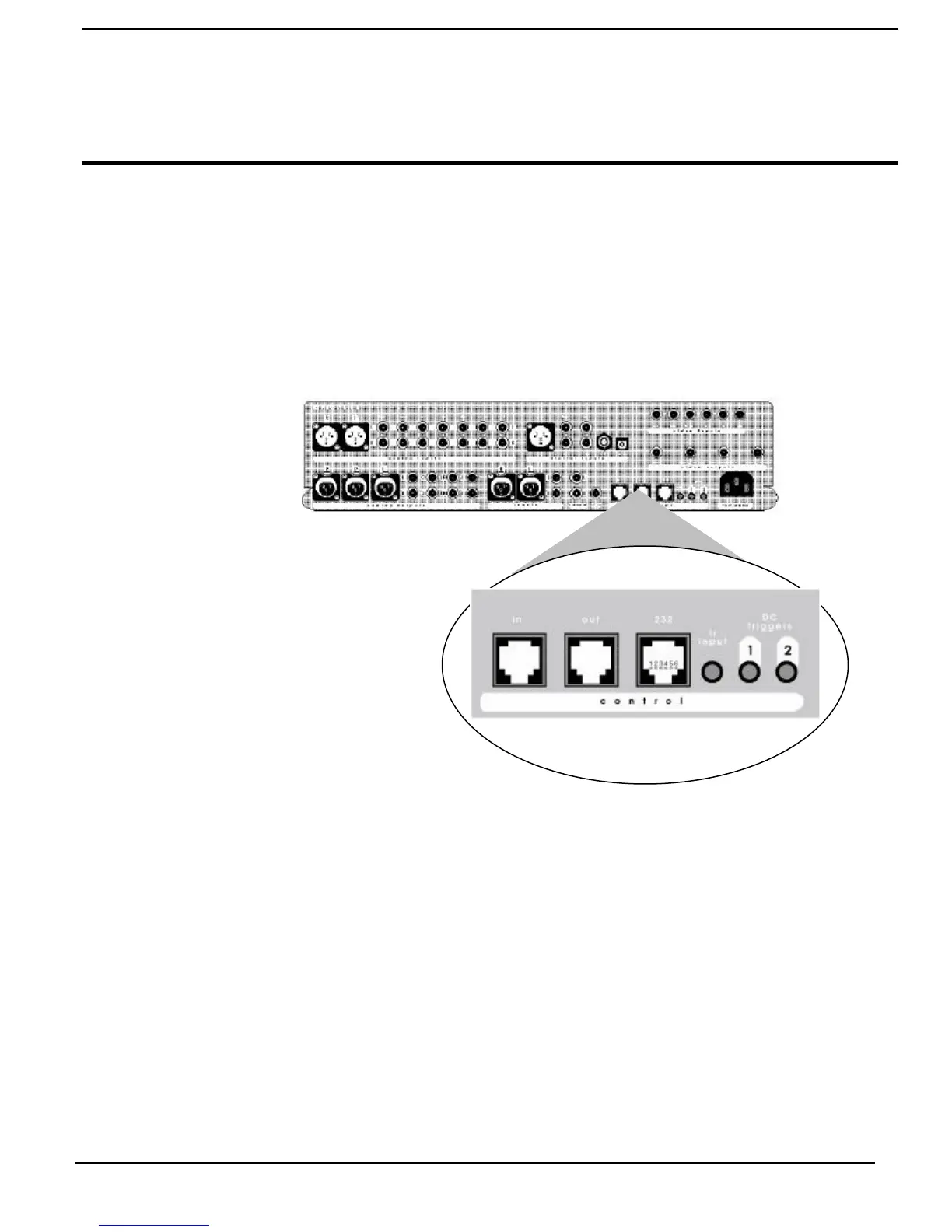
RS-232 control is through an RJ-11 connector located on the back of the AVP next
to the IR output. This connector has 6 pins of which only three are used for
communication.
Diagram 1 – RS-232 Port Location
Back Panel of AVP
RS-232 Port Pin
Configuration.
The AVP will receive control data on pin 2 Data Receive and transmit status data
on pin 3 Data Transmit. The connection Cable between the AVP and the control
device will need to be configured so that the AVPs receive is connected to the
control devices transmit. Please refer to the product owner’s manual for the control
device you are using for RS-232 port type and configuration.
Pin 2 Rx from the PC Data Receive
Pin 3 Tx to the PC Data Transmit
Pin 5 Digital system ground



 To Next Page