4 AL058-01
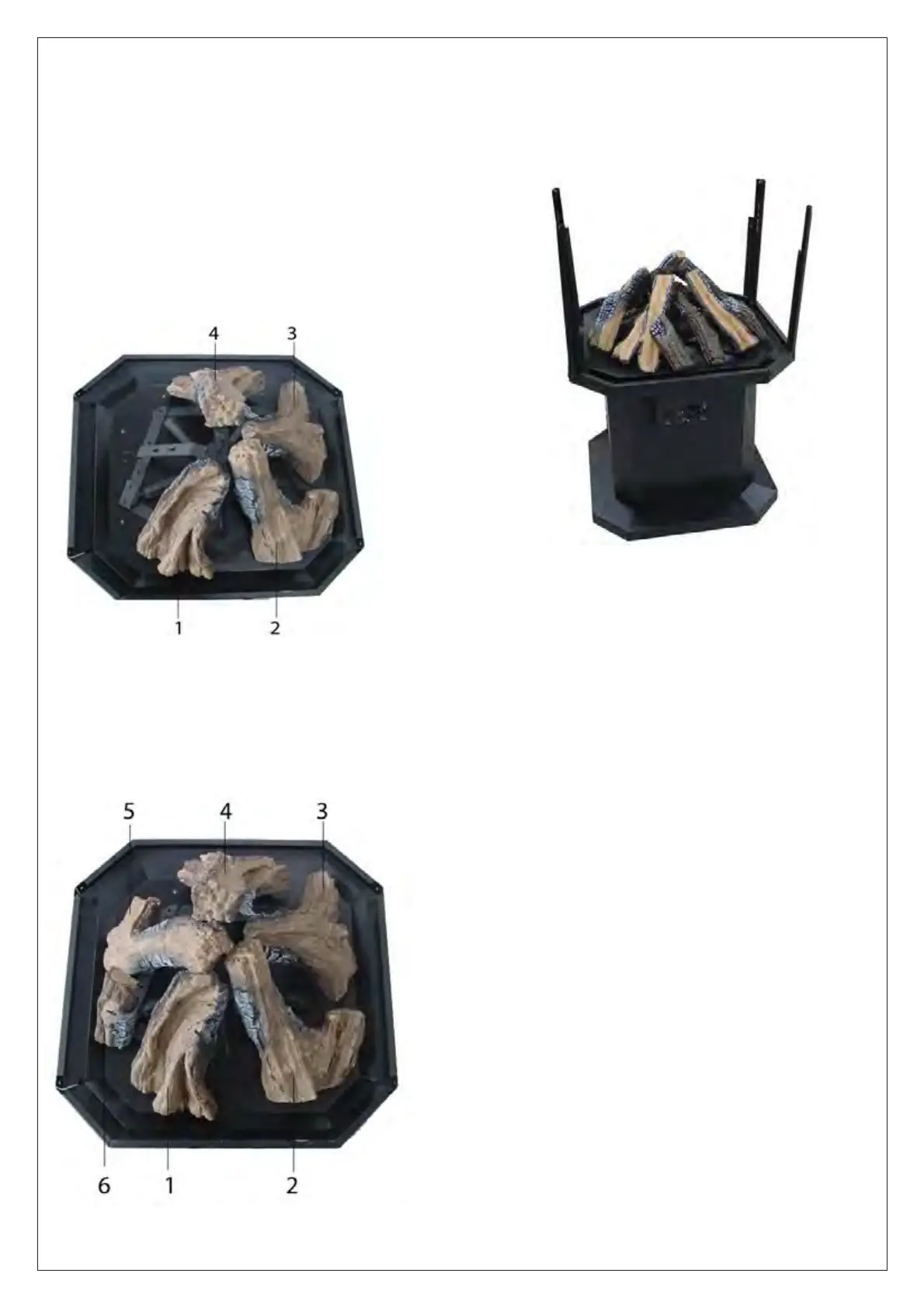
Attach the four columns to the burner plate with
M4h10 screws provided. Do not tighten at this
time. (See FIG.7)
7.
INSTALLATION INSTRUCTIONS
Continued
Fi
ure
-Column installation
5. Install logs 1,2,3,4 by inserting each log scre
into holes of corresponding grate branch .
Make sure each log is placed in prope
sequence.(See FIG 5.)
Note: If the log is too loose or the screw can’t be
pulled down after inserting the log screw, screw the
nuts to adjust the clearance between nuts and
logs.
6. Install logs 5,6 as step 5.(See FIG.6)
Fi
ure
-Installin
lo
1.2.3.4
Fi
ure 6-Installin
lo
.6


 To Next Page