1616
LIGHTING INSTRUCTIONS
FOR MD300HGA
1. STOP! Read the safety information on other side of this plate and on front and back of on Warning plate.
2. Make sure manual shutoff valve is fully open.
3. Turn control knob clockwise
to the OFF position.
4. Wait ve(5) minutes to clear out any gas. Then smell for gas around heater and near oor. If you smell gas,
STOP! Follow "B" in the safety information on Warnings plate. If you don't smell gas, go to the next step.
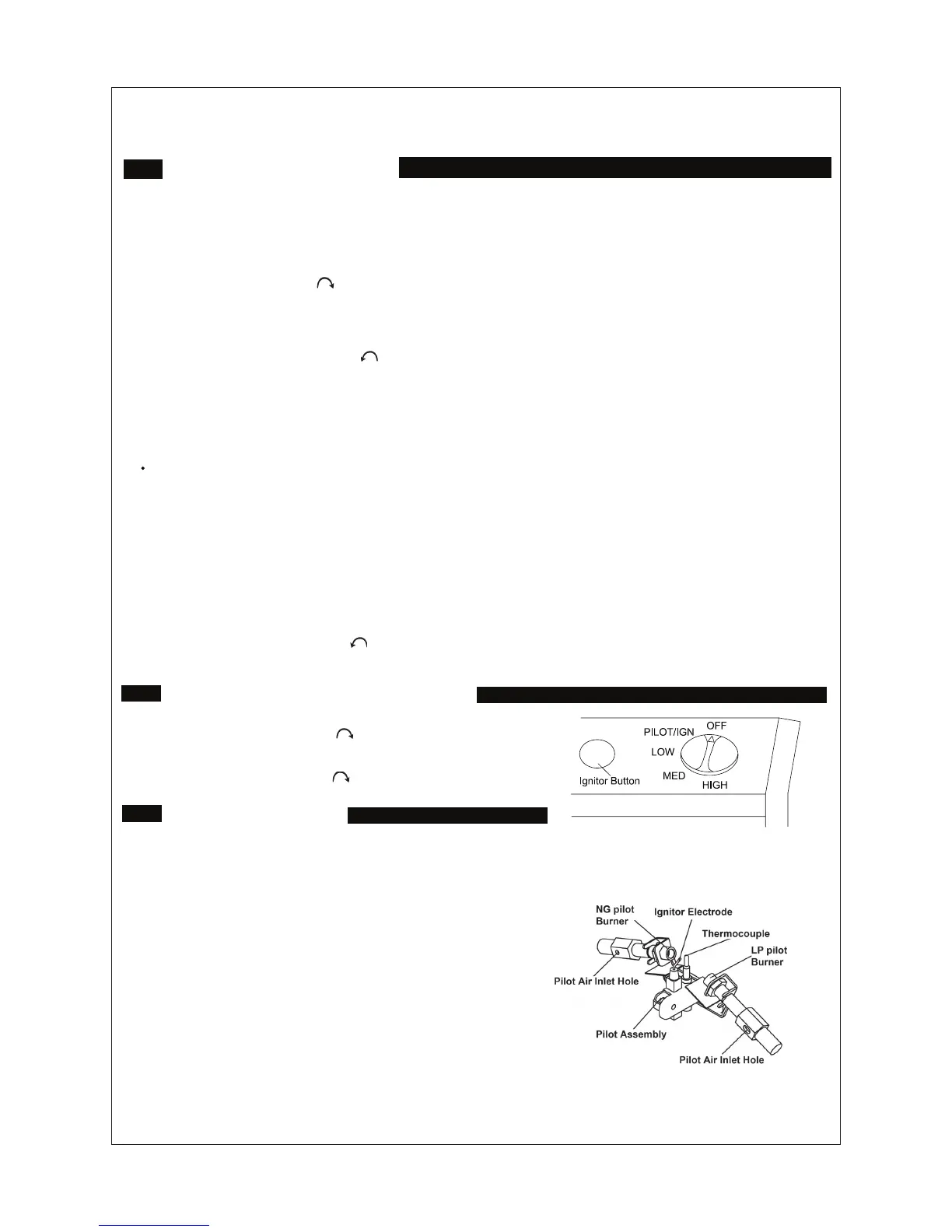
5. Turn control knob counterclockwise to the PILOT position. Keep control knob for ve (5) seconds (see
Figure 19).
Note: You may be running this heater for the rst time after hooking up to gas supply. If so, the control knob
may need to be pressed in for 30 seconds. This will allow air to escape from the gas system.
If control knob does not pop up when released, contact a qualied service person or gas supplier for repairs.
6. With control knob pressed in, push and hold in ignitor button. This will light pilot. The pilot is attached to the
front of the front burner (see gure 18). If needed, keep holding in ignitor button until pilot lights.
Note: If pilot does not stay lit, contact a qualied service person or gas supplier for repairs. Until repairs are
made, light pilot with match.
7. Keep control knob pressed in for 30 seconds after lighting pilot. After 30 seconds, release control knob.
Note: If pilot goes out, repeat steps 4 through 8. This heater has a safety interlock system. Wait one (1) minute
before lighting pilot again.
8. Turn control knob counterclockwise to the desired heating level. The main burner should light. Set control
knob to any heat level between HI and LO.
TO TURN OFF GAS TO APPLIANCE
Shutting Off Heater
Turn control knob clockwise to the OFF position.
Shutting Off Burner Only (pilot stays lit )
Turn control knob clockwise to the PILOT position.
Figure 18 Control knob in the OFF position
Figure 19 pilot
MANUAL LIGHTING
PROCEDURE
1. Remove lower front panel (gure 6 page 10).
2. Follow steps 1 through 5 under Lighting Instructions.
3. With control knob pressed in, strike mach. Hold
match to pilot until pilot lights.
4. Keep control knob pressed in for 30 sectonds after
lighting pilot. After 30 seconds, release control knob.
Follow step 8 under Lighting Instructions.
5. Replace Lower front panel.


 To Next Page