2121
INSPECTING BURNER
Check pilot ame pattern and burner ame pattern often.
PILOT FLAME PATTERN
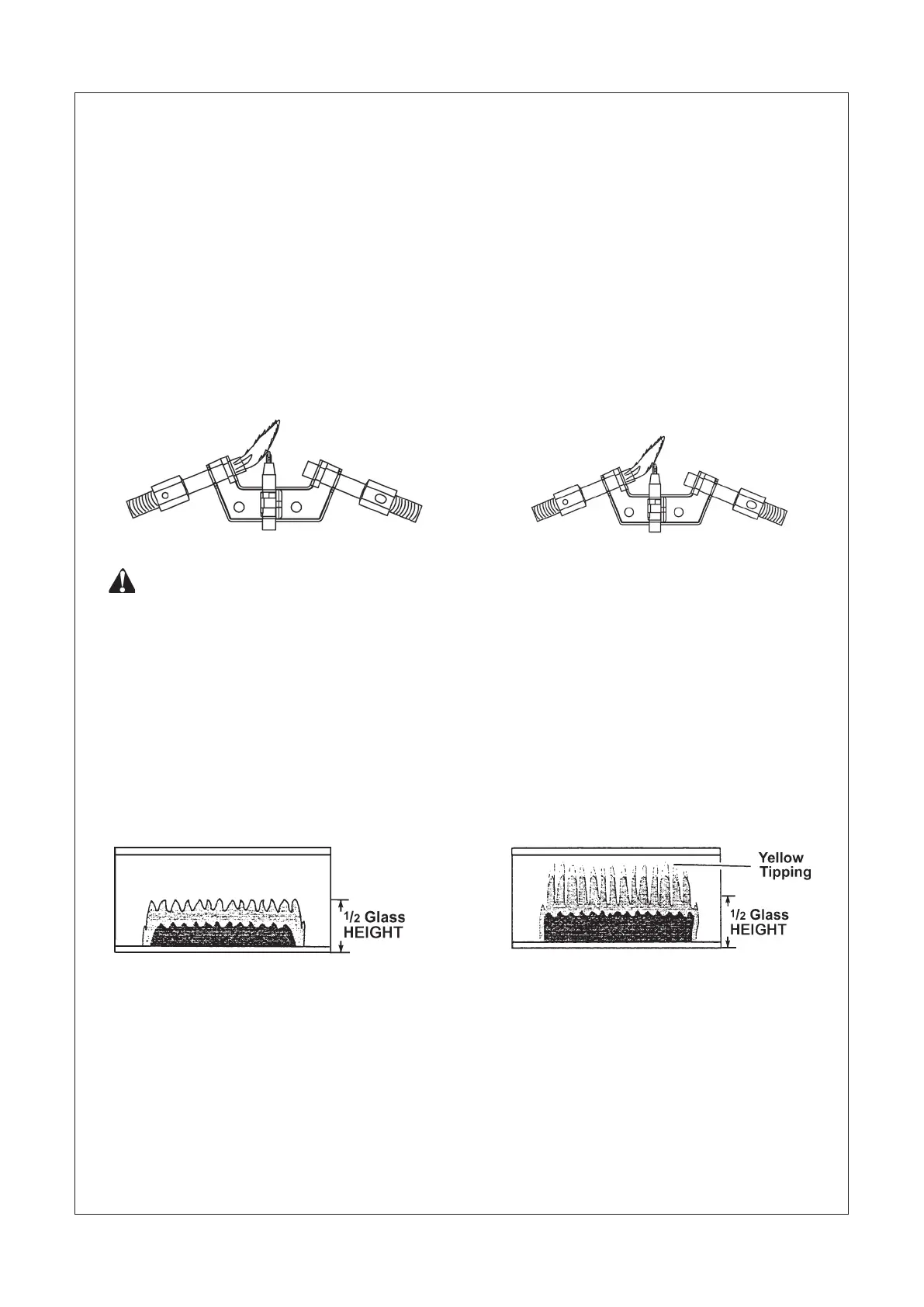
Figure 21 shows a correct pilot ame pattern. Figure 22 shows a incorrect pilot ame pattern. The incorrect pilot
ame is not touching the thermocouple. This will cause the thermocouple to cool, which shuts the heater off. If
pilot ame pattern is incorrect:
turn heater off (see “To Turn Off Gas to Appliance” on page 19)
see Troubleshooting pages 23 through 25.
WARNING: If yellow tipping occurs, your heater could produce increased levels of carbon monoxide. If
burner ame pattern shows yellow tipping, follow instructions at bottom of this page.
Notice: Do not mistake orange ames with yellow tipping. Dirt or other ne particles enter the heater and burn
causing brief patches of orange ame.
BURNER FLAME PATTERN
Figure 23 shows a correct burner ame pattern. Figure 24 shows an incorrect burner ame pattern. If burner
ame pattern is incorrect then:
turn heater off (see “To Turn Off Gas to Appliance” on page 19).
see Troubleshooting, pages 23 through 25.
•
•
•
•
Figure 21 - Correct Pilot Flame Pattern
Figure 22 - Incorrect Pilot Flame Pattern
Figure 23 - Correct Burner Flame Pattern
Figure 24 - Incorrect Burner Flame Pattern



 To Next Page