Prodys S.L. Tel: +34 91 6896880 Fax: +34 91 6943777 Email: sales@prodys.net Web: www.prodys.com
Page 37
These two options are very useful to make it easier for some non-
technical users to establish a connection.
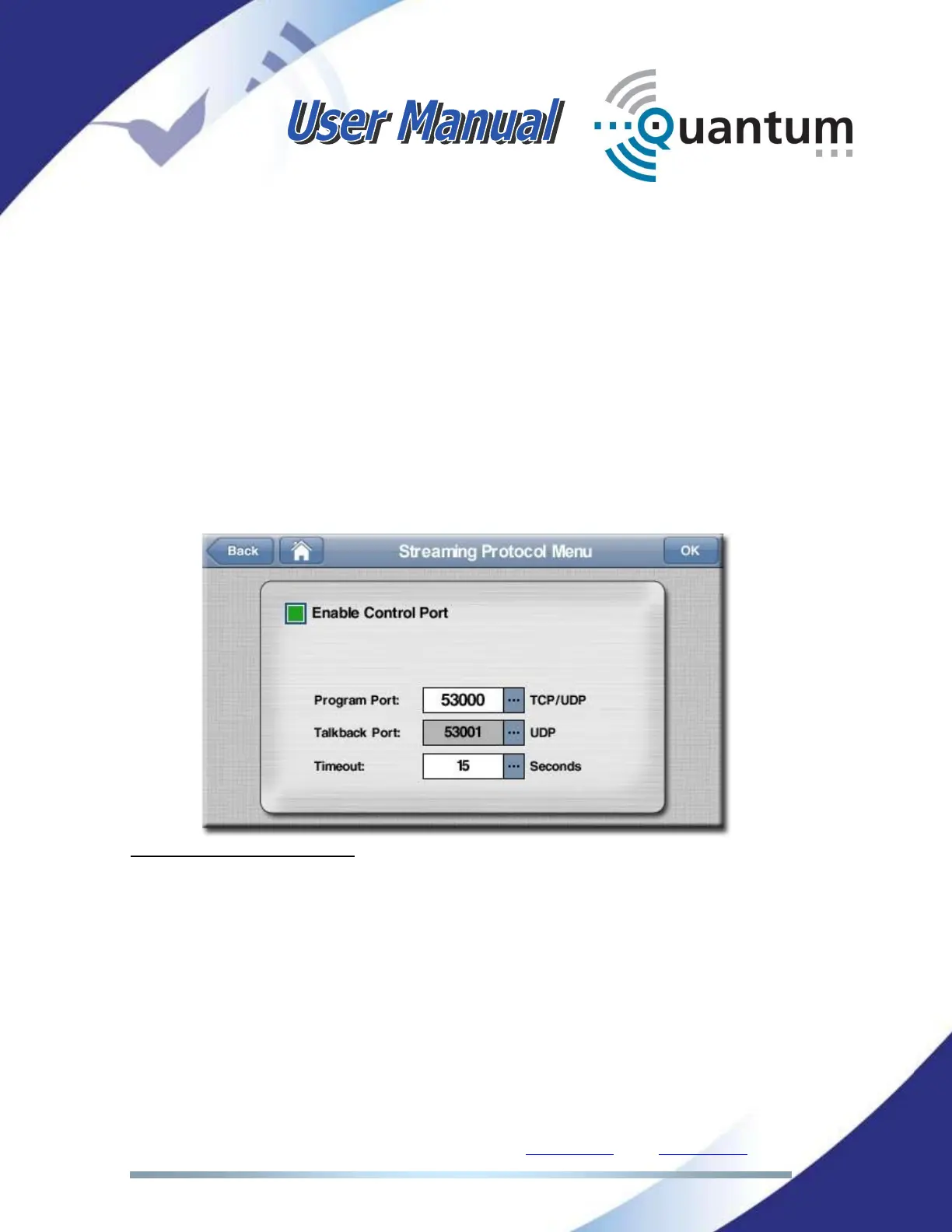
IV.2.1.4. Streaming Protocol selection (BRAVE)
When BRAVE transmission protocol is selected, this menu is used to set IP port
and protocol parameters. For most applications the default values are suitable.
Enable Control Port
(TCP 53000, enabled by default
1
)
Program Port
(UDP 53000 by default for PROGRAM channel
2
)
Talkback Port
(UDP 53001 by default for TALKBACK channel
3
)
Timeout
(the connection timeout is 15s by default
4
)
1
Disabling the <Control Port>, means disabling the TCP protocol. Therefore any streaming
connection should be request from both parties to meet the communication.
2
Usually this number is more important for the receiving Quantum since the local router must
provide “port forward” on this port number for the Quantum. This port must be “forwarded” for
TCP & UDP. Please contact your IT specialist or network manager for details about this
procedure.
3
Preceding remark is applicable for the Talkback channel too.
4
This parameter applies for the detection of interrupted streaming connections. After a streaming
connection has been involuntary interrupted, Quantum retries indefinitely to re-connection to its
destination.. destination.



 To Next Page