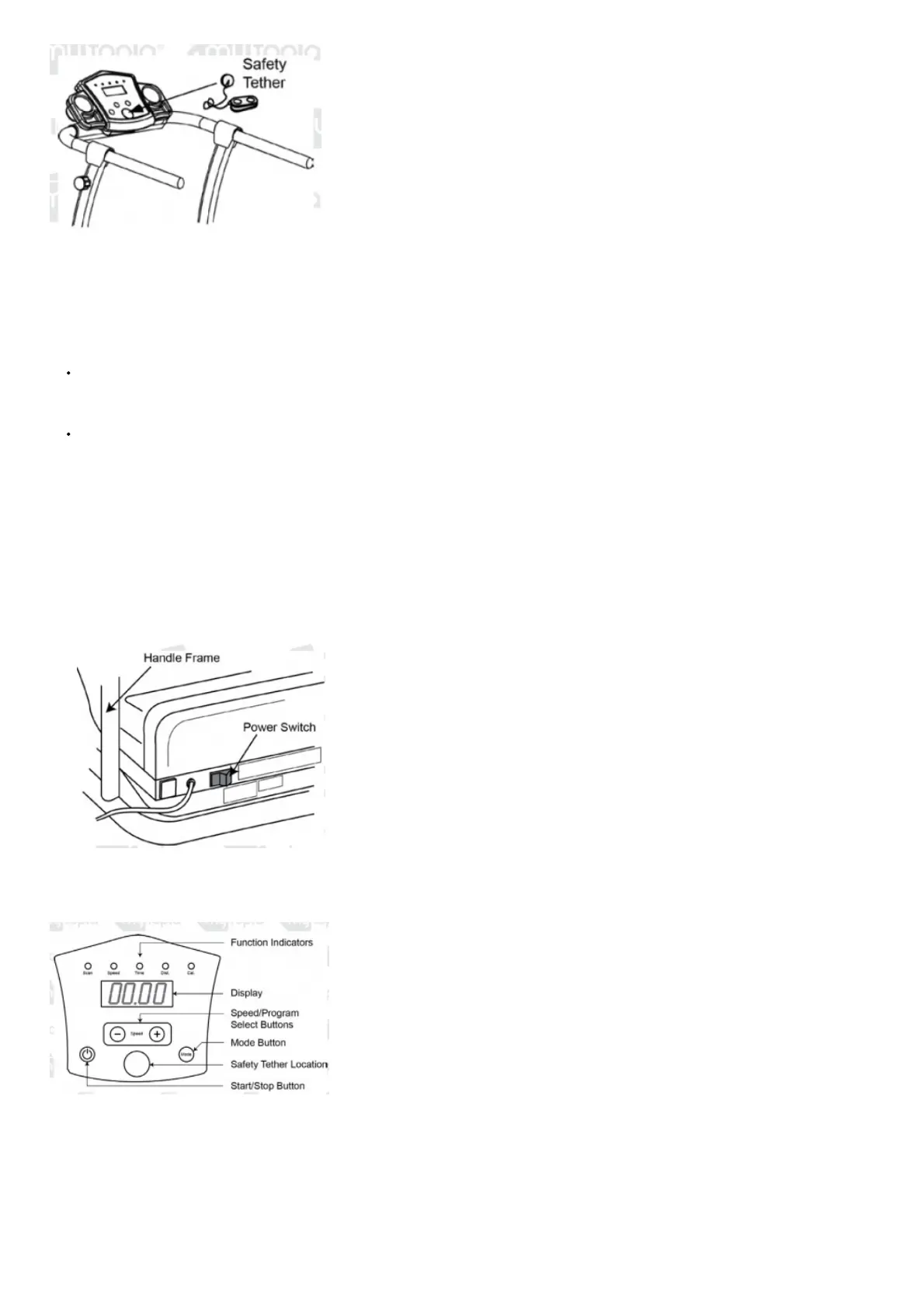
Note: If the treadmill is on, but the safety tether is not attached, “ _._._._.” is shown on the console display and the treadmill cannot be started.
Program and Manual Modes
The treadmill features two basic operating modes
Note: The treadmill must not be running in order change/select modes.
Manual Mode – The treadmill is being used, but not running a preset program (see Program mode, below). In this mode, the treadmill can be set to stop
automatically at a pre-set session duration. To enter Manual mode, press Mode
Note: You can also press Start to use the treadmill without setting a duration. In this mode, the treadmill will stop automatically after 60
minutes
Program Mode – The treadmill runs through a preset routine where it will apply a particular speed for a period of time. There are 8 preset routines to
choose from (“P1” to “P8”). In Program mode, the unit automatically changes speeds. At each speed change, the unit beeps for 3 seconds before
changing speed, as a warning. To enter Program mode, press Mode when the treadmill is on but not running – the display flashes “ _._._._.”. Use the +
or – buttons to select the required program
Treadmill Console and Functions
The treadmill features a computerized display that provides you with controls for operating the unit as well as workout information, such as duration, speed,
distance travelled etc.
To use the treadmill:
1. Plug the treadmill into the electrical
2. Place the power switch, located at the front of the unit, in the “ON” (“I”)
3. Attach the safety tether to the safety tether location on the
4. Operate the treadmill as desired
Always stand on the side rails when starting the treadmill. Never stand on the belt then start the machine.
Console Button Description


 To Next Page