14
CONTROLLING THE DRONE VIA THE APP
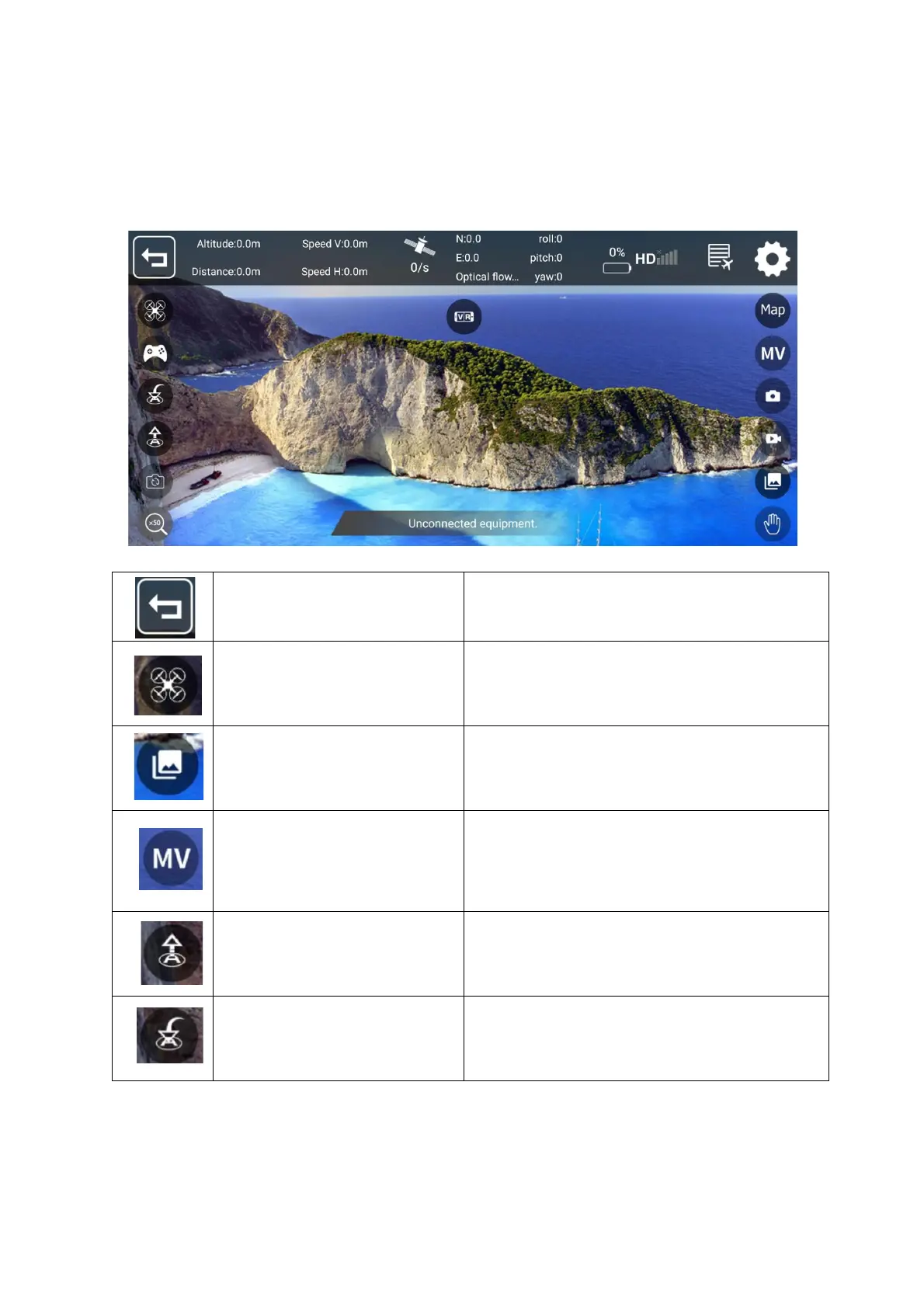
Once connected, press take off to access the controls. For ease of use we
recommend you mount your phone in the provided phone holder.
Press this button to exit the control
menu and return to the homepage.
Chose a flight mode. (Fly to
waypoint/Follow/GPS)
Access your saved pictures and
videos
Press to enter the MV interface.
From here you can select music
and add filters to your videos and
pictures.
Press take off and the drone will
take off and maintain a steady
hover. Press again to land.
Press to return the drone, to your
current position.


 To Next Page