16
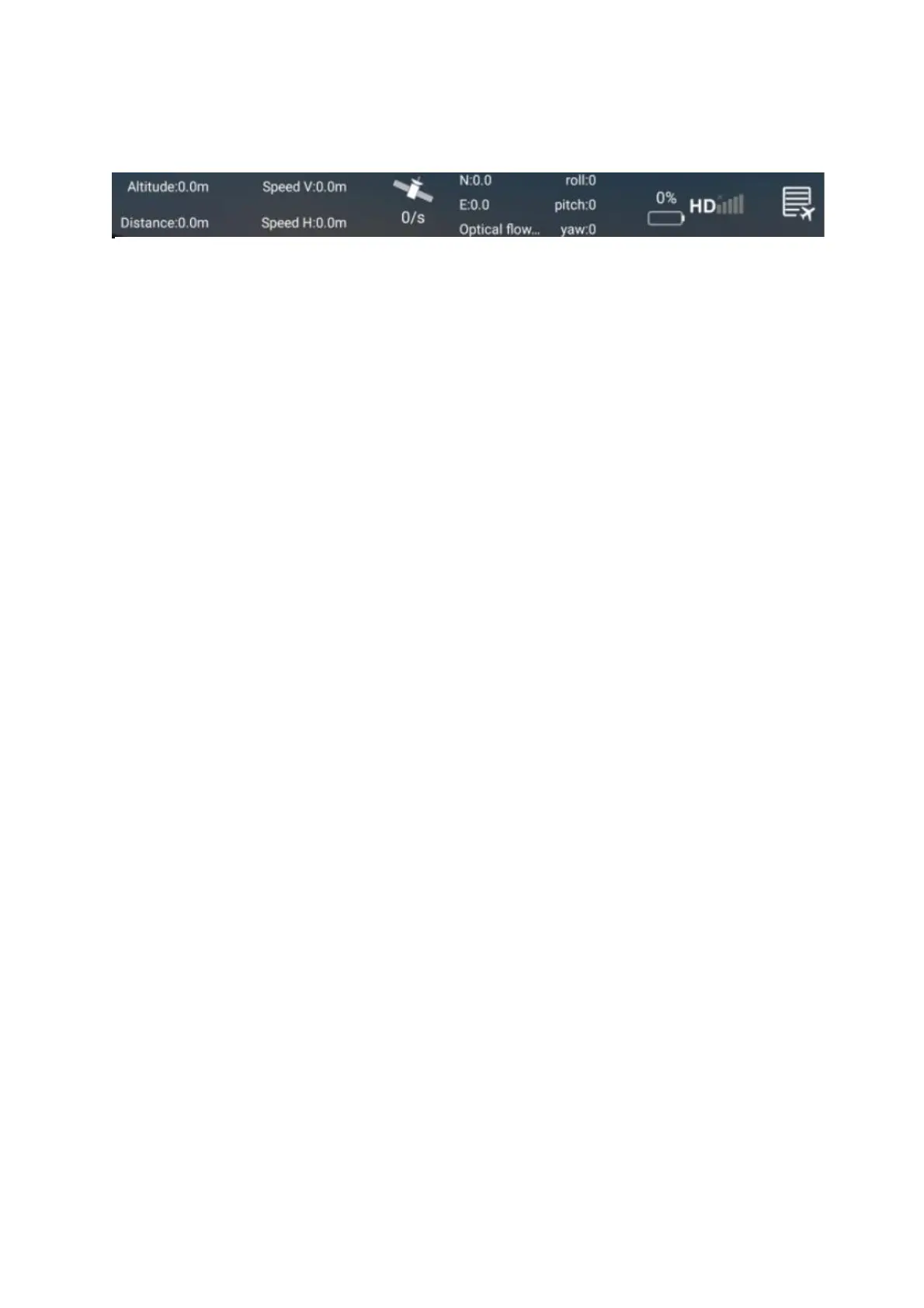
TOP DISPLAY
1. ALTITUDE AND DISTANCE: Displays the current flight altitude and
distance travelled.
2. SPEED: Shows how fast the drone is travelling vertically and horizontally.
3. SATELLITES: Shows the number of GPS satellites in the drone’s range.
4. LONGITUDE/LATITUDE: Shows the longitude and latitude position of the
aircraft in its current flight.
5. ROLL/PITCH/YAW: Shows the angles of the aircraft’s current
movements.
6. BATTERY LEVEL: Shows the current battery level of the drone.
(1) 2-4 bars indicate normal power, and the return, follow, surround and
pointing flight functions can be normally operated.
(2) 1 bar indicates that the aircraft is currently low on battery, and the aircraft
will perform the automatic return function; there is no following, surround
and pointing flight function while the battery is low.
7. SIGNAL: Shows the drones connection status.
8. FLIGHT RECORD: Press to enter the flight records of all your flights.
They are organised by date.
WARNING:
• Always calibrate the drone before controlling using the APP.
• Ensure you understand the operating instructions provided before
attempting to fly.
• Android device operating system must be 5.0 or higher.
• If you experience problems with the image, the drone is either too far
away or there is too much interference in the area. Try moving to a place
with less interference.
• Ensure all safety warnings in the front of the manual are adhered to.


 To Next Page