9
4. SETTINGS
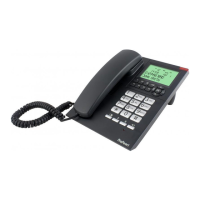
You can use the menu to customize the phone’s settings. Open the menu by pressing
the OK button and use the and buttons to scroll the options.
Use the C button to leave the settings at any time.
4.1 Display language:
Use this option to set the language in which the various phone notications in the dis-
play must be shown:
press the OK button
use the and buttons to look for the option [ SELECT LAN-
GUAGE ]
press the OK button
use the and buttons to select your desired language
press the OK button
nally, briey pick up the receiver and put it back down to
leave the settings
Instructions for restoring a known language when having set an unknown language ac-
cidentally:
1. briey pick up the receiver and put it back down again
2. now press OK - - OK consecutively
3. use the and buttons to select your desired language
4. press OK
5. pick up the receiver and put it back down
OK
OK
OK


 To Next Page