EasyManua.ls Logo

ProForm 795 SL PFTL69211 - User Manual

ProForm 795 SL PFTL69211
31 pages
Print Icon
To Next Page IconTo Next Page
Loading...
CAUTION
Read all precautions and instruc-
tions in this manual before using
this equipment. Save this manual
for future reference.
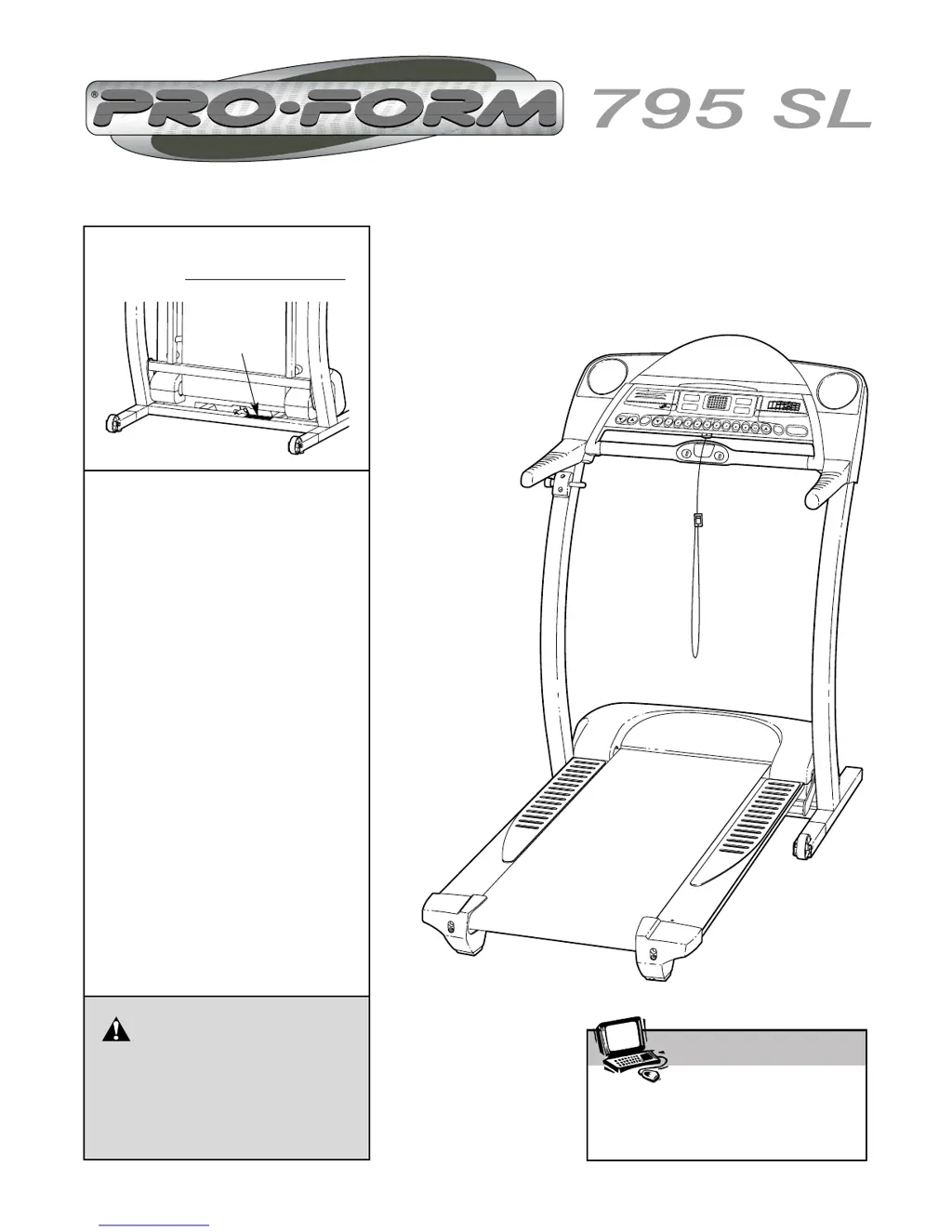
Model No. PFTL69211
Serial No.
QUESTIONS?
If you have questions, or if there
are missing parts, we will guar-
antee complete satisfaction
through direct assistance from
our factory.
TO AVOID UNNECESSARY DE-
LAYS, PLEASE CALL DIRECT TO
OUR TOLL-FREE CUSTOMER
HOT LINE. The trained techni-
cians on our Customer Hot Line
will provide immediate assis-
tance, free of charge to you.
CUSTOMER HOT LINE:
1-800-999-3756
Mon.–Fri., 6 a.m.–6 p.m. MST
USER'S MANUAL
Visit our website at
www.proform.com
new products, prizes,
fitness tips, and much more!
Patent Pending
Serial
Number
Decal

Questions and Answers

  • C
    Claire AlvarezJul 29, 2025
    How to fix ProForm 795 SL PFTL69211 Treadmill that won't turn on?
    • X
      xrogersJul 30, 2025
      If your ProForm Treadmill doesn't turn on, ensure the power cord is plugged into a surge suppressor, and the suppressor is in a grounded outlet. Use a UL 1449 listed TVSS suppressor (400 volts or less, 450 joules minimum, 120 volts AC, 15 amps). Note: GFCI outlets are incompatible. Also, ensure the key is fully inserted into the console. Check the circuit breaker near the power cord; if tripped, wait five minutes, then reset it. Finally, verify the on/off switch near the power cord is in the 'on' position.
  • N
    Noah CalhounAug 3, 2025
    How to recalibrate incline on ProForm Treadmill?
    • G
      Gregory TerrellAug 4, 2025
      To recalibrate the incline on your ProForm Treadmill, insert the key, and press an Incline button. While it's changing, remove the key, wait a few seconds, and re-insert it. The treadmill will rise to the maximum incline, then return to the minimum, recalibrating the incline.
  • M
    muellermichaelAug 8, 2025
    How to fix ProForm Treadmill speed display?
    • K
      Kara RiveraAug 9, 2025
      To fix the speed display on your ProForm Treadmill console, remove the key and unplug the power cord. Carefully lower the uprights, remove the three small screws, and raise the uprights. Pivot the hood off. Locate the reed switch and magnet on the pulley's left side. Align the magnet with the reed switch. Loosen the screw and adjust the reed switch slightly, then retighten the screw. Re-attach the hood and test the treadmill for a correct speed reading.
  • B
    Barbara RoblesAug 14, 2025
    Why does my ProForm 795 SL PFTL69211 power off during use?
    • J
      Jerry TaylorAug 14, 2025
      If your ProForm Treadmill's power turns off during use, try these steps: First, check the circuit breaker located on the treadmill frame near the power cord. If tripped, wait five minutes, then press the switch back in. Ensure the power cord is securely plugged in. Unplug it, wait five minutes, then plug it back in. Remove and reinsert the key fully into the console. Also, confirm the on/off switch is in the 'on' position.
  • L
    Laura WatersAug 18, 2025
    What to do if ProForm Treadmill walking belt is off-center or slips?
    • L
      Laura GarnerAug 18, 2025
      If the walking belt on your ProForm Treadmill is off-center or slips, first remove the key and unplug the power cord. If the belt is shifted left, turn the left rear roller bolt clockwise 1/2 turn. If shifted right, turn it counterclockwise 1/2 turn. To fix slipping, turn both rear roller bolts clockwise 1/4 turn. Ensure the belt isn't overtightened; you should be able to lift each side 3-4 inches. Plug in, insert the key, and test for a few minutes. Repeat adjustments as needed.
  • R
    rogersrebeccaAug 25, 2025
    Why does the ProForm 795 SL PFTL69211 walking belt slow down when walked on?
    • A
      April HillAug 25, 2025
      If the walking belt on your ProForm Treadmill slows down when you walk on it, refer to the instructions under 'The power does not turn on' to ensure the treadmill is receiving adequate power. If that doesn't solve the issue, and the walking belt is overtightened, remove the key and unplug the power cord. Use an allen wrench to turn both rear roller adjustment bolts counterclockwise 1/4 turn. When properly tightened, you should be able to lift each side of the belt 3 to 4 inches. Plug the treadmill back in and test. Repeat until corrected.

Summary

Customer Support and Contact Information

Critical Safety Precautions

Before You Begin Operation

Treadmill Assembly Guide

OPERATION AND ADJUSTMENT

Walking Belt Lubrication and Care

Information on the treadmill's walking belt lubricant and proper care to prevent damage.

Power Cord Connection and Grounding

Instructions for safely connecting the power cord, including surge suppressor use.

CONSOLE DIAGRAM

Console Features and iFIT.com Integration

Details on console programs, heart rate monitoring, and iFIT.com interactive technology.

HOW TO TURN ON THE POWER

HOW TO USE THE MANUAL MODE

HOW TO USE PERSONAL TRAINER PROGRAMS

HOW TO USE HEART RATE PROGRAMS

Connecting Audio;Video Sources to Treadmill

Using iFIT.com CD and Video Programs

Web-Based iFIT.com Program Access

Information and Demo Mode Features

HOW TO FOLD AND MOVE THE TREADMILL

Folding Treadmill for Storage

Step-by-step guide on how to safely fold the treadmill into its storage position.

Moving the Treadmill Safely

Instructions for safely moving the folded treadmill, including lifting and tilting techniques.

Lowering Treadmill for Use

Treadmill Troubleshooting Guide

CONDITIONING GUIDELINES

Exercise Intensity and Heart Rate Zones

Guidance on determining appropriate exercise intensity based on heart rate training zones.

Workout Structure Guidelines

Recommendations for structuring workouts, including warm-up, training zone, and cool-down phases.

Recommended Stretching Exercises

Ordering Replacement Parts

Product Limited Warranty Information

ProForm 795 SL PFTL69211 Specifications

General IconGeneral
BrandProForm
Model795 SL PFTL69211
CategoryTreadmill
LanguageEnglish

Related product manuals