EasyManua.ls Logo

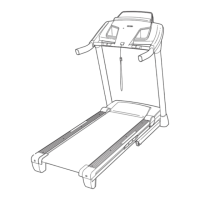
ProForm CT 1260 PFTL14923 - User Manual

ProForm CT 1260 PFTL14923
34 pages
Print Icon
To Next Page IconTo Next Page
Loading...
USER'S MANUAL
Model No. PFTL14923
Serial No.
CAUTION
Read all precautions and instruc-
tions in this manual before using
this equipment. Save this man-
ual for future reference.
Write the serial number in the space
above for future reference.
Serial Number
Decal
QUESTIONS?
If you have questions, or if there
are missing parts, we will guar-
antee complete satisfaction
through direct assistance from
our factory.
TO AVOID UNNECESSARY
DELAYS, PLEASE CALL DIRECT
TO OUR TOLL-FREE CUSTOMER
HOT LINE. The trained techni-
cians on our customer hot line
will provide immediate assis-
tance, free of charge.
CUSTOMER HOT LINE:
1-800-999-3756
Mon.–Fri., 6 a.m.–6 p.m. MST
Visit our website at
www.proform.com
new products, prizes,
fitness tips, and much more!
Question and Answer IconNeed help?

Do you have a question about the ProForm CT 1260 PFTL14923 and is the answer not in the manual?

Summary

Product Overview and Safety

Model, Serial Number, and Support Information

Identifies product model and serial number, and provides customer support contacts and initial safety advice.

General Safety Precautions and Warnings

Covers essential safety rules for treadmill operation, placement, electrical connections, and user conduct.

Getting Started and Assembly

Welcome, Component Identification, and Manual Reading

Introduces the treadmill, identifies its parts, and stresses the importance of reading the manual before use.

Assembly Instructions and Requirements

Details the process for assembling the treadmill, including required personnel and specific steps.

Treadmill Operation and Features

Chest Pulse Sensor Usage and Maintenance

Explains how to attach, use, care for, and troubleshoot the chest pulse sensor for accurate heart rate monitoring.

Console Operation and Program Modes

Describes console features, manual, preset, pulse, custom, and iFIT.com program operations.

Using the Manual Operation Mode

Provides step-by-step guidance for operating the treadmill in manual mode, including speed and incline adjustments.

Advanced Features and Connectivity

Connecting External Audio Devices

Instructions for connecting CD players, stereos, VCRs, and computers to the treadmill for audio output.

Using iFIT.com and Web-Based Programs

Guides on utilizing iFIT.com CDs, videos, and web programs for interactive workouts with a personal trainer.

Information, Demo Mode, and Unit Conversion

Explains how to access usage data, the demo mode, and switch between speed units (MPH/KMH).

Maintenance, Troubleshooting, and Conditioning

Folding, Moving, and Lowering the Treadmill

Provides instructions for storing, transporting, and setting up the treadmill for use.

Troubleshooting Common Treadmill Issues

Offers solutions for power, belt, and console malfunctions, plus chest pulse sensor problems.

Exercise Guidelines and Suggested Stretches

Offers advice on exercise intensity, workout structure, frequency, and beneficial stretches for users.

Parts and Warranty Information

Treadmill Part List and Identification

Lists all treadmill components with key numbers for easy identification and ordering.

Ordering Replacement Parts and Limited Warranty

Details how to order parts and the terms of the product's limited warranty.

Summary

Product Overview and Safety

Model, Serial Number, and Support Information

Identifies product model and serial number, and provides customer support contacts and initial safety advice.

General Safety Precautions and Warnings

Covers essential safety rules for treadmill operation, placement, electrical connections, and user conduct.

Getting Started and Assembly

Welcome, Component Identification, and Manual Reading

Introduces the treadmill, identifies its parts, and stresses the importance of reading the manual before use.

Assembly Instructions and Requirements

Details the process for assembling the treadmill, including required personnel and specific steps.

Treadmill Operation and Features

Chest Pulse Sensor Usage and Maintenance

Explains how to attach, use, care for, and troubleshoot the chest pulse sensor for accurate heart rate monitoring.

Console Operation and Program Modes

Describes console features, manual, preset, pulse, custom, and iFIT.com program operations.

Using the Manual Operation Mode

Provides step-by-step guidance for operating the treadmill in manual mode, including speed and incline adjustments.

Advanced Features and Connectivity

Connecting External Audio Devices

Instructions for connecting CD players, stereos, VCRs, and computers to the treadmill for audio output.

Using iFIT.com and Web-Based Programs

Guides on utilizing iFIT.com CDs, videos, and web programs for interactive workouts with a personal trainer.

Information, Demo Mode, and Unit Conversion

Explains how to access usage data, the demo mode, and switch between speed units (MPH/KMH).

Maintenance, Troubleshooting, and Conditioning

Folding, Moving, and Lowering the Treadmill

Provides instructions for storing, transporting, and setting up the treadmill for use.

Troubleshooting Common Treadmill Issues

Offers solutions for power, belt, and console malfunctions, plus chest pulse sensor problems.

Exercise Guidelines and Suggested Stretches

Offers advice on exercise intensity, workout structure, frequency, and beneficial stretches for users.

Parts and Warranty Information

Treadmill Part List and Identification

Lists all treadmill components with key numbers for easy identification and ordering.

Ordering Replacement Parts and Limited Warranty

Details how to order parts and the terms of the product's limited warranty.

ProForm CT 1260 PFTL14923 Specifications

General IconGeneral
Weight Capacity300 lbs
FoldableYes
Running Area20" x 60"
Incline0-12%
Speed0-12 MPH
Heart Rate MonitoringEKG Grip Pulse
AudioDual 2" Speakers
CoolingCoolAire Fan
Motor2.75 CHP Mach Z™ Commercial Motor

Related product manuals