EasyManua.ls Logo

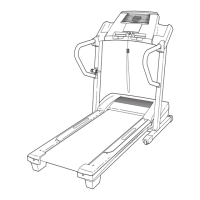
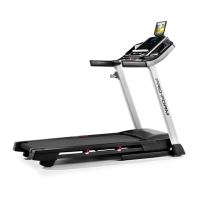
ProForm 525 CT - User Manual

ProForm 525 CT
32 pages
Print Icon
To Next Page IconTo Next Page
Loading...
USER’S MANUAL
www.proform.ca
Model No. PFTL59014C.1
Serial No.
Write the serial number in the space
above for reference.
CAUTION
Read all precautions and instruc-
tions in this manual before using
this equipment. Save this manual
for future reference.
Serial
Number
Decal
To register your product and acti-
vate your warranty today, go
to www.iconservice.ca.
Call toll-free 1-888-936-4266
Mon.–Fri. 7:30 a.m.–4:30 p.m. ET
(excluding holidays)
or email us at
customerservice@iconcanada.ca
Please do not contact the store.
ACTIVATE YOUR
WARRANTY
CUSTOMER SERVICE

Questions and Answers

  • E
    Eric ReevesAug 2, 2025
    What to do if my ProForm Treadmill turns off during use?
    • L
      Lauren HunterAug 2, 2025
      If your ProForm Treadmill unexpectedly turns off during use, there are several things you can check: * Ensure the power cord is securely plugged in. * Remove the key from the console and then reinsert it. * Regularly clean the treadmill, keeping the walking belt clean and dry. Before cleaning, press the power switch to the off position and unplug the power cord.
  • J
    johnfoleyAug 8, 2025
    How to fix ProForm 525 CT when the power does not turn on?
    • K
      Kristin StewartAug 8, 2025
      If your ProForm Treadmill power does not turn on, verify these items: * Ensure the surge suppressor is plugged into a properly grounded outlet. * After plugging in the power cord, make sure the key is inserted into the console. * Check the power switch located on the treadmill frame near the power cord. If the switch protrudes, it has tripped. To reset it, wait five minutes, then press the switch back in.
  • S
    Sally WrightAug 14, 2025
    What to do if the walking belt is off-center or slips on my ProForm 525 CT Treadmill?
    • K
      Kyle BellAug 15, 2025
      If the walking belt on your ProForm Treadmill is off-center or slips, here are some steps to take: * If the walking belt has shifted to the left, use the hex key to turn the left idler roller screw clockwise 1/2 of a turn. * If the walking belt slips when walked on, first remove the key and unplug the power cord. Then, use the hex key to turn both idler roller screws clockwise 1/4 of a turn.
  • S
    steven86Aug 20, 2025
    Why does the walking belt slow down when I walk on my ProForm 525 CT Treadmill?
    • K
      Kevin JonesAug 20, 2025
      The walking belt on your ProForm Treadmill might slow down due to a few reasons. If the walking belt is overtightened, treadmill performance may decrease and the walking belt may become damaged. To resolve this, remove the key and unplug the power cord. Using the hex key, turn both idler roller screws counterclockwise, 1/4 of a turn.
  • V
    vhinesAug 26, 2025
    How to turn off demo mode on ProForm 525 CT Treadmill?
    • J
      johnsonamberAug 26, 2025
      If the console displays on your ProForm Treadmill remain lit even after you remove the key, it might be in display demo mode. To turn off the demo mode, hold down the Stop button for a few seconds.

Summary

WARNING DECAL PLACEMENT

IMPORTANT PRECAUTIONS

PROTECT YOUR FITNESS EQUIPMENT WITH AN EXTENDED SERVICE PLAN

BEFORE YOU BEGIN

PART IDENTIFICATION CHART

ASSEMBLY

HOW TO USE THE TREADMILL

HOW TO CONNECT THE POWER CORD

Instructions on connecting the treadmill power cord to a surge suppressor and outlet for safe operation.

FEATURES OF THE CONSOLE

HOW TO TURN ON THE POWER

HOW TO USE THE MANUAL MODE

HOW TO USE AN ONBOARD WORKOUT

THE INFORMATION MODE

HOW TO USE THE SOUND SYSTEM

HOW TO FOLD AND MOVE THE TREADMILL

HOW TO FOLD THE TREADMILL

Steps to safely fold the treadmill into storage position, including incline adjustment and latching.

HOW TO MOVE THE TREADMILL

Guidance on moving the folded treadmill, emphasizing proper lifting and handling techniques.

HOW TO LOWER THE TREADMILL FOR USE

Instructions for safely unfolding the treadmill from storage to its operational position.

MAINTENANCE AND TROUBLESHOOTING

MAINTENANCE

Procedures for cleaning and maintaining the treadmill to ensure longevity and optimal performance.

TROUBLESHOOTING

Solutions for common treadmill problems, covering power, console, and belt issues.

EXERCISE GUIDELINES

EXERCISE INTENSITY

Guidance on setting exercise intensity levels based on heart rate for fat burning and aerobic fitness.

WORKOUT GUIDELINES

Recommendations for warming up, training zone duration, and cooling down to maximize exercise effectiveness.

EXERCISE FREQUENCY

Advice on the optimal frequency of workouts per week for maintaining or improving fitness levels.

PART LIST

EXPLODED DRAWING A

EXPLODED DRAWING B

EXPLODED DRAWING C

EXPLODED DRAWING D

ORDERING REPLACEMENT PARTS

LIMITED WARRANTY

ProForm 525 CT Specifications

General IconGeneral
Incline0-10%
Speed0-10 mph
Programs18
FoldingYes
Deck CushioningProShox
Motor2.5 HP

Related product manuals