EasyManua.ls Logo

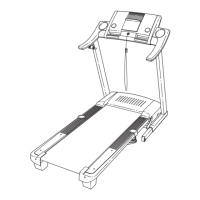
ProForm 5.2 Treadmill - User Manual

ProForm 5.2 Treadmill
32 pages
To Next Page IconTo Next Page
Loading...
Serial
Number
Decal
Model No. PETL41307.0
Serial No.
CAUTION
Read all precautions and instruc-
tions in this manual before using
this equipment. Save this manual
for future reference.
QUESTIONS?
As a manufacturer, we are commit-
ted to providing complete customer
satisfaction. If you have questions,
or if there are missing parts,
please contact us at the numbers
or addresses listed below:
Call: 08457 089 009
Outside UK: 0 (44) 113 3877133
Fax: 0 (44) 113 3877125
E-mail: csuk@iconeurope.com
Write:
ICON Health & Fitness, Ltd.
Unit 4
Revie Road Industrial Estate
Revie Road, Beeston
Leeds, LS11 8JG,
UK
Write the serial number in the space
above for reference.
USER'S MANUAL

Other manuals for ProForm 5.2 Treadmill

Questions and Answers

ProForm 5.2 Treadmill Specifications

General IconGeneral
BrandProForm
Model5.2 Treadmill
CategoryTreadmill
LanguageEnglish

Summary

Important Precautions

Assembly Instructions

Chest Pulse Sensor Usage

Operation and Adjustment

Connecting the Power Cord

Step-by-step instructions for safely plugging in the treadmill's power cord.

Powering On and Manual Mode Operation

Turning On Power and Safety Key

Steps to safely power on the treadmill, including key insertion and safety clip usage.

Manual Mode Operation

Using the console for basic speed, incline, and progress tracking during workouts.

Personal Trainer Workouts

iFIT Competition Training Center

Settings Mode Configuration

Information Mode Features

Folding, Moving, and Lowering the Treadmill

Folding for Storage

Steps to safely fold the treadmill into its upright storage position.

Troubleshooting Common Problems

Exercise Guidelines and Intensity

Related product manuals