EasyManua.ls Logo

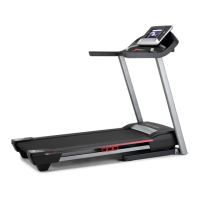
ProForm 5.0 Crosstrainer Treadmill - User Manual

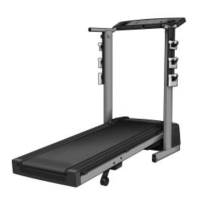
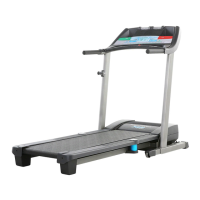
ProForm 5.0 Crosstrainer Treadmill
28 pages
Print Icon
To Next Page IconTo Next Page
Loading...
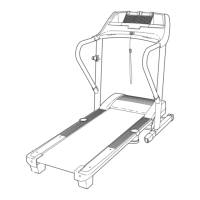
Model No. PFTL59007.0
Serial No.
Write the serial number in the space
above for future reference.
CAUTION
Read all precautions and instruc-
tions in this manual before using
this equipment. Save this manual
for future reference.
USER'S MANUAL
QUESTIONS?
As a manufacturer, we are com-
mitted to providing complete cus-
tomer satisfaction. If you have
questions, or if parts are missing,
PLEASE DO NOT CONTACT
THE STORE; please contact
Customer Care.
IMPORTANT: You must note the
product model number and
serial number (see the drawing
above) before contacting us:
CUSTOMER HOT LINE:
1-888-533-1333
Mon.–Fri. 6 a.m.–6 p.m. MST
Sat. 8 a.m.–4 p.m. MST
ON THE WEB:
www.proformservice.com
Visit our website at
www.proform.com
new products, prizes,
fitness tips, and much more!
V
Serial Number
Decal

Questions and Answers

  • R
    Rebecca WilsonJul 29, 2025
    What to do if my ProForm 5.0 Crosstrainer Treadmill power does not turn on?
    • M
      Michael ParkerJul 30, 2025
      If your ProForm Treadmill isn't powering on, ensure the power cord is connected to a surge suppressor, which is plugged into a grounded outlet. Also, verify that the key is properly inserted into the console. Finally, check the reset/off circuit breaker located on the treadmill frame near the power cord.
  • X
    xmaxwellAug 3, 2025
    Why does my ProForm Treadmill power turn off during use?
    • A
      Alyssa BuchananAug 3, 2025
      If your ProForm Treadmill shuts off while you're using it, check the reset/off circuit breaker. Also, make sure the power cord is securely plugged in. As an additional step, remove the key from the console and then reinsert it.
  • B
    Bonnie ThompsonAug 6, 2025
    What to do if the walking belt is off-center or slips when walked on ProForm 5.0 Crosstrainer?
    • P
      pharrisonAug 7, 2025
      If the walking belt of your ProForm Treadmill is off-center or slips when you walk on it: * First, remove the key and unplug the power cord. * If the belt has shifted left, use the hex key to turn the left rear roller bolt clockwise 1/2 turn. * If the belt slips, use the hex key to turn both rear roller bolts clockwise 1/4 of a turn.
  • J
    Joseph FloresAug 11, 2025
    How to fix a ProForm 5.0 Crosstrainer Treadmill walking belt that slows when walked on?
    • B
      bradleyvelasquezAug 11, 2025
      If the walking belt on your ProForm Treadmill slows down when you walk on it, use a single-outlet surge suppressor that meets the specifications. Also, if the walking belt is overtightened, remove the key and unplug the power cord, then use a hex key to turn both rear roller bolts counterclockwise 1/4 of a turn.
  • R
    rmoranAug 16, 2025
    What to do if the console displays on my ProForm 5.0 Crosstrainer do not function properly?
    • K
      Kendra HamiltonAug 16, 2025
      If the console displays on your ProForm Treadmill aren't working right, remove the key and unplug the power cord. Then, take out the three hood screws and carefully pivot the hood off. Find the reed switch and the magnet on the left side of the pulley. Turn the pulley to ensure the gap between the magnet and the reed switch is about 1/8 inch (3 mm).
  • K
    kgloverAug 20, 2025
    How do I fix the incline on my ProForm 5.0 Crosstrainer if it does not change correctly?
    • J
      Jennifer JohnsonAug 20, 2025
      If the incline on your ProForm Treadmill isn't changing correctly, put the key in the console and press one of the Incline buttons. While the incline is changing, take the key out. Wait a few seconds, then put the key back in.
  • M
    Melissa BurnsAug 25, 2025
    Why do the console displays remain lit when I remove the key from the console of my ProForm 5.0 Crosstrainer Treadmill?
    • C
      Cody AndersonAug 25, 2025
      The console of your ProForm Treadmill might be in display demo mode. To turn off this mode, press and hold the Stop button for a few seconds.

Summary

Warning Decal Placement

Important Precautions

Before You Begin

Assembly

Installing Optional Chest Pulse Sensor

Operation and Adjustment

Console Diagram and Features

Features of the Console

Description of the console's features designed to make workouts more effective.

Powering On and Manual Mode

How to Turn On the Power

Steps for powering the treadmill using the cord, breaker, and key.

How to Use the Manual Mode

Guide to operating the treadmill in manual mode, adjusting speed, incline, and monitoring progress.

Weight Loss Program Operation

How to Use a Weight Loss Program

Step-by-step instructions for selecting and using weight loss programs.

Cross Training Program Operation

How to Use a Cross Training Program

Step-by-step instructions for selecting and using cross-training programs.

Information Mode and Pulse Sensor

The Information Mode

How to access and use the console's information mode for usage tracking and settings.

The Optional Chest Pulse Sensor

Details on the optional chest pulse sensor for continuous heart rate tracking.

Folding and Moving

How to Fold the Treadmill for Storage

Instructions for folding the treadmill into its storage position.

How to Move the Treadmill

Steps for safely moving the folded treadmill using its wheels.

Troubleshooting

Power Issues

Solutions for problems related to the treadmill not turning on or turning off during use.

Incline and Display Issues

Troubleshooting steps for incline not changing correctly and console display malfunctions.

Troubleshooting - Walking Belt

Walking Belt Issues

Solutions for walking belt slowing, off-center, or slipping problems.

Exercise Guidelines

Exercise Intensity and Workout Guidance

Guidance on exercise intensity, warming up, training zones, cooling down, and frequency.

Replacement Parts and Warranty

Ordering Replacement Parts

Information and requirements for ordering replacement parts for the treadmill.

Limited Warranty

Details of the product warranty, coverage, and limitations.

ProForm 5.0 Crosstrainer Treadmill Specifications

General IconGeneral
BrandProForm
Model5.0 Crosstrainer Treadmill
CategoryTreadmill
LanguageEnglish

Related product manuals