EasyManua.ls Logo

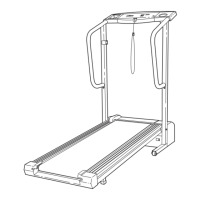
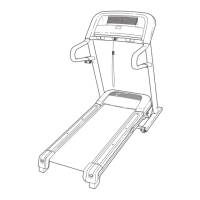
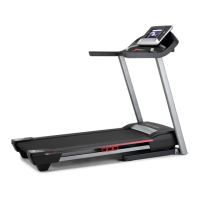
ProForm 520 - User Manual

ProForm 520
31 pages
Print Icon
To Next Page IconTo Next Page
Loading...
USER'S MANUAL
Visit our website at
www.proform.com
new products, prizes,
fitness tips, and much more!
Patent Pending
Serial
Number
Decal
Model No. PFTL59022
Serial No.
CAUTION
Read all precautions and instruc-
tions in this manual before using
this equipment. Save this manual
for future reference.
QUESTIONS?
If you have questions, or if there
are missing or damaged parts,
we will guarantee complete sat-
isfaction through direct assis-
tance from our factory.
TO AVOID DELAYS, PLEASE
CALL DIRECT TO OUR TOLL-
FREE CUSTOMER HOT LINE.
The trained technicians on our
Customer Hot Line will provide
immediate assistance, free of
charge to you.
CUSTOMER HOT LINE:
1-800-999-3756
Mon.–Fri., 6 a.m.–6 p.m. MST

Other manuals for ProForm 520

Questions and Answers

  • M
    Monique GarciaJul 26, 2025
    What to do if ProForm 520 turns off during use?
    • E
      Ernest EricksonJul 26, 2025
      If your ProForm Treadmill's power turns off during use, first check the circuit breaker located on the treadmill frame near the power cord. If tripped, wait five minutes, then press the switch back in. Ensure the power cord is securely plugged in; if so, unplug it, wait five minutes, and plug it back in. Also, remove and re-insert the key fully into the console.
  • J
    Jeffrey FoleyJul 30, 2025
    What to do if ProForm 520 Treadmill incline does not work?
    • C
      Christopher TownsendJul 30, 2025
      If the incline of your ProForm Treadmill does not change correctly, insert the key into the console and press one of the Incline buttons. While the incline is changing, remove the key. After a few seconds, re-insert the key. The treadmill will automatically rise to the maximum incline level and then return to the minimum level. This will recalibrate the incline.
  • L
    Lisa CainAug 5, 2025
    How to fix ProForm 520 walking belt that slips?
    • S
      Steven RuizAug 5, 2025
      To address a walking belt that is off-center or slips on your ProForm Treadmill, first remove the key and unplug the power cord. If the belt has shifted left, turn the left rear roller bolt clockwise 1/2 turn; if it has shifted right, turn it counterclockwise 1/2 turn. If the belt slips, turn both rear roller bolts clockwise 1/4 turn. Ensure you can lift each side of the belt 3-4 inches off the platform without overtightening. Plug in the power cord, insert the key, and test for a few minutes, repeating adjustments as needed.
  • T
    Tina SmithAug 10, 2025
    Why does ProForm 520 walking belt slow down?
    • J
      James BradleyAug 10, 2025
      If the walking belt on your ProForm Treadmill slows down when you walk on it, use only a single-outlet surge suppressor. If the walking belt is overtightened, remove the key and unplug the power cord. Then, use an Allen wrench to turn both rear roller adjustment bolts counterclockwise 1/4 of a turn. When properly tightened, you should be able to lift each side of the walking belt 3 to 4 inches off the walking platform. Keep the walking belt centered. Plug the power cord back in, insert the key, and run the treadmill for a few minutes. Repeat until the walking belt is properly tightened.
  • C
    Cynthia LeeAug 14, 2025
    How to fix ProForm 520 speed display?
    • E
      Elizabeth GriffinAug 14, 2025
      If the speed display on your ProForm Treadmill console isn't working, remove the key and unplug the power cord. Locate the Reed Switch and the Magnet on the left side of the Pulley. Turn the Pulley until the Magnet aligns with the Reed Switch, adjust the Reed Switch slightly, and retighten the screw. Re-attach the hood and test the treadmill for a few minutes to check the speed reading.
  • J
    Jamie WongAug 20, 2025
    How to clean ProForm 520 Treadmill pulse sensor?
    • P
      Patricia SantosAug 20, 2025
      To ensure the thumb pulse sensor on your ProForm Treadmill functions properly, wash your hands before using it. Additionally, clean the pulse sensor regularly with a damp cloth and a small amount of mild detergent.

Summary

IMPORTANT PRECAUTIONS

ASSEMBLY

Initial Frame and Upright Assembly

Details on attaching the base, pads, and uprights to the treadmill frame.

Console Base and Wire Harness Connection

Instructions for connecting the console base and wire harness.

OPERATION AND ADJUSTMENT

CONSOLE OPERATION

Manual Mode Operation

How to turn on the treadmill and use the manual speed and incline controls.

WORKOUT PROGRAMS

iFIT.COM CONNECTIVITY

FOLDING AND MOVING THE TREADMILL

TROUBLESHOOTING

Power and Sensor Issues

Solutions for problems like no power, power turning off, or pulse sensor not working.

Belt and Incline Problems

Troubleshooting steps for walking belt speed, alignment, slipping, and incline calibration.

CONDITIONING GUIDELINES

ProForm 520 Specifications

General IconGeneral
Weight Capacity300 lbs
Workout Programs18 built-in programs
Heart Rate MonitoringEKG Grip Pulse
FoldingYes
CushioningProShox Cushioning
Motor2.5 CHP Mach Z™ Motor

Related product manuals