EasyManua.ls Logo

ProForm Performance 600 - User Manual

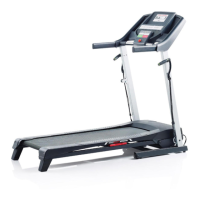
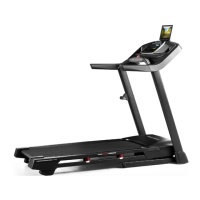
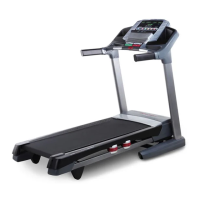
ProForm Performance 600
36 pages
Print Icon
To Next Page IconTo Next Page
Loading...
Serial Number
Decal
Model No. PFTL79510.0
Serial No.
Write the serial number in the space
above for reference.
CAUTION
Read all precautions and instruc-
tions in this manual before using
this equipment. Save this manual
for future reference.
QUESTIONS?
If you have questions, or if parts are
damaged or missing, DO NOT CON-
TACT THE STORE; please contact
Customer Care.
IMPORTANT: Please register this
product (see the limited warranty
on the back cover of this manual)
before contacting Customer Care.
CALL TOLL-FREE:
1-888-533-1333
Mon.–Fri. 6 a.m.–6 p.m. MT
Sat. 8 a.m.–4 p.m. MT
ON THE WEB:
www.proformservice.com
USERʼS MANUAL
w
ww.proform.com

Questions and Answers

  • K
    Kathleen KennedyJul 31, 2025
    What to do if ProForm Performance 600 power does not turn on?
    • E
      Edwin BarberJul 31, 2025
      First, ensure the power cord is plugged into a surge suppressor, and the surge suppressor is plugged into a grounded outlet, using a single-outlet surge suppressor. Note that the treadmill isn't compatible with GFCI-equipped outlets. Also, make sure the key is inserted into the console after plugging in the power cord. Finally, check the power switch on the treadmill frame near the power cord; if it's tripped, wait five minutes, then press it back in.
  • S
    Sean ThompsonAug 6, 2025
    Why does my ProForm Performance 600 Treadmill power turn off during use?
    • S
      Savannah WrightAug 6, 2025
      The power may turn off during use due to a tripped power switch. If the switch has tripped, wait five minutes and then press the switch back in. Also, ensure the power cord is securely plugged in; if it is, unplug it, wait five minutes, and then plug it back in. Finally, try removing and reinserting the key from the console.
  • L
    lorilittleAug 12, 2025
    How to fix ProForm Performance 600 Treadmill walking belt that is off-center or slips?
    • K
      Karen Hayes DVMAug 12, 2025
      If the walking belt has shifted to the left, remove the key and unplug the power cord. Use the hex key to turn the left idler roller bolt clockwise 1/2 of a turn. If the walking belt has shifted to the right, turn the left idler roller bolt counterclockwise 1/2 of a turn. If the walking belt slips when walked on, remove the key and unplug the power cord. Use the hex key to turn both idler roller bolts clockwise, 1/4 of a turn.
  • L
    Leonard PerezAug 19, 2025
    What to do if ProForm Performance 600 Treadmill incline does not change correctly?
    • F
      fstoneAug 19, 2025
      To recalibrate the incline system, insert the key into the console and press one of the Incline buttons. While the incline is changing, remove the key. After a few seconds, re-insert the key. The treadmill will automatically rise to the maximum incline level and then return to the minimum level.
  • C
    Christopher MiddletonAug 25, 2025
    How to turn off demo mode on ProForm Treadmill?
    • A
      alexandrajohnsonAug 25, 2025
      The console may be in display demo mode. To turn off this mode, hold down the Stop button for a few seconds. If the displays are still lit, see THE INFORMATION MODE on page 23 to turn off the demo mode.

Summary

Warning Decal Placement

Important Precautions

Assembly

Assembly Hardware Identification

Identifies necessary hardware with drawings and part numbers.

Final Tightening and Preparation

Ensures all parts are tightened and prepares the treadmill for use.

Operation and Adjustment

How to Plug In the Power Cord

Instructions and safety precautions for connecting the power cord and surge suppressor.

Console Diagram and Features

Console Button and Display Layout

Visual guide to the treadmill's console layout and controls.

How to Turn On Power

How to Use the Manual Mode

Step-by-step guide to operating the treadmill in manual mode.

Changing Incline and Monitoring Progress

Adjusting incline and understanding console display feedback during workouts.

Using Onboard Workouts

Using iFit Live Workouts

Using a Nike+ Module

Folding and Moving the Treadmill

Troubleshooting Common Issues

Power Issues and Console Display Problems

Solutions for power not turning on, turning off, or console display malfunctions.

Incline and Walking Belt Speed Issues

Addressing problems with incline adjustment and belt speed.

Walking Belt Alignment and Slipping

Steps to correct walking belt alignment and slipping issues.

Exercise Guidelines and Intensity

ProForm Performance 600 Specifications

General IconGeneral
BrandProForm
ModelPerformance 600
CategoryTreadmill
LanguageEnglish

Related product manuals