EasyManua.ls Logo

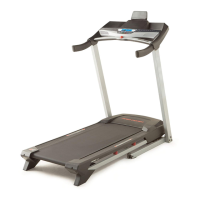
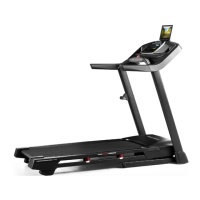
ProForm Performance 900i - User Manual

ProForm Performance 900i
44 pages
Print Icon
To Next Page IconTo Next Page
Loading...
USER’S MANUAL
proform.com
Model No. PFTL80016.3
Serial No.
Write the serial number in the space
above for reference.
CAUTION
Read all precautions and instruc-
tions in this manual before using
this equipment. Save this manual
for future reference.
Serial
Number
Decal
To register your product and
activate your warranty today,
go to my.proform.com.
For service at any time, go to
proformservice.com.
Or call 1-888-533-1333
Mon.–Fri. 6 a.m.–6 p.m. MT
Sat. 8 a.m.–12 p.m. MT
Please do not contact the store.
ACTIVATE YOUR
WARRANTY
CUSTOMER CARE

Questions and Answers

ProForm Performance 900i Specifications

General IconGeneral
BrandProForm
ModelPerformance 900i
CategoryTreadmill
LanguageEnglish

Summary

Product Identification and Support

Initial Safety Precautions

General caution and warnings before operating the equipment.

Treadmill Safety Guidelines and Decals

Warning Decal Locations and Key Precautions

Diagrams and critical warnings for safe treadmill use.

Important Operational Precautions

User Responsibility and Health Considerations

Owner's duty, physician consultation, and user capability limits.

Electrical Safety and Treadmill Placement

Guidelines for grounding, surge protection, and treadmill location.

iFit Fitness Program Integration

Extended Service and Protection Plans

Before You Begin: Treadmill Overview

Treadmill Component Identification Diagram

Visual guide to the major parts of the treadmill.

Assembly Part Identification Chart

Treadmill Assembly Instructions

Product Registration for Warranty Activation

Registering your treadmill online for ownership and warranty activation.

Connecting the Power Cord Safely

Surge Suppressor and Grounding Guidelines

Requirements for surge protectors and ensuring safe electrical grounding.

Console Overview and Features

Using iFit.com Features on the Console

How to access and utilize iFit.com services through the console.

Treadmill Operation: Power and Console

Powering On and Touch Screen Navigation

Steps to turn on the treadmill and use the console's touch screen interface.

Console Setup and Network Configuration

Wireless Network and iFit Account Setup

Connecting to Wi-Fi and creating an iFit account.

Using the Manual Workout Mode

Manual Mode Controls and Progress Monitoring

How to control speed/incline and monitor workout metrics.

Guided Workout Programs

Onboard Workout Selection and Execution

Steps for choosing, starting, and managing onboard workout routines.

Goal-Oriented and iFit Workouts

Set-A-Goal Workout Configuration

How to set custom goals for your workouts.

Scheduling and Using iFit Workouts

Adding workouts from iFit.com and running them on the console.

Console Settings and Customization

Equipment Settings and Mode Management

Configuring language, units, demo mode, and browser.

Sound System and Internet Browser Usage

Wireless Network Connectivity

Tablet Holder Usage Instructions

Folding and Moving the Treadmill

Maintenance and Troubleshooting Guide

Troubleshooting Power and Display Issues

Resolving problems with the treadmill not powering on or display persistence.

Belt and Incline Performance Issues

Addressing problems with belt speed, centering, slipping, and incline functionality.

Connectivity and Feature Troubleshooting

Resolving issues with iFit mode and wireless network connection.

Exercise Guidelines and Intensity

Workout Guidelines and Frequency

Advice on warming up, training zones, cooling down, and exercise frequency.

Suggested Stretches for Users

Parts List for Treadmill Components

Exploded Drawing A: Treadmill Parts

Exploded Drawing B: Treadmill Parts

Exploded Drawing C: Treadmill Parts

Exploded Drawing D: Console Parts

Ordering Replacement Parts

Limited Warranty Information

Related product manuals