Profoto ProHead
8
www.profoto.com
side of the glass cover. Secure the glass cover to lock by pressing the safety pins down and then
pushing them one by one under the top screw.
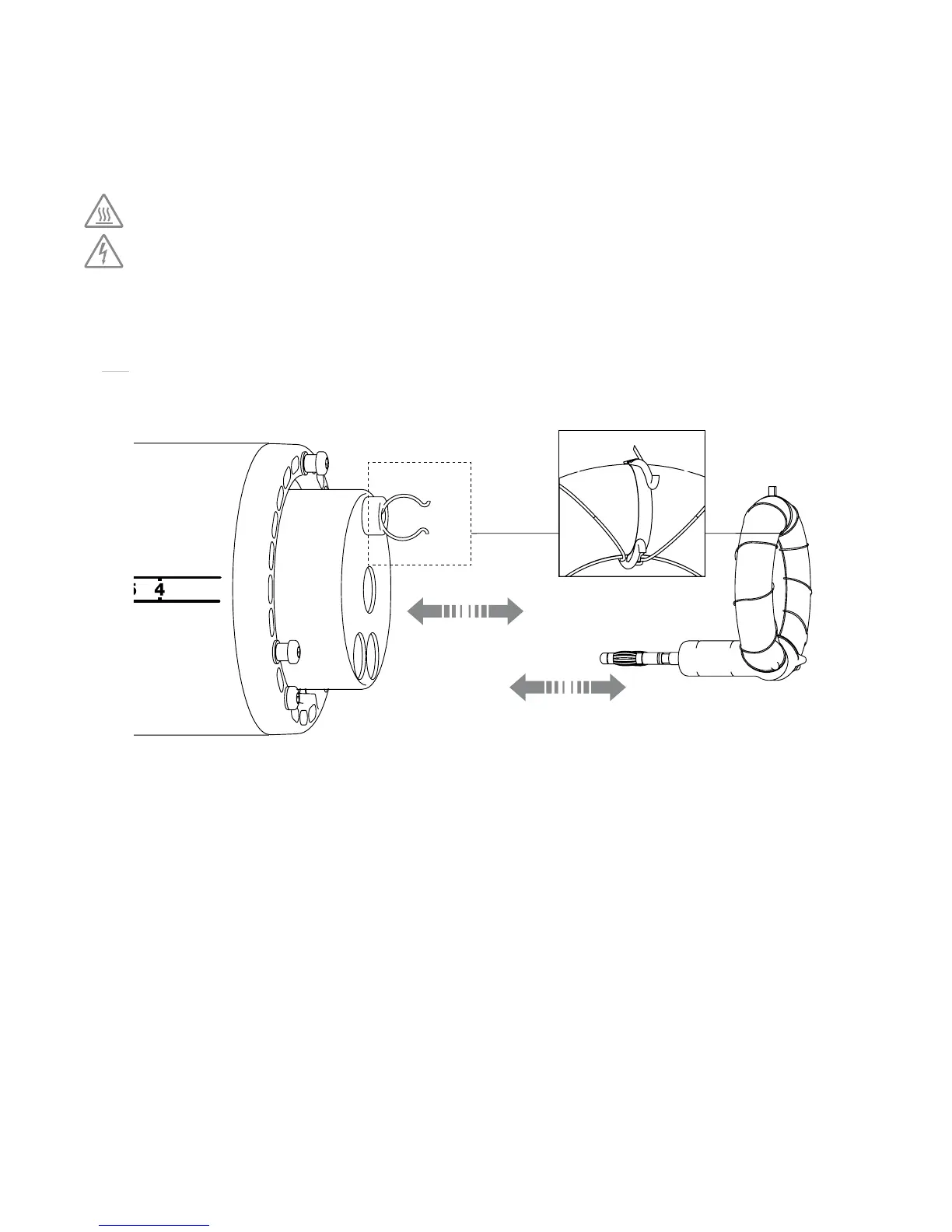
Changing Modeling Lamp
When removing a modeling lamp, unscrew the modeling lamp straight out of the socket.
When inserting a new modeling lamp, screw it straight into the socket. Do not touch lamp
with bare hands.
Changing Flash Tube
When removing a flash tube, remove the glass cover, unlock the flash tube trigger by
unfolding the stainless steel ribbons around the clasp, grasp the flash tube in the bottom and
pull it straight out of the sockets. When inserting a new flash tube, check that the trigger clasp
fit properly around the flash tube trigger connection. Lock the flash tube trigger by folding the
stainless steel ribbons around the clasp.
Color Control and Consistency
The flash tube is made of high quality color stable hard glass making it suitable for
demanding digital and analog photography with a high level of f-stop and color stability
from flash to flash. In order to change the color temperature of the the head, Profoto offer
a range of different coated glass covers.
CHANGINGFUSE
Modeling Lamp
Flash Tube
Unlockandlockthe
flash tube trigger
CHANGINGMODELINGLAMPANDFLASHTUBE
Clasp
Do not touch hot parts with bare fingers! Modeling lamps, flash tubes and certain metal parts emit strong heat when used!
When changing modeling lamp, flash tube, fuse or glass cover the lamp cable must be disconnected from the generator.


 To Next Page