18
6. OPERATION
6.1 Conguration on PM235J
Conguration of the battery type and capacity can be done through the LCD Monitor or the smart device app.
6.1.1 Load Remote Isolation Switch
This function allows for the use of a remote ISO switch to turn ON/OFF the L2-L14 outputs.
6.2 Conguration on LCD Monitor
Access to the conguration menu is safeguarded with a passcode. The default is 0000 and may be set by a user.
Passcode Descriptions
0000 Factory Default, no passcode
1999 Factory access passcode
XXXX User dene
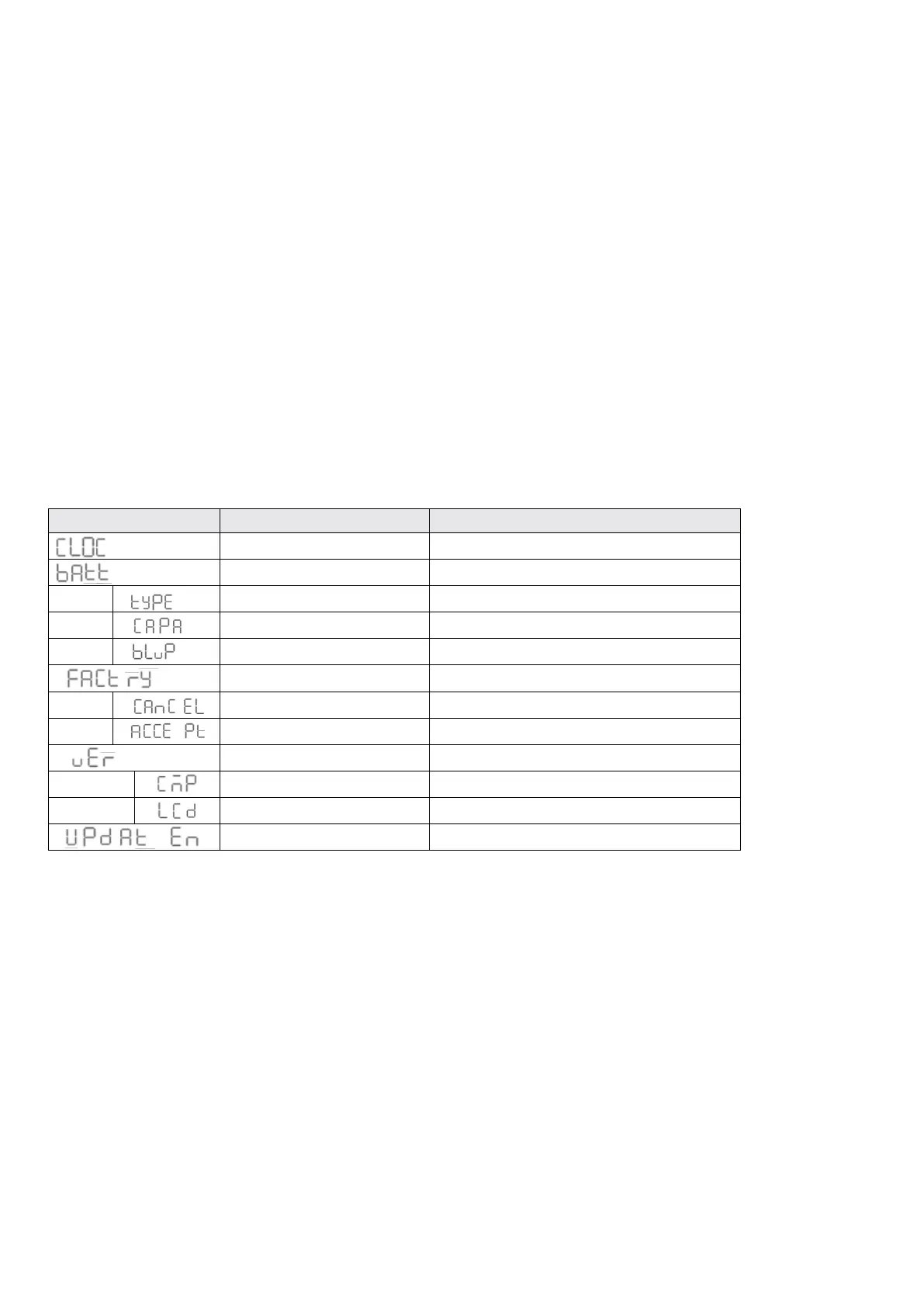
Press the ‘DIM’ button until the setting code is showing on the date time area which means the monitor is ready for conguration. The
‘PUMP’ button and ‘PWR’ button can be used to scroll through the conguration menu.
CODE FUNCTION DESCRIPTION
Time Setting Set date system 12H/24H and date.
Battery Setting
Battery Type AGM / GEL / LFP (LiFePO
4
)/WET
Battery Capacity
Battery Low Voltage Protection To shutdown the output of loads
Restore factory defaults
Cancel Cancel to restore factory defaults
Accept Conrm to restore factory defaults
Version Software version of devices. read only
CMP Software Version of PM235J
LCD Software Version of PMLCD-BTJ
Update enable Enable to update rmware
Table 16 Setting code of the Monitor



 To Next Page