562500-000, Issue1.0, May 2013
34 of 69
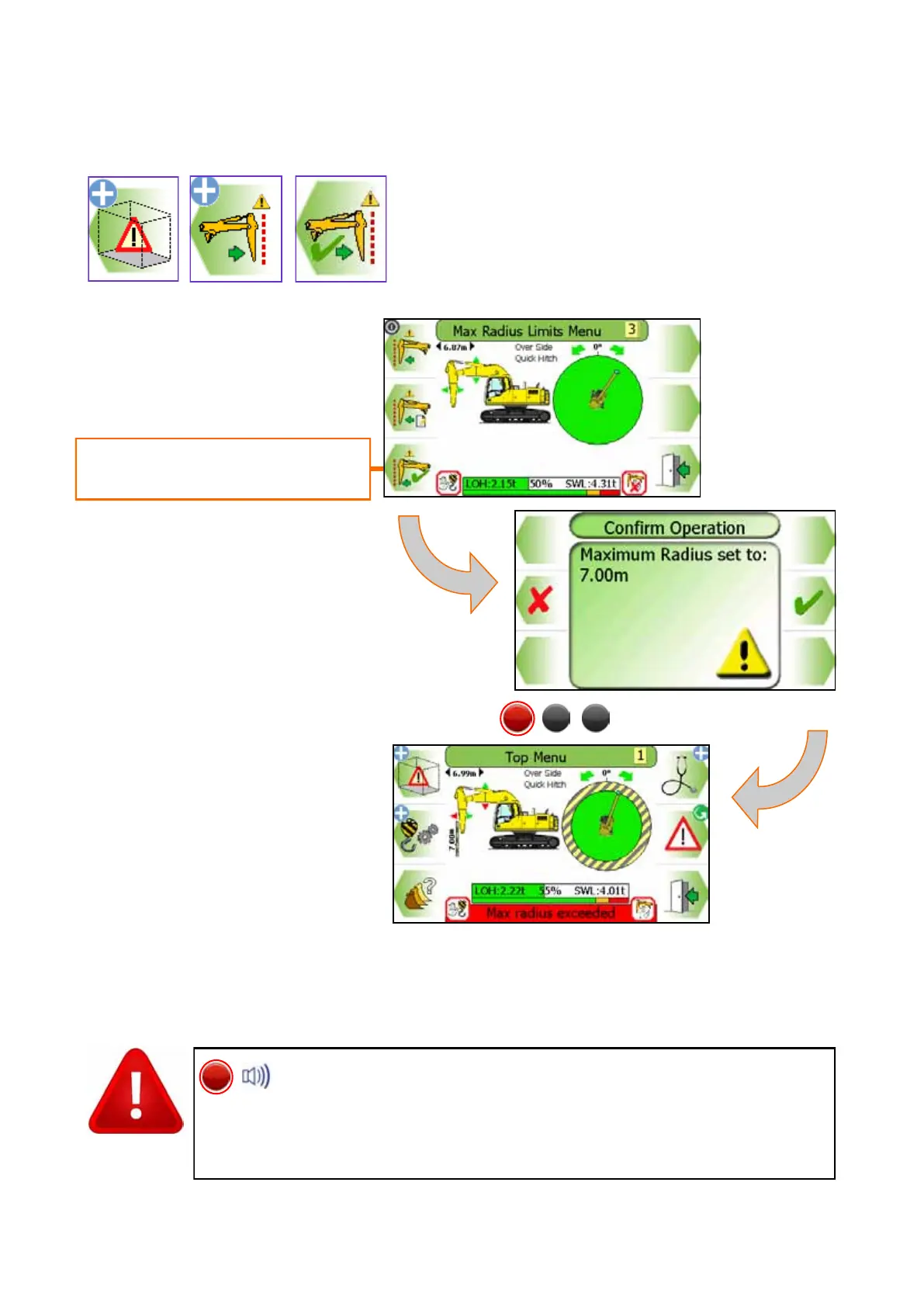
8.2.3 Max Radius Limit Setting - Using Current furthest Point
Move equipment to required max
radius limit and press this button
To set the max radius limit using
the machine, move the equipment
to the desired radius, and press
the ‘current farthest point’ button.
A confirmation box will appear
reporting the radius set. Press
the TICK button to continue.
Once a max radius limit set, the internal alarm will sound and the
RED LED will light if the equipment exceeds the current limit. Al-
ways check that the current limit activates at the set point. The restriction
cannot be deactivated if in the alarm state. Observe the operational limita-
tions given in section 4.


 To Next Page