562500-000, Issue1.0, May 2013
45 of 69
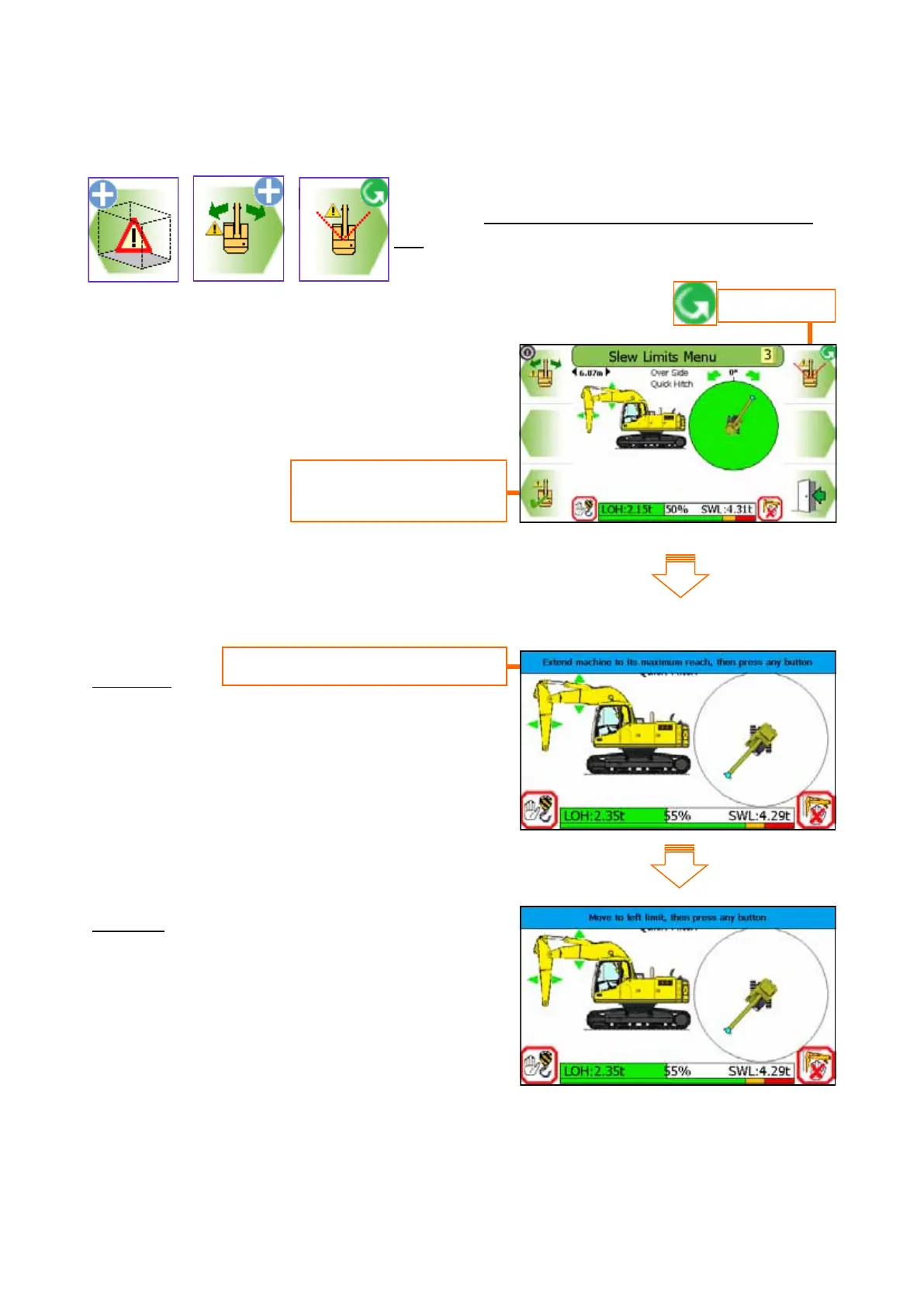
Step by step instructional banner
8.5.1 Angular Slew Limit Setting - using Current Slew Angle
Select angular slew limiting, follow the on screen in-
structions. Do not travel once a slew limit has been
set.
Step One
Extend equipment as appropriate
Step two
Move to the left slew limit, press any button
to set the left limit. A marker will be placed
to indicate its position
Continued on next page
Press this button to start
the setup procedure
Set to angle


 To Next Page