562500-000, Issue1.0, May 2013
46 of 69
Step three
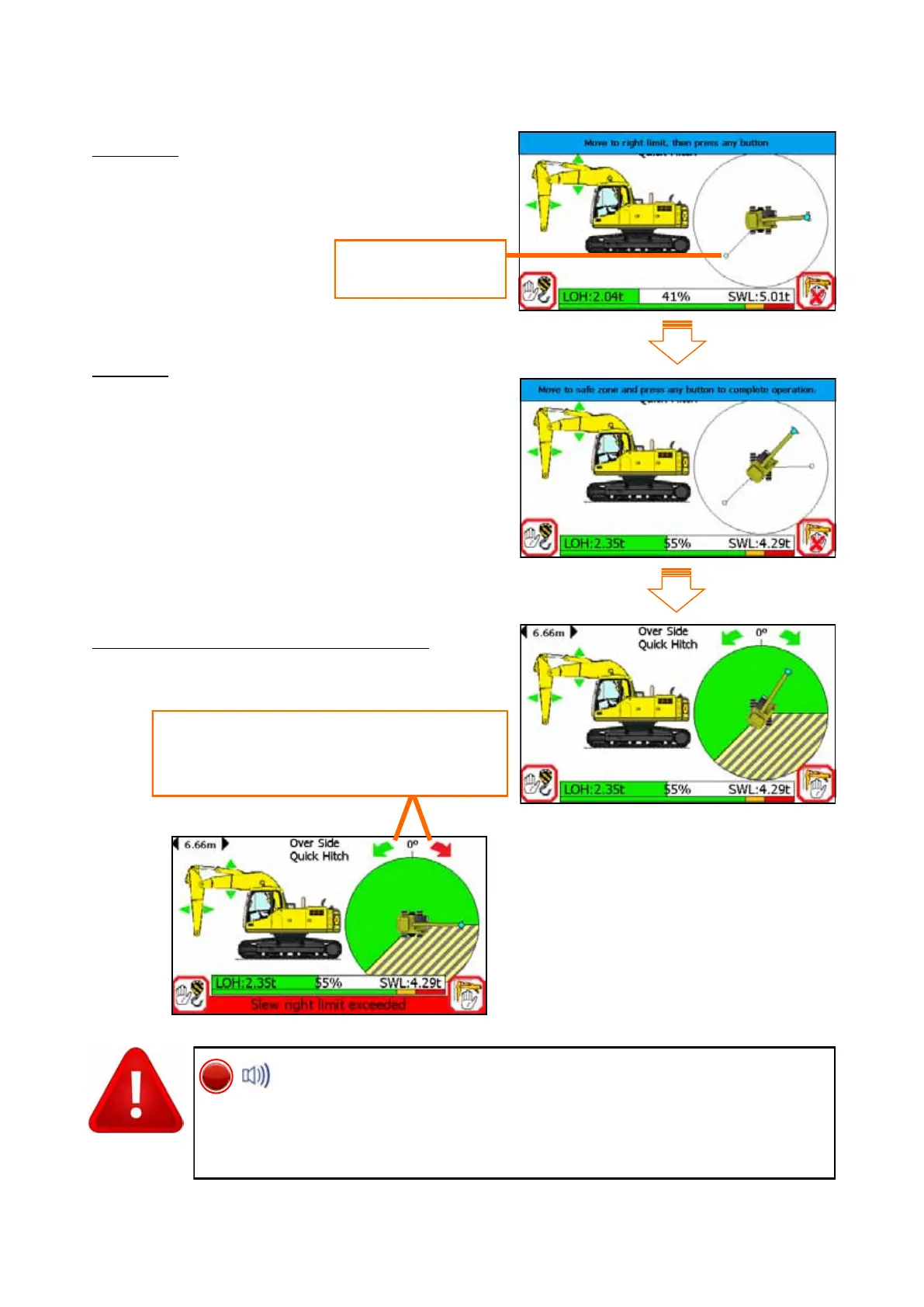
Move to the right slew limit, press any button
to set the left limit. Another marker will be placed here
Step four
Press any button to complete.
The hatched hazard zone will be shown on the main screen.
Check the limits are working as required.
Slew left restriction
marker
Safe Directional indicators. The left and
right arrows indicate if it is safe GREEN,
or unsafe RED to slew in that direction
Once slew limits are set, the internal alarm will sound and the RED
LED will light if the equipment exceeds the either limit. Always
check that the slew limit activates at the set points. The restriction cannot be
deactivated if in the alarm state. Do not travel. Observe the operational limi-
tations given in section 4. Do not travel once a slew limit has been set.


 To Next Page