562500-000, Issue1.0, May 2013
47 of 69
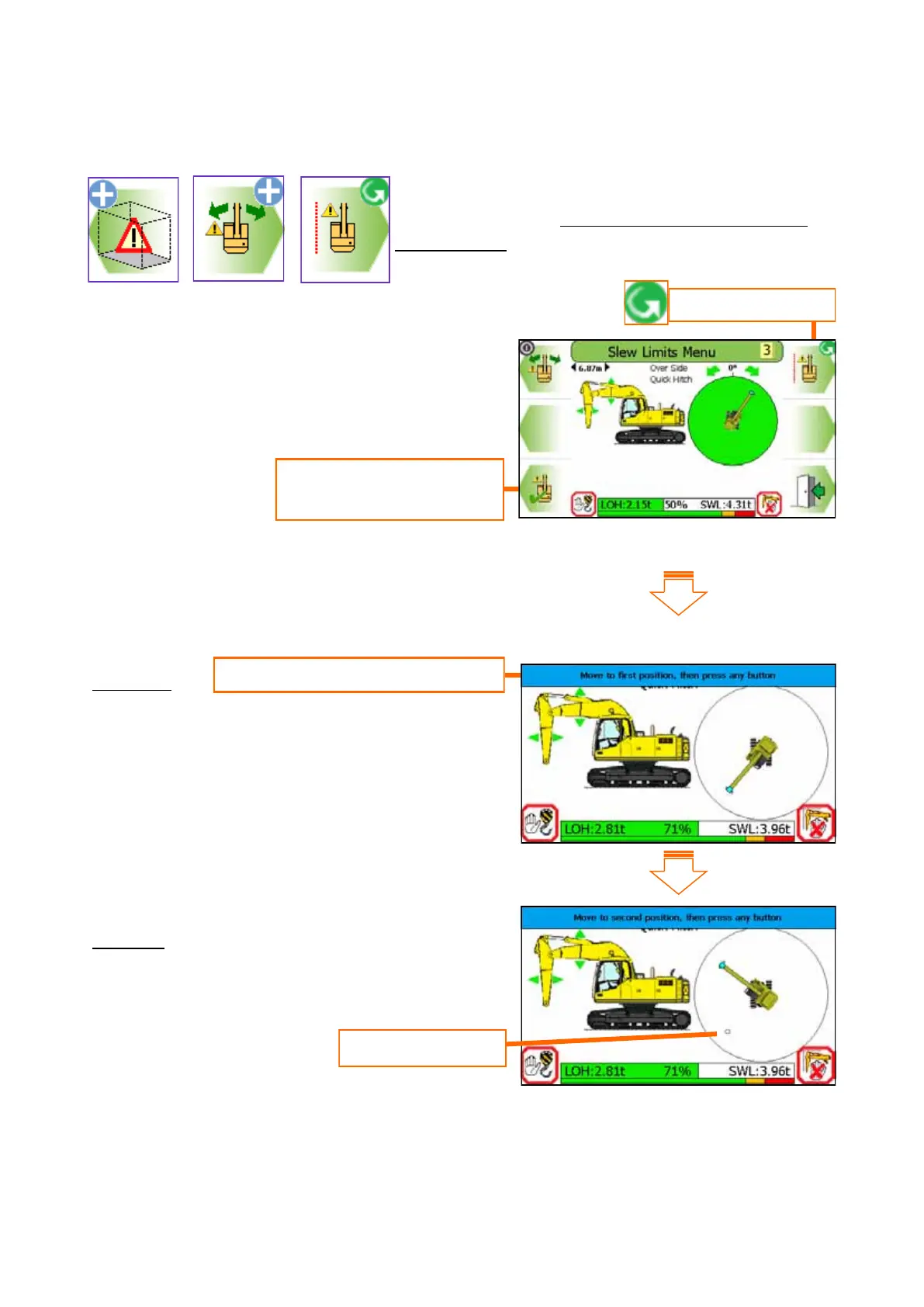
8.5.2 Virtual Wall Limit Setting - using Virtual Wall
Select single vertical wall limiting, follow the on
screen instructions. Do not travel once a slew limit
has been set.
Step One
Move the dipper to one end of the virtual wall,
press any button to set the limit. A marker will be
placed here.
Step two
Move the dipper to the other end of the virtual
wall, press any button to set the limit.
Continued on next page
Set to Virtual Wall
Press this button to start
the setup procedure
Virtual wall marker
Step by step instructional banner



 To Next Page