EasyManua.ls Logo

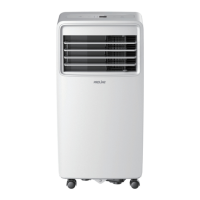
Proline PAC1800 - User Manual

Proline PAC1800
179 pages
Print Icon
To Next Page IconTo Next Page
Loading...
Besoin d’un conseil ? Une question sur ce produit ?
RDV sur la communauté SAV Darty : https://sav.darty.com
Déjà 1/2 million de solutions grâce à l’avis des utilisateurs.
PROLINE
CLIMATISEUR
MOBILE
PAC1800
MANUEL D’UTILISATION

Questions and Answers

Summary

IMPORTANT SAFETY INSTRUCTIONS

Warnings

Appliance intended for domestic household use only, not for commercial use.

Battery handling and usage

SERVICE OPERATIONS

Installation (Space)

Details installation requirements and space considerations for the appliance.

Specific information about the credentials of qualified service personnel

Information on servicing

Checks to the refrigeration equipment

Checks to electrical devices

Repairs to sealed components

Repair to intrinsically safe components

Removal and evacuation

Charging procedures

Decommissioning

Labelling

Recovery

WIRING DIAGRAM

Fuse

Details the types and specifications of fuses used in the appliance.

PRODUCT OVERVIEW

Front View

Illustrates and labels the components visible from the front of the appliance.

Rear View

Accessories

INSTALLATION

Location

Specifies the ideal placement requirements for the appliance.

INSTALLATION

Exhaust hose installation

Instructions for connecting and using the exhaust hose for cooling mode.

Wall installation

Steps for mounting the exhaust adapter through a wall.

OPERATION

CONTROL PANEL

Details the functions and layout of the appliance's control panel.

OPERATING FROM THE CONTROL PANEL

Basic steps to power the appliance on and off using the control panel.

OPERATION

MODE

Explains how to select and use different operating modes (Cool, Fan, Dry).

COOL MODE

Specific instructions for operating the appliance in cooling mode.

FAN MODE

Specific instructions for operating the appliance in fan mode.

OPERATING FROM THE REMOTE CONTROL

Battery installation

Steps for installing batteries into the remote control.

Remote control

LED display indicators

Explains the various indicators on the remote control's LED display.

Remote control

Power button

Explains the function of the power button on the remote control.

Mode button

Details how to use the mode button to select operating modes.

Remote control

Setting the timer function

Instructions for setting the timer ON and TIMER OFF functions.

Sleep

SHORTCUT function

AIR FLOW DIRECTION ADJUSTMENT

WATER DRAINAGE

Continuous drain hose

Bottom drain plug with cap

CLEANING AND MAINTENANCE

Cleaning the outside cabinet

How to clean the appliance's exterior safely.

Cleaning the filter

Instructions for cleaning the air filter for optimal performance.

Storage

TROUBLESHOOTING

SPECIFICATIONS

Product fiche

Technical specifications in a product fiche format.

Error codes

Lists and explains various error codes and their meanings.

DISPOSAL

Déclaration UE de Conformité

Description du produit

Details the product name and its various language descriptions.

Marque

Indicates the brand name of the product.

Référence commerciale

Specifies the commercial reference or model number of the product.

Reference number

EMC

LVD

ErP

Summary

IMPORTANT SAFETY INSTRUCTIONS

Warnings

Appliance intended for domestic household use only, not for commercial use.

Battery handling and usage

SERVICE OPERATIONS

Installation (Space)

Details installation requirements and space considerations for the appliance.

Specific information about the credentials of qualified service personnel

Information on servicing

Checks to the refrigeration equipment

Checks to electrical devices

Repairs to sealed components

Repair to intrinsically safe components

Removal and evacuation

Charging procedures

Decommissioning

Labelling

Recovery

WIRING DIAGRAM

Fuse

Details the types and specifications of fuses used in the appliance.

PRODUCT OVERVIEW

Front View

Illustrates and labels the components visible from the front of the appliance.

Rear View

Accessories

INSTALLATION

Location

Specifies the ideal placement requirements for the appliance.

INSTALLATION

Exhaust hose installation

Instructions for connecting and using the exhaust hose for cooling mode.

Wall installation

Steps for mounting the exhaust adapter through a wall.

OPERATION

CONTROL PANEL

Details the functions and layout of the appliance's control panel.

OPERATING FROM THE CONTROL PANEL

Basic steps to power the appliance on and off using the control panel.

OPERATION

MODE

Explains how to select and use different operating modes (Cool, Fan, Dry).

COOL MODE

Specific instructions for operating the appliance in cooling mode.

FAN MODE

Specific instructions for operating the appliance in fan mode.

OPERATING FROM THE REMOTE CONTROL

Battery installation

Steps for installing batteries into the remote control.

Remote control

LED display indicators

Explains the various indicators on the remote control's LED display.

Remote control

Power button

Explains the function of the power button on the remote control.

Mode button

Details how to use the mode button to select operating modes.

Remote control

Setting the timer function

Instructions for setting the timer ON and TIMER OFF functions.

Sleep

SHORTCUT function

AIR FLOW DIRECTION ADJUSTMENT

WATER DRAINAGE

Continuous drain hose

Bottom drain plug with cap

CLEANING AND MAINTENANCE

Cleaning the outside cabinet

How to clean the appliance's exterior safely.

Cleaning the filter

Instructions for cleaning the air filter for optimal performance.

Storage

TROUBLESHOOTING

SPECIFICATIONS

Product fiche

Technical specifications in a product fiche format.

Error codes

Lists and explains various error codes and their meanings.

DISPOSAL

Déclaration UE de Conformité

Description du produit

Details the product name and its various language descriptions.

Marque

Indicates the brand name of the product.

Référence commerciale

Specifies the commercial reference or model number of the product.

Reference number

EMC

LVD

ErP

Proline PAC1800 Specifications

General IconGeneral
BrandProline
ModelPAC1800
CategoryAir Conditioner
LanguageEnglish

Related product manuals