13 / 25
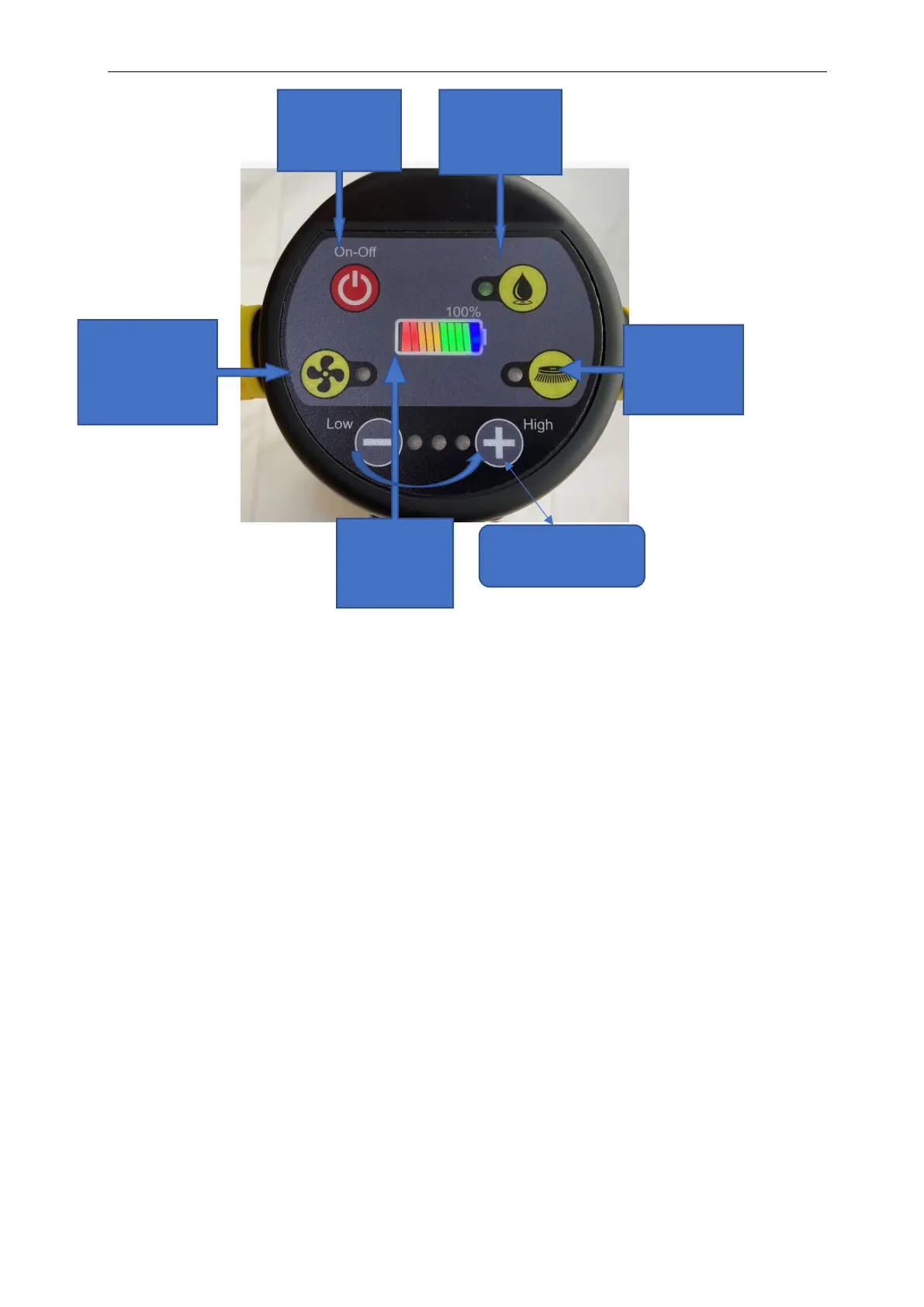
MODE 1: Vacuum only (Pressing down the Vacuum button only), the product will not move
forward automatically
MODE 2: Brush only (Pressing down the Brush button only). the product will move forward
automatically
MODE 3: Water/cleaning solution only (Pressing down the water pump button only), the product
will not move forward automatically.
MODE 4:Vacuum + brush (Pressing down both the vacuum button and the brush button),
MODE 5: Vacuum + water/cleaning solution (Pressing down both the left button and the right
button),
MODE 6: Brush + water/cleaning solution (Pressing down both the middle button and the right
button), the product will not move forward automatically,
MODE 7: Brush + water/cleaning solution+ Vacuum (Pressing down all 3 buttons), the
product will move forward automatically and cleaning the floor with water cleaning and
vacuum automatically.
6. hold the handle with both hand .
7. Walk behind the C430BN.
8. Steer by gently turning the handle left or right to move the scrub deck.
Power button
switch
Vacuum button
switch
Water pump
button switch
Brush plate
button switch
Battery
power
display
Brush speed



 To Next Page