14 / 25
If you want to stop cleaning the floor, please according flow instruction:
1. Press water cleaning button to stop the water releasing;
2. Press brush button to shop the brush (we recommend continuous move forward 5~8m to
keep cleaning activities)
3. Press vacuum button to stop the vacuum
4. Press power off
5.
Note:
Releasing the main on/off switch will immediately stop the C430BN. But due to the water
releasing more on the floor, we recommend you first stop the water cleaning button, and
continuous forward 5~8m to keep your floor cleaning and no any dust or water leave on the floor)
Warning!
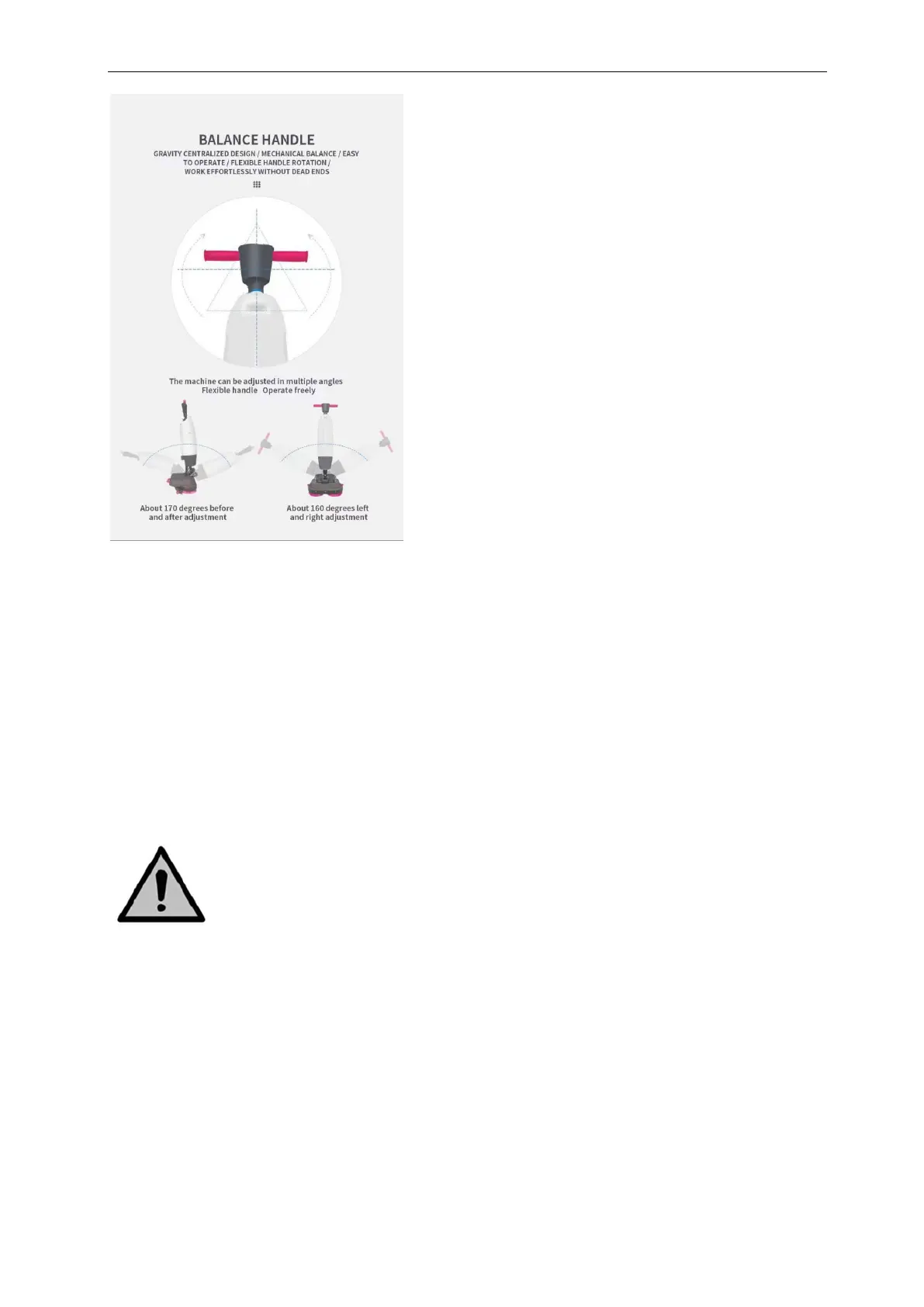
Do not operate the C430BN at greater than arm's length. Operating below a 45-degree angle
can cause water to run into the vacuum engine.
Dispose water or cleaning solution from both tanks in an appropriate drain. Even though the
recovery tank is bigger,empty it each time the cleaning solution tank is filled.
Please observe the local provisions regarding solution disposal related to wastewater
treatment.
Flush the system Be sure to flush the tanks out completely. To thoroughly flush out any
solution in the lines and vales



 To Next Page