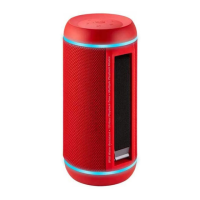
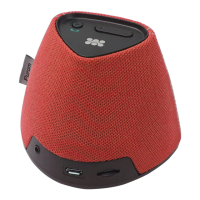
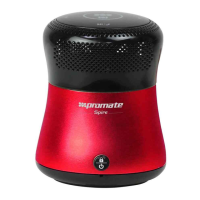
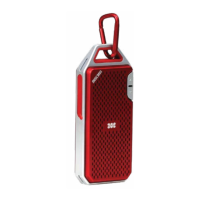
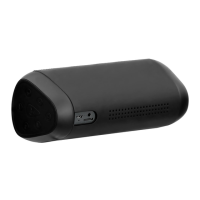
No.Name
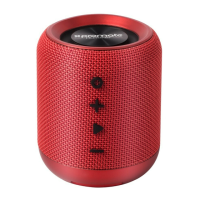
1 Play/Pause buon: Press to play or pause the
music; Press and hold for
Bluetooth™ pairing
2 Volume buons: Press to decrease the
volume and press to increase.
3 Speakerphone buon: Once the Bluetooth™
smartphone is paired, press
once to answer the phone
call or press it to end a call.
4 Status indicator: Blue light flashes slowly
– turning on the speaker
Blue light flashes fast
– On Bluetooth™ pairing
mode
Red light – On Aux-in model
5 Microphone
6 Power switch for the speaker:Green if it’s ON and Red if
it’s OFF.
7 Audio Aux port: Use audio cable provided for
external music players
8 Power Switch: Toggle the power switch le
to “PS” to charge USB
chargeable mobile device or
to “CH” for charging bluRock2
Bluetooth™ pairing
•Turn the power switch on the boom of speaker then prompt
tone will menon “bluRock2 is ready, waing for device
pairing".
•Turn on the Bluetooth™ device on your phone or tablet, and
search “bluRock2” and pair. Password is 0000.
When successfully paired, "It is paired" prompt sound
comes out. Play music from your phone or tablet.
•Adjust the volume by pressing the Volume +/- buons on the
top of speaker. Press the Play/Pause buon to play or pause
the tune. Press and hold the Play/Pause buon to turn on/off
the Bluetooth.
•Handsfree funcon. When there is an incoming call, the
speaker will menon the number automacally, then just
press the Phone/ handsfree buon to answer the phone call
or end the call. Aer the call ends, the speaker will connue
playing the interrupted music.
•Power off. When not in use, please turn off the switch to red
status to prevent the waste of power.


 To Next Page