2
Features and Design
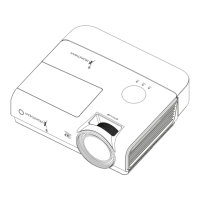
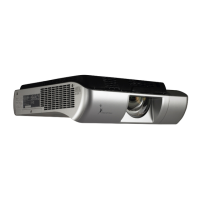
ThisMultimediaProjectorisdesignedwiththemostadvancedtechnologyforportability,durability,andeaseofuse.
Thisprojectorutilizesbuilt-inmultimediafeatures,apaletteof16.77millioncolors,andmatrixliquidcrystaldisplay
(LCD)technology.
Note:
• The On-Screen Menu and figures in this manual may
differ slightly from the product.
•The contents of this manual are subject to change
without notice.
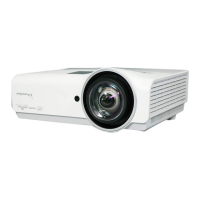
Large Screen in Limited SpaceLarge Screen in Limited Space
Shortfocuslensallowsyoutoprojectlargeimages
fromshortdistance.(p.13)
Security Features
Theprojectorcannotbeoperatedwithoutremote
control.Keeptheremotecontrolsecurelyathand.
ThePINcodelockguardstheprojectorfroman
unauthorizeduser.(pp.19,55-56)
Logo Function
TheLogofunctionallowsyoutocustomizethescreen
logo.TheLogopageidentifiestheownerofthe
projector.(pp.47,48)
Closed caption
Thisisaprintedversionoftheprogramsoundor
otherinformationdisplayedonthescreen.Youcan
turnonthefeatureandswitchthechannels.(p.53)
Simple Computer System Setting
TheprojectorhasaMulti-scansystemtoconformto
almostallcomputeroutputsignalsquickly.(p.29)
Helpful Maintenance Functions
Lampandfiltermaintenancefunctionsprovidefor
betterandpropermaintenanceoftheprojector.
LAN Network Function
ThisprojectorisloadedwiththeWiredfunction.You
canmanagetheprojectorvianetwork.Fordetails,
refertotheowner’smanual“NetworkSet-upand
Operation.”
Quick Termination
TheACpowercordcanbeunpluggedimmediately
afterturningofftheprojectorwithoutwaitingforthe
projectortocooldown.(p.20)
Digital Zoom (for Computer)
Thedigitalzoomfunctionallowsyoutofocuson
crucialinformationduringapresentation.Youcan
expandtheimagesapprox.16timesthescreen
sizeandcompressthemtoapproximatelya
quarterofthescreensize.(p.36)
Blackboard Function
Ablackboardcanbeusedasaprojectionscreen.
(pp.33,40)
*TheboardcolorislimitedtoGreen.
Colorboard Function
Atthetimeofsimpleprojectiononthecolored
wall,youcangettheclosecolorimagetothecolor
imageprojectedonawhitescreenbyselectingthe
similarcolortothewallcolorfromthepresetfour
colors.(pp.33,40)
Multilanguage Menu Display
TheOperationmenuisavailablein23languages:
English,German,French,Italian,Spanish,
Portuguese,Dutch,Swedish,Finnish,Norwegian,
Danish,Polish,Hungarian,Romanian,Russian,
BrazilianPortuguese,Turkish,Arabic,Kazak,
SimplifiedChinese,TraditionalChinese,Korean,
andJapanese.(p.44)
Switchable Interface Terminal
Theprojectorprovidesaswitchableinterface
terminal.Youcanusetheterminalascomputer
inputormonitoroutputconveniently.(p.50)
Power Management
ThePowermanagementfunctionreducespower
consumptionandmaintainslamplife.(p.51)
Auto Setup Function
ThisfunctionenablesInputsearchandAuto
PCadjustmentbysimplypressingtheAUTO
SETbutton(pp.23,45).
You can turn on or operate the
projector ONLY via the remote control.
Make sure not to lose the remote
control.


 To Next Page