4. After a reasonable number of revolutions (a minimum of 200), use
the
[Clickwheel]
to stop the pump.
ð
The
‘Calibrate ended’
menu item appears. It asks you to enter
the calibration volume.
5. Determine the required metering volume (difference between initial
volume - remaining volume in the measuring cylinder).
6. Use the
[Clickwheel]
to enter this volume in the
‘Calibrate ended’
menu item and close.
ð
The pump switches to the
‘Calibration result’
menu item - the
pump is calibrated.
7. Press the
[Clickwheel]
.
ð
The pump returns to the
‘Menu / Information
è
Settings’
menu.
12.2.5 System
‘Menu / Information
è
Settings
è
System
è
...’
The
‘System’
menu is split into the following sub-menus:
2 -
‘Configure dosing head’
3 -
‘Volume unit’
4 -
‘Start behaviour’
12.2.5.1
‘Configure dosing head’
‘Menu / Information
è
Settings
è
System
è
Configure dosing head
è
...’
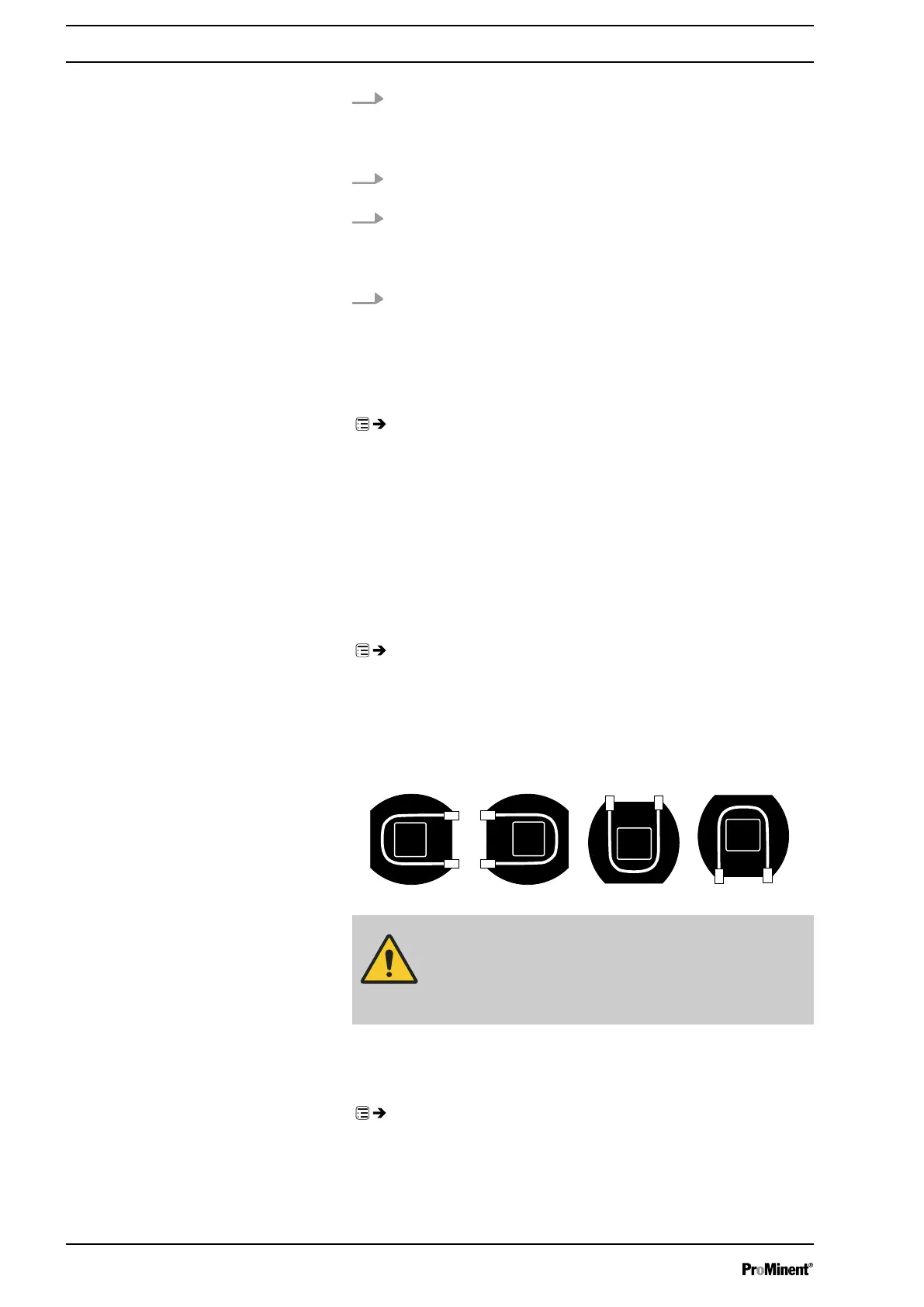
In the
‘Configure dosing head’
menu, you have to set the dosing head's
position for if you have turned it
because you can turn the dosing head as follows:
CAUTION!
Whenever the dosing head’s alignment has been
changed, the new alignment must be correctly stated
otherwise the
‘Tube Service’
will no longer work prop‐
erly.
12.2.5.2 Volume unit
‘Menu / Information
è
Settings
è
System
è
Volume unit
è
...’
You can select another unit for the volume in the
‘Volume unit’
sub-menu.
Set up /
‘Menu’
56






 To Next Page