Using the remote control
Preparing the remote controm for use
Installing the remote control batteries
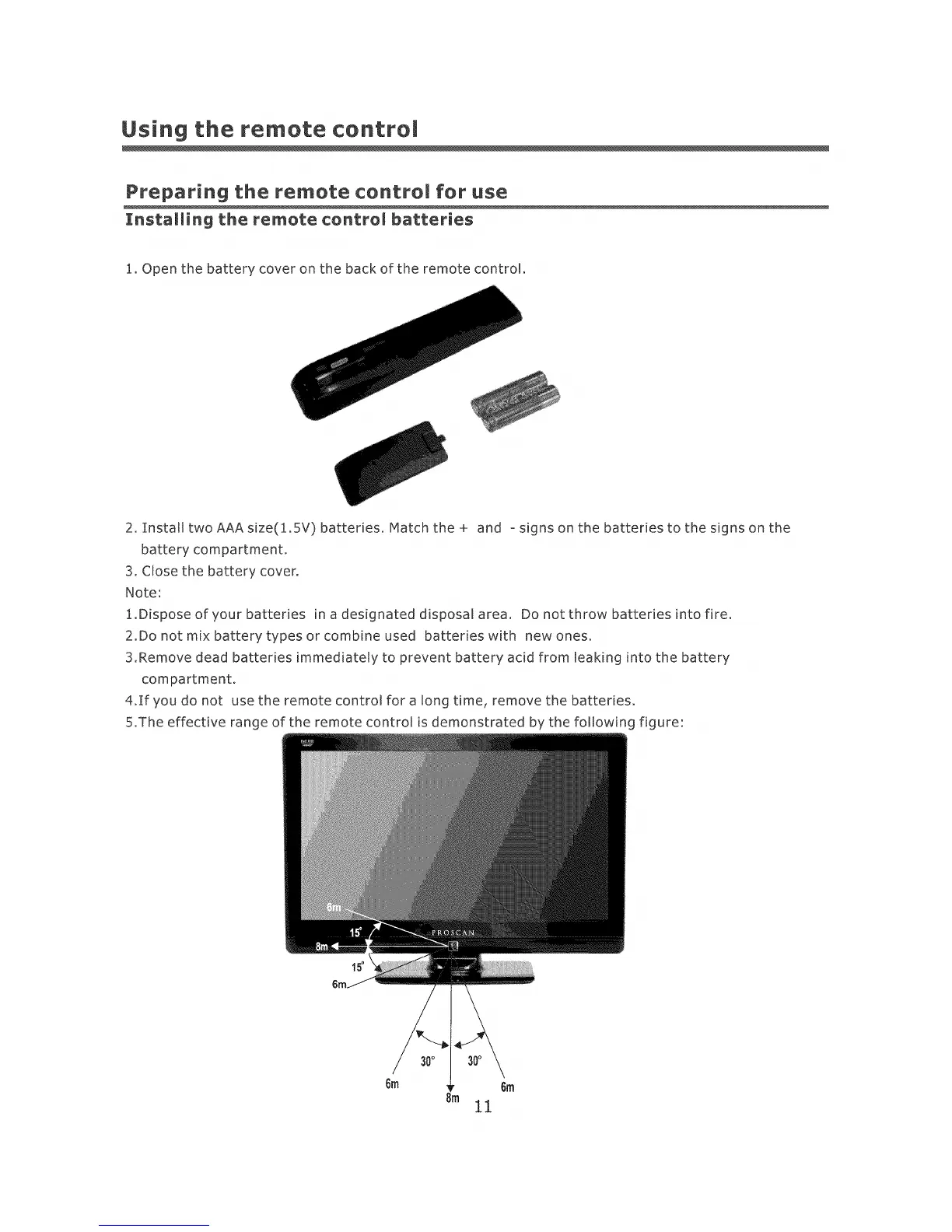
1. Open the battery cover on the back of the remote control.
2. InstatltwoAAAsize(1.5V) batteries. Matchthe+ and osigns on the batteries to the signs on the
battery compartment.
3. Close the battery cover.
Note:
1.Dispose of your batteries in a designated disposal area. Do not throw batteries into fire.
2.Do not mix battery types or combine used batteries with new ones.
3.Remove dead batteries immediately to prevent battery acid from leaking into the battery
compartment.
4.If you do not use the remote control for a long time, remove the batteries.
5.The effective range of the remote control is demonstrated by the following figure:
15o













 To Next Page