Preparation for using your new TV
Connecting your TV
Caution: Do not plug in the TV until you have finished connecting all of your equipments.
Connecting to an antenna
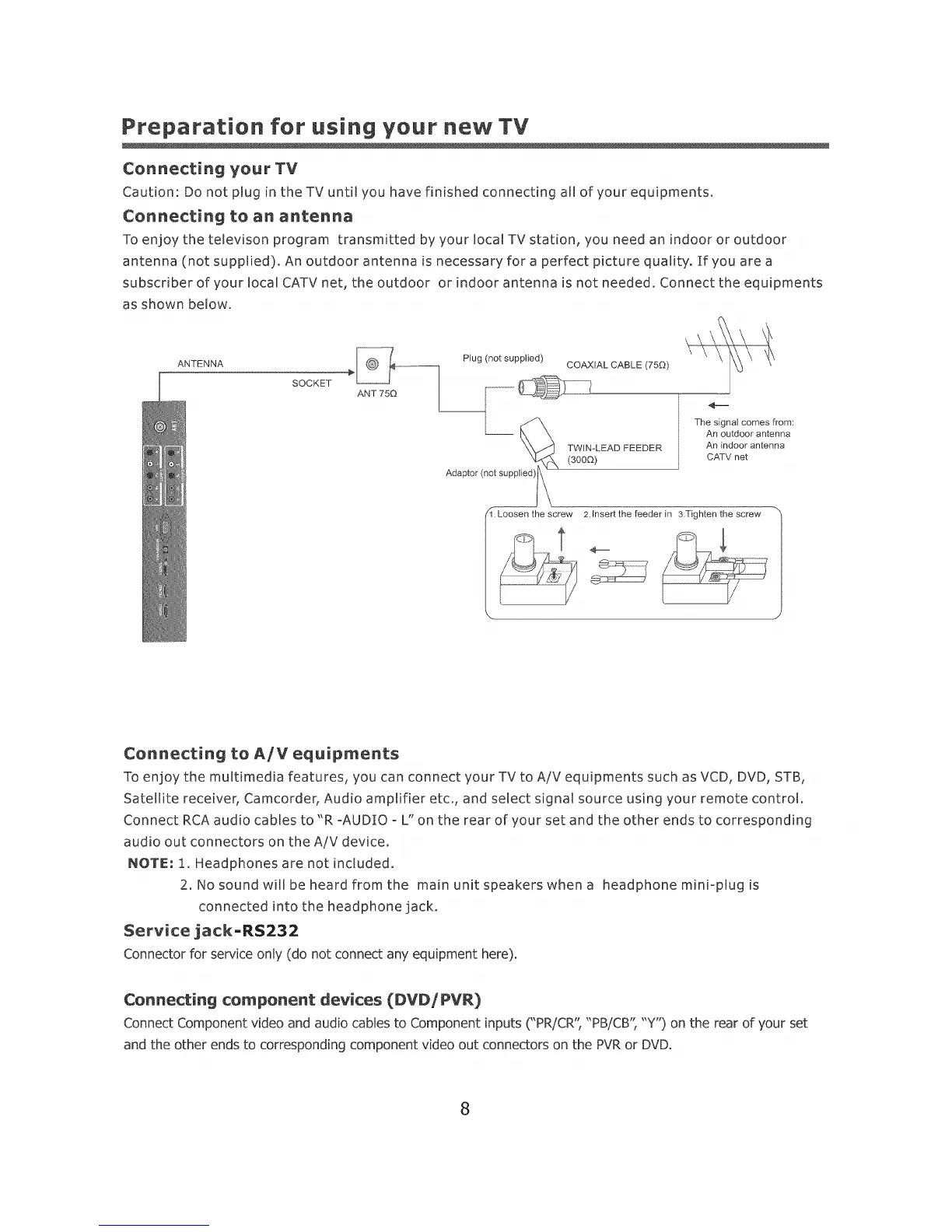
To enjoy the televison program transmitted by yourlocaITVstation, you need an indoor or outdoor
antenna (not supplied). An outdoor antenna is necessary for a perfect picture quality, if you are a
subscriber of your local CATV net, the outdoor or indoor antenna is not needed. Connect the equipments
as shown below,
ANTENNA _ Plug (not supplied) COAXIAL CABLE (750)
SOCKET _____
Adaptor (not suppl_ \
[} Loosen thescra_
\
TWIN-LEAD FEEDER
(300G)
The signal comes from:
An outdoor antenna
An indoor antenna
CA-IV net
2.Insert the feeder in 3.Tighten the screw
Connecting to A/V equipments
To enjoy the multimedia features, you can connect your TV to A/V equipments such as VCD, DVD, STB,
Satellite receiver, Camcorder, Audio amplifier etc., and select signal source using your remote control.
Connect RCA audio cables to "R °AUDIO - L" on the rear of your set and the other ends to corresponding
audio out connectors on the A/V device.
NOTE: 1. Headphones are not included.
2. No sound will be heard from the main unit speakers whena headphone mini-plug is
connected into the headphone jack.
Service jack=RS232
Connector for service only (do not connect any equipment here).
Connecting component devices (DVDiPVR)
Connect Component video and audio cables to Component inputs("PR/CR', "PB/CB'; "Y") on the rear of your set
and the other ends to corresponding component video out connectors on the PVRor DVD.
8













 To Next Page