DC INOFF ON
AV-INAV-OUT
CARD
USB
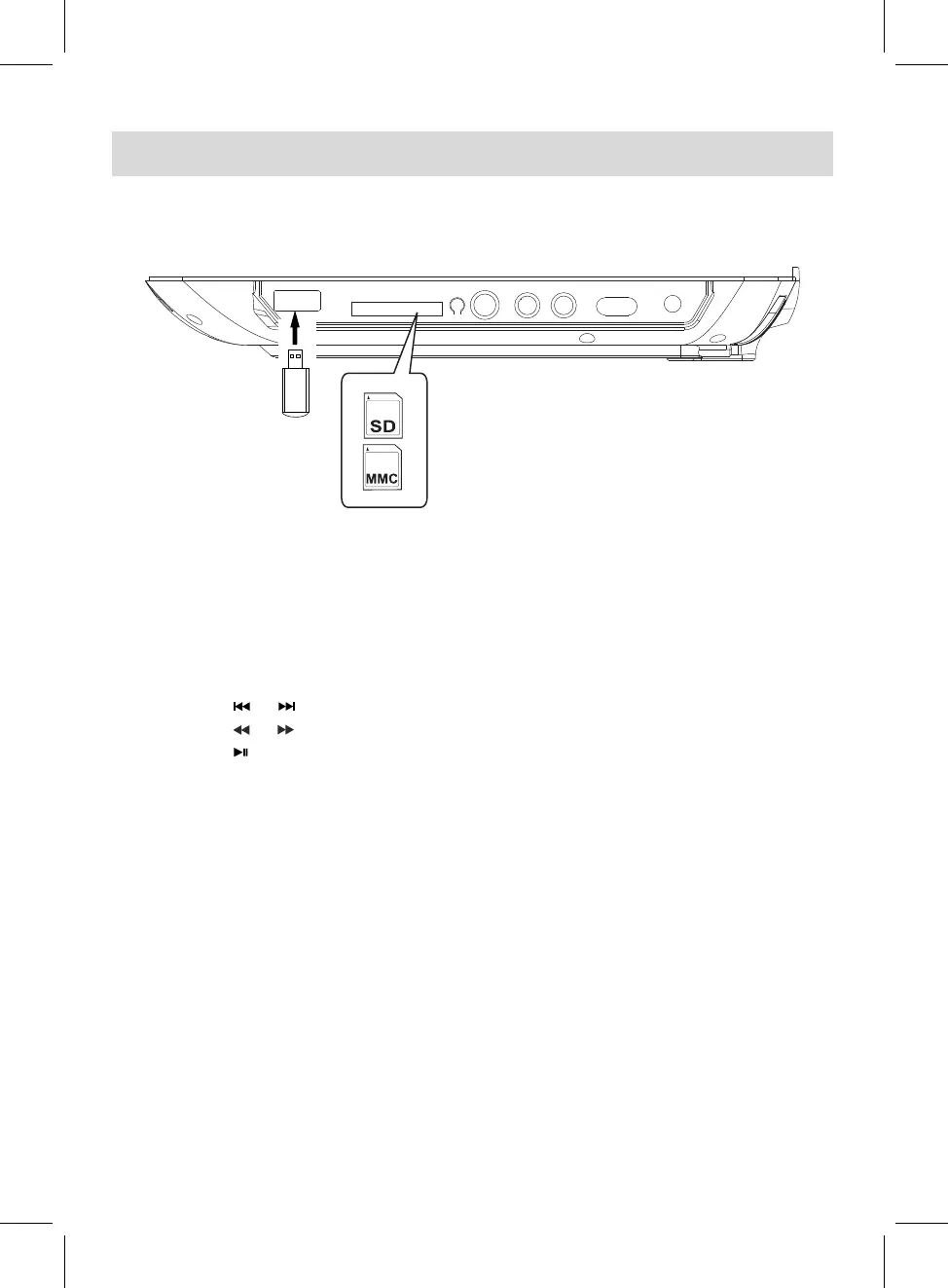
1. Insert the USB Device or SD/MMC memory card into the USB port /card slot as the figure below.
3.
During playback:
~
Press the or button repeatedly to skip tracks.
~ Press the or button repeatedly to select and set the fast searching speed.
~ Press the Play/Pause button to pause, press it again to resume normal playback.
■
2.
In Power ON mode, press the DVD/USB/SD button, the "DVD, CARD, USB" selection window
will pop up on the screen. Using the Direction buttons to select and highlight the desired source
then press the OK button to confirm. Press the OK button again, the Folder/File list will appear,
using the Direction button to select the desired file then press the OK button to start playback.
4.
When finished, press the
STOP button to stop.
USB OR CARD PLAYBACK
16



 To Next Page