SOURCE
DVD
USB/SD
VOL- VOL+
SETUP
OPEN
LCD ON/OFF
1
2
3
5
5
6
7
8
9
10
11
4
4
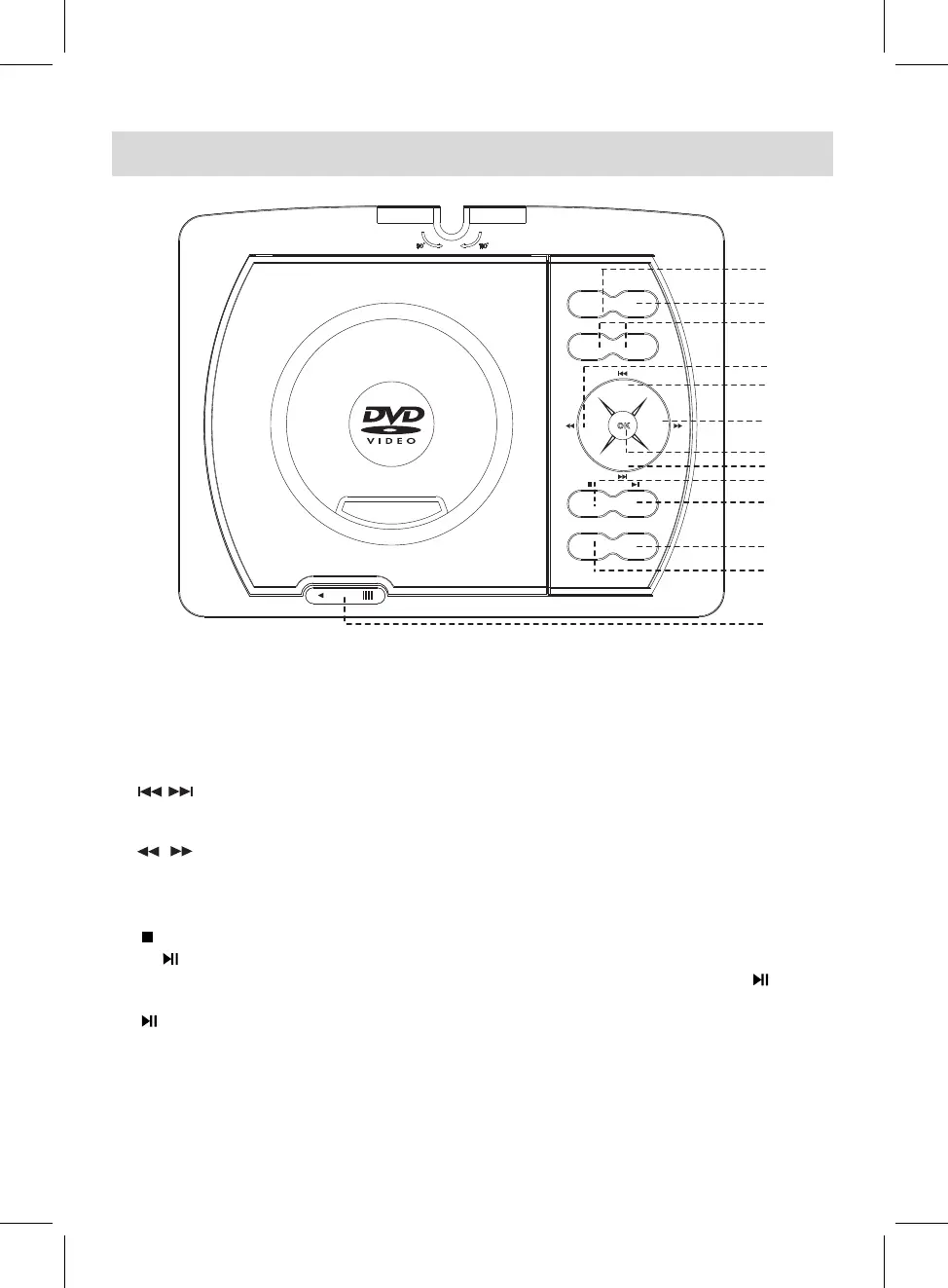
LOCATION OF CONTROLS
7
1. SOURCE: Press to switch to AV IN mode, press again to resume normal mode.
2. DVD/USB/SD: When USB device and/or SD Card was inserted, press repeatedly to select the
playback source as desired.
3.
VOL (volume) - : Press to decrease the volume level.
VOL (volume) + : Press to increase the volume level.
4.
In disc playback mode, press repeatedly to skip to previous/next chapters/tracks as
desired. In setting menu, press repeatedly to move the cursor upward or downward
within the menu.
5. In disc playback mode, press to fast backward or fast forward.
In setting menu, press repeatedly to move the cursor left or right within the menu, or
return to previous menu.
6.
OK: Press to confirm the selection.
7.
8. During playback, press this button to pause, press again to resume normal playback.
9.
SETUP: Press to enter setting menu, when setting finished, press this button again to save
and exit.
10. LCD ON/OFF: Press to turn on or turn off the screen display.
11. OPEN: Slide to left to open the disc door.
While in DVD/CD playing, press this button once to pre-stop (In this mode, when press the
button, the player will start to play from the point stopped.)
Press this button twice to stop playback completely (In this mode, when press the button,
the player will start to play the current disc from the beginning.)



 To Next Page