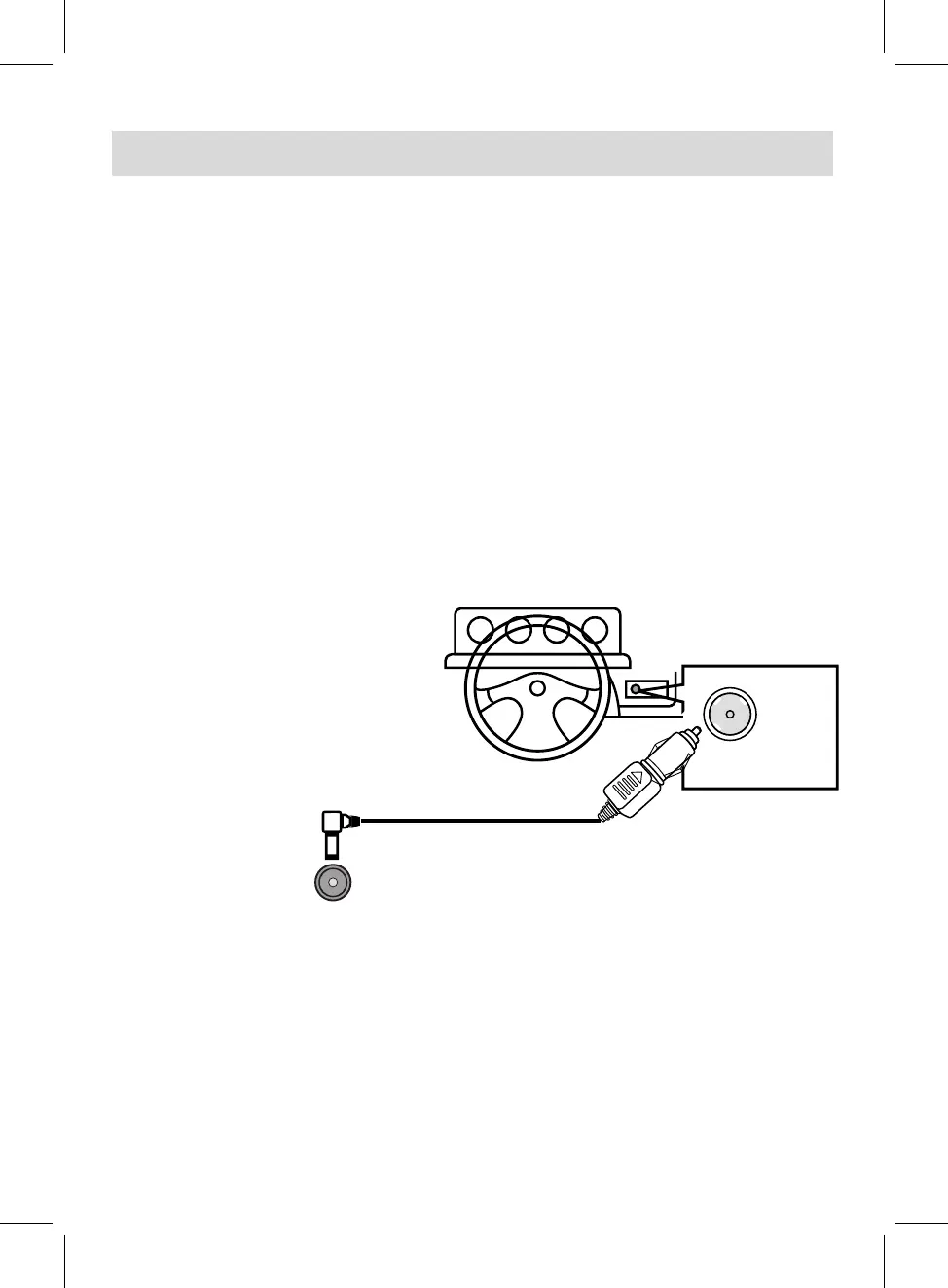
Connect the small plug of AC/DC Adapter to the DC IN Jack on the right of unit.
2. This is a special negative grounded
Car Adapter. Using this Car
Adapter with a plus grounded car
can cause malfunction.
3. Do NOT plug in the Car Adapter
until the car ignition is turned on.
4. Disconnect the Car Adapter from
the cigarette lighter and the unit
after use.
To the cigarette
lighter socket
1.
POWER SOURCE
11
Notes: Your battery will last longer if you follow these simple guides
for caring for and storing it.
A.
Recharge and store the device within the temperature range of
5°C~35°C (40°F~95°F).
B.
Do not overcharge (longer than 24 hours). Excessive charging or discharging may shorten
C.
Battery life naturally shortens slowly over time.
the battery's life.
The rechargeable battery incorporated in this product is not replaceable.
D.
To DC IN Jack on the main unit
Charging by AC/DC Adapter:
Charging by Car Adapter:
During charging in power on mode, the Charge Indicator will light up red. When finished, it will turn
Green.
3.
1.
2.
Connect the AC/DC Adapter to the wall outlet with
AC 100-240V~; 50/60Hz.
Connect to the cigarette lighter socket of a vehicle with 12V battery as the figure below.
NOTE: It is NOT compatible with a vehicle with 24V battery.



 To Next Page