13
Main Menu Operation
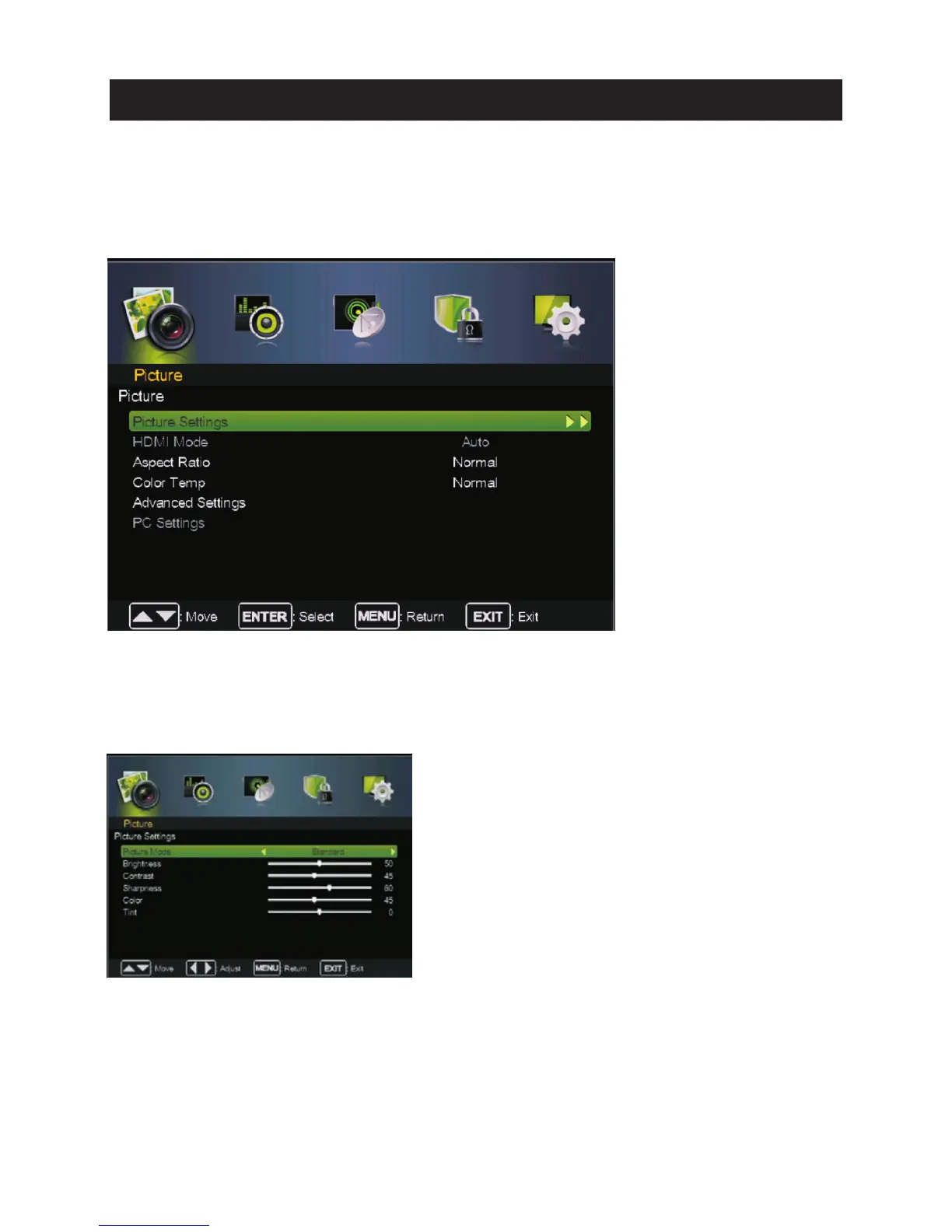
Picture Menu
ress to enter.
Pre ss MENU butt on to display th e main menu.
Pre ss ◄ / ► butt on select PIC TURE in the main menu,then p ENTER / ▼
1. Pre ss ▼ / ▲ button to select the opti on that you want to adjust in the PIC TURE menu.
2. Press Enter/◄ / ► button to adjust.
3. After fi nishing your adjustm ent, Press MENU butt on to save and return back to th e previous menu.
Pic ture Settin gs
Pre ss ▼ / ▲ butt on to select Pictu re Mode, then press Enter / ►button to enter sub-menu.
Pre ss ▼ / ▲ butt on to select Pictu re Mode, then press◄ / ► button to select.
(Available Pictu re mode: Sta ndard ,Movie,User, Vivid).
TIPS: You can press PMODE button to change th e Pictu re Mode directly.



 To Next Page