Quick Guide to Your TV
Startup
4. Turn on the TV
r--_ r-_ r-_
'O 'O 30
'O 'O 'O
'O 'O 'O
_ oO "6"
,0
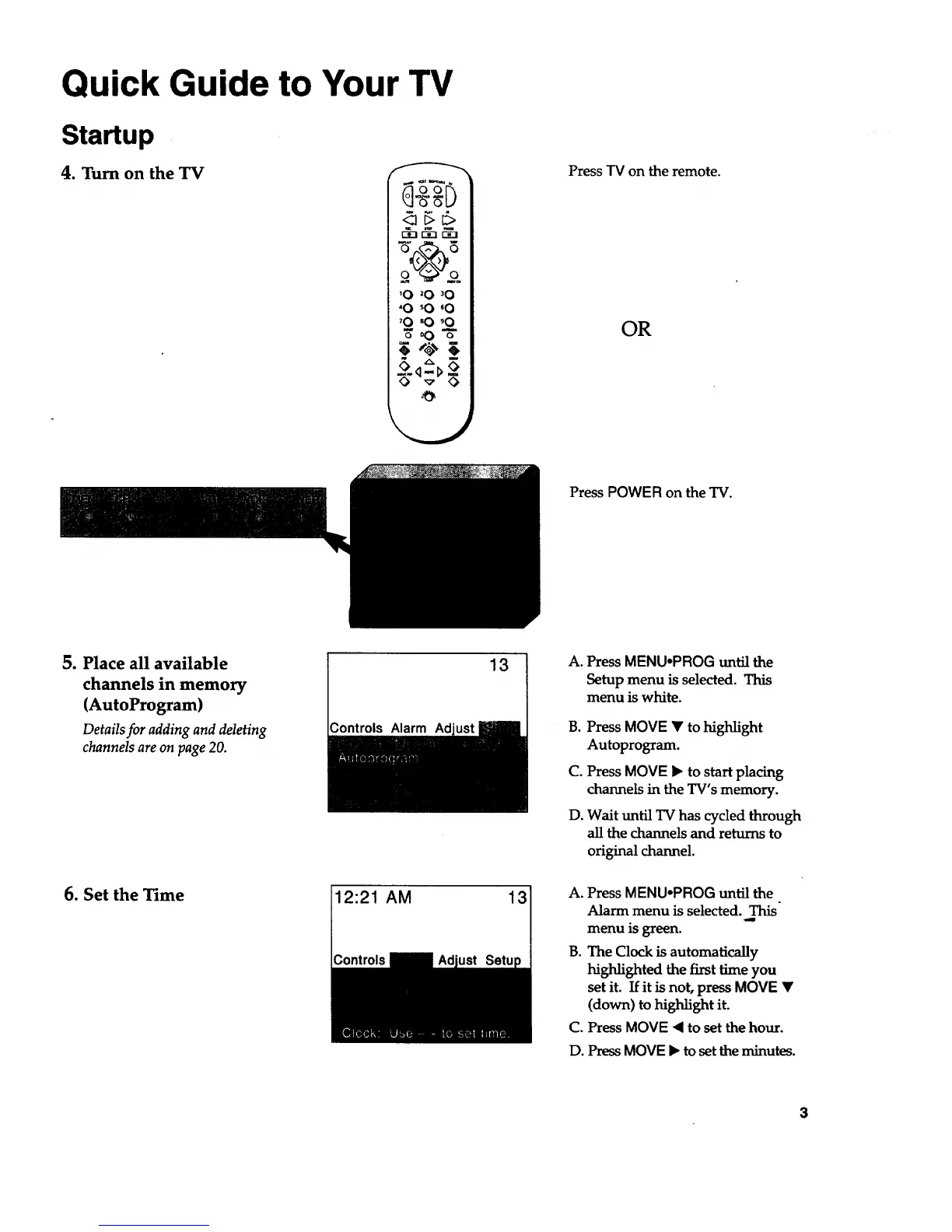
Press TV on the remote.
OR
Press POWER on the TV.
5. Place all available
channels in memory
(AutoProgram)
Detailsfor adding and deleting
channelsareon page 20.
Controls Alarm
13
A,
g.
C°
D°
Press MENU.PROG until the
Setup menu is selected. This
menu is white.
Press MOVE • to highlight
Autoprogram.
Press MOVE • to start placing
channels in the TV's memory.
Wait until TV has cycled through
all the channels and returns to
original channel.
6. Set the Time
12:21 AM 13 A.
B.
C.
Press MENU°PROG until the
Alarm menu is selected. This
menu is green.
The Clock is automatically
highlighted the first time you
set it. If it is not, press MOVE •
(down) to highlight it.
Press MOVE _1to set the hour.
D. Press MOVE • to set the minutes.


 To Next Page